
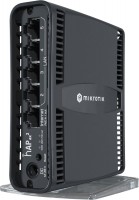
MikroTik hAP ac lite TC (RB952Ui-5ac2nD-TC)
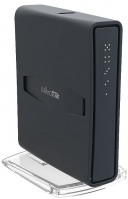 |

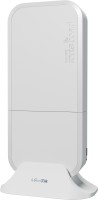
An affordable version of a dual-band Wi-Fi router (router) with the ability to connect 3G / 4G modems and support for Power over Ethernet (PoE) technology. It features unprecedentedly wide customization options that are typical for MikroTik devices. The manufacturer is positioned as an inexpensive model to ensure the stable operation of a performant wireless and cable LAN at home or in a small office.
The key to the high performance of the device is the use of a Qualcomm Atheros AR9531 processor operating at a frequency of 600 MHz, two high-quality radio modules, three built-in antennas and a Level 4 licensed RouterOS operating system. Thanks to this Wi-Fi equipment, the MikroTik hAP ac lite TC router provides a consistently high data transfer rate in 2.4 GHz (up to 300 Mbps, MIMO 2 × 2: 2) and 5 GHz band (up to 433 Mbps). In addition, the router is equipped with a USB 2.0 port (5V, 2A), which can be used to connect 3G (up to 43 Mbps) and 4G modems (up to 150 Mbps). There is also one WAN and four Fast Ethernet LAN ports for connecting to the provider's network and supporting local connections.
|
| ||||||||||||||||||||||||||||||||||||||||||||||||||||||||||||||||||||||||||||||||||||||||||||


Always clarify the specifications and configuration of the product with the online store manager before purchasing.
Catalog MikroTik 2026 - new arrivals, bestsellers, and the most relevant models MikroTik.
Buy MikroTik hAP ac lite TC
Mikrotik RB952UI-5AC2ND-TC | £53.99 |  | |||
| £55.00 |  | ||||
| £59.90 | | ||||
Mikrotik hAP ac lite tower Black Power over Ethernet (PoE) | £62.14 |  | |||
Mikrotik hAP ac lite tower Black Power over Ethernet (PoE) RB952UI-5AC2ND-TC | £76.16 |  | |||



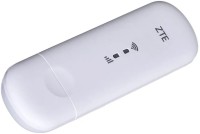

In microtiks, all ears are always ready from packaging until you can, go to the terminal! Hello Linux! First of all, let's get to know each other. You just go to Winbox and... you realize that you're in the wrong place)  Serzh Vovk: use MikroTik hAP ac lite TC more than year Serzh Vovk: use MikroTik hAP ac lite TC more than year |
Quality item! BUT there is a nuance: After resetting to factory settings, it is impossible to configure it through a web browser. You need to use a special branded utility (winbox64 or winbox) to connect to the device via its MAC address, change the network from 0.0.0.0 to the desired one, enable DHCP and the "Home AP Dual" mode! And configure everything else as you would during the first setup: country, Wi-Fi network names, Wi-Fi password, administrator password. To avoid having to reset the device to factory settings, I recommend NOT tinkering with the advanced settings without the proper knowledge! ;) Quality, its capabilities, and "stuffing" English language interface, but this is a "drawback" for those who do not understand what to do with the settings. |


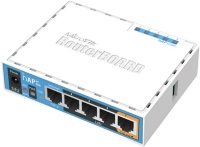
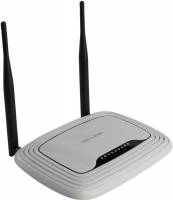
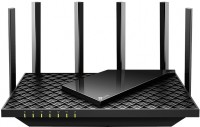


Tip: Make a backup! It doesn't matter if you're updating the OS or switching PPoE from the first port to the third. MAKE A BACKUP!!!