
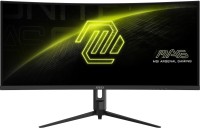
MSI MAG 342CQR E2 34 " black
 |

MSI MAG 342CQR E2 34 " black
Screen size:34 "
Resolution:3440x1440 (21:9)
Panel:*VA, MPRT 1 ms
Frequency:180 Hz
Contrast:3 000:1
Brightness:300 cd/m²
Functions:HDR, AMD FreeSync Premium, VESA Adaptive-Sync, PBP, Flicker-Free
Connectors:DisplayPort v1.4 • 2xHDMI v2.0
All specifications
Specifications MAG 342CQR E2
|
| ||||||||||||||||||||||||||||||||||||||||||||||||||||||||||||||||||||||||||||||||||||||||||||||


E-Catalog UK editor, Monitors
Dmytro Prokopenko, edited 19.08.2026
The information in the model description is for reference purposes.
Always clarify the specifications and configuration of the product with the online store manager before purchasing.
Catalog MSI 2026 - new arrivals, bestsellers, and the most relevant models MSI.
Always clarify the specifications and configuration of the product with the online store manager before purchasing.
Catalog MSI 2026 - new arrivals, bestsellers, and the most relevant models MSI.

Buy MSI MAG 342CQR E2 34 " black
All prices 7 →When you make a purchase through links on our site, we may receive a affiliate commission.
MSI MAG 342CQR E2 34" Curved Ultrawide Quad HD 180Hz 1ms Gaming Monitor | £299.00 |  | |||
MSI MAG 342CQR E2 34 VA UWQHD 180Hz 1ms UltraWide Curved Gaming Monitor Black 9S6-3DB64H-070 | £298.97 |  | |||
| £298.99 |  | ||||
MSI MSI 34" MAG 342CQR E2 3440x1440 VA 180Hz 1ms A-Sync Curved Widescreen Gaming Monitor 9S6-3DB64H-070 | £298.99 |  | |||
MSI MAG 342CQR E2 34 Inch UWQHD Curved Gaming Monitor - 1500R 3440 x 1440 VA Panel, 180 Hz / 1ms (MPRT), Adaptive Sync - DP | £299.00 |  | |||
MSI MAG 342CQR E2 computer monitor 86.4 cm (34") 3440 x 1440 pixe | £317.68 |  | |||
MSI MAG 342CQR E2 computer monitor 86.4 cm (34") 3440 x 1440 pixels UltraWide Quad HD LCD Black 9S6-3DB64H-070 | £376.00 |  | |||
Series MSI MAG (gaming, optimal)Compare using chart →

gaming, 27 ", 2560x1440 (16:9), QD-Mini LED VA, response 0.5 ms, 300 Hz, 8-bit + FRC (1.07B Colors), sRGB 152 %, DCI-P3 97 %, HDMI, v 2.1, DisplayPort, VESA Adaptive-Sync, HDR, TÜV Rheinland

gaming, 27 ", 4K, 3840x2160 (16:9), QD-Mini LED IPS, response 0.5 ms, 160 Hz, 320 Hz (Full HD), 8-bit + FRC (1.07B Colors), sRGB 143 %, DCI-P3 98 %, HDMI, v 2.1, DisplayPort, USB-C (DP Alt Mode), Power Delivery, VESA Adaptive-Sync, HDR, TÜV Rheinland

gaming, 23.8 ", 1920x1080 (16:9), IPS, response 0.5 ms, 200 Hz, 8-bit + FRC (1.07B Colors), sRGB 115 %, DCI-P3 89 %, HDMI, DisplayPort, AMD FreeSync Premium, VESA Adaptive-Sync, HDR, TÜV Rheinland

gaming, 31.5 ", 4K, 3840x2160 (16:9), IPS, response 0.5 ms, 160 Hz, 320 Hz (Full HD), 8-bit + FRC (1.07B Colors), sRGB 131 %, DCI-P3 99 %, HDMI, v 2.1, DisplayPort, HUB: USB-A 2x2.0, VESA Adaptive-Sync, HDR, TÜV Rheinland

gaming, 23.6 ", 1920x1080 (16:9), curved 1500R, *VA, MPRT 1 ms, 180 Hz, 8-bit + FRC (1.07B Colors), sRGB 115.8 %, DCI-P3 91.5 %, HDMI, DisplayPort, VESA Adaptive-Sync, HDR, TÜV Rheinland

gaming, 27 ", 2560x1440 (16:9), IPS, response 0.5 ms, 320 Hz, 8-bit + FRC (1.07B Colors), sRGB 129 %, DCI-P3 97 %, HDMI, v 2.1, DisplayPort, VESA Adaptive-Sync, HDR, TÜV Rheinland

gaming, 26.5 ", 2560x1440 (16:9), QD-OLED, response 0.03 ms, 240 Hz, 10-bit (1.07B Colors), sRGB 138 %, DCI-P3 99 %, HDMI, v 2.1, DisplayPort, VESA Adaptive-Sync, HDR, TÜV Rheinland

gaming, 27 ", 2560x1440 (16:9), IPS, response 0.5 ms, 320 Hz, 8-bit + FRC (1.07B Colors), sRGB 129 %, DCI-P3 97 %, HDMI, v 2.1, DisplayPort, AMD FreeSync Premium, NVIDIA G-Sync Compatible, VESA Adaptive-Sync, HDR, TÜV Rheinland
gaming, 40 ", 3440x1440 (21:9), IPS, MPRT 1 ms, 155 Hz, 8-bit + FRC (1.07B Colors), sRGB 118 %, DCI-P3 94 %, HDMI, DisplayPort, USB-C (DP Alt Mode), Power Delivery, HUB: USB-A 2x2.0, KVM switch, VESA Adaptive-Sync, HDR, TÜV Rheinland

gaming, 27 ", 2560x1440 (16:9), IPS, response 0.5 ms, 200 Hz, 8-bit + FRC (1.07B Colors), sRGB 124 %, DCI-P3 95 %, HDMI, DisplayPort, VESA Adaptive-Sync, HDR, TÜV Rheinland

gaming, 24.5 ", 1920x1080 (16:9), IPS, response 0.5 ms, 200 Hz, 8-bit + FRC (1.07B Colors), sRGB 100 %, DCI-P3 79 %, HDMI, DisplayPort, AMD FreeSync Premium, VESA Adaptive-Sync, HDR, TÜV Rheinland

gaming, 27 ", 1920x1080 (16:9), IPS, response 0.5 ms, 200 Hz, 8-bit + FRC (1.07B Colors), sRGB 115 %, DCI-P3 91 %, HDMI, DisplayPort, AMD FreeSync Premium, VESA Adaptive-Sync, HDR, TÜV Rheinland

gaming, 34 ", 3440x1440 (21:9), curved 1500R, *VA, response 0.5 ms, 200 Hz, 8-bit + FRC (1.07B Colors), sRGB 110 %, DCI-P3 90 %, HDMI, DisplayPort, AMD FreeSync Premium, VESA Adaptive-Sync, HDR, TÜV Rheinland

gaming, 31.5 ", 2560x1440 (16:9), *VA, response 0.5 ms, 180 Hz, 8-bit + FRC (1.07B Colors), sRGB 109 %, DCI-P3 84 %, HDMI, DisplayPort, VESA Adaptive-Sync, HDR, TÜV Rheinland

gaming, 31.5 ", 4K, 3840x2160 (16:9), QD-OLED, response 0.03 ms, 240 Hz, 10-bit (1.07B Colors), sRGB 138 %, DCI-P3 99 %, HDMI, v 2.1, DisplayPort, USB-C (DP Alt Mode), Power Delivery, AMD FreeSync Premium Pro, NVIDIA G-Sync Compatible, HDR, TÜV Rheinland

gaming, 26.5 ", 2560x1440 (16:9), QD-OLED, response 0.03 ms, 500 Hz, 10-bit (1.07B Colors), sRGB 138 %, DCI-P3 99 %, HDMI, v 2.1, DisplayPort, USB-C (DP Alt Mode), Power Delivery, AMD FreeSync Premium Pro, VESA Adaptive-Sync, HDR, TÜV Rheinland
gaming, 23.6 ", 1920x1080 (16:9), curved 1500R, *VA, MPRT 1 ms, 180 Hz, 8-bit + FRC (1.07B Colors), sRGB 105 %, DCI-P3 84 %, HDMI, DisplayPort, AMD FreeSync, VESA Adaptive-Sync, HDR, TÜV Rheinland
gaming, 31.5 ", 4K, 3840x2160 (16:9), QD-OLED, response 0.03 ms, 165 Hz, 10-bit (1.07B Colors), sRGB 138.2 %, DCI-P3 99 %, HDMI, v 2.1, DisplayPort, USB-C (DP Alt Mode), Power Delivery, VESA Adaptive-Sync, HDR, TÜV Rheinland
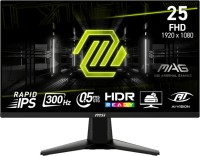
gaming, 24.5 ", 1920x1080 (16:9), IPS, response 0.5 ms, 300 Hz, 8-bit + FRC (1.07B Colors), sRGB 120 %, DCI-P3 90 %, HDMI, DisplayPort, AMD FreeSync Premium, VESA Adaptive-Sync, HDR, TÜV Rheinland
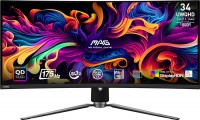
gaming, 34 ", 3440x1440 (21:9), curved 1800R, QD-OLED, response 0.03 ms, 175 Hz, 10-bit (1.07B Colors), sRGB 139.1 %, DCI-P3 99.3 %, HDMI, v 2.1, DisplayPort, USB-C (DP Alt Mode), Power Delivery, HUB: USB-A 2x2.0, KVM switch, AMD FreeSync Premium Pro, VESA Adaptive-Sync, HDR, TÜV Rheinland
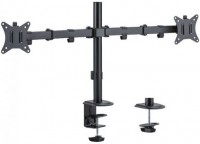
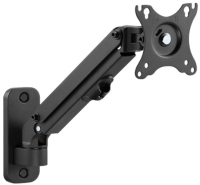
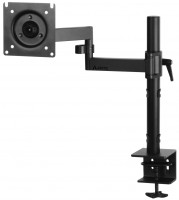
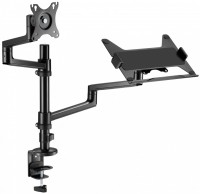
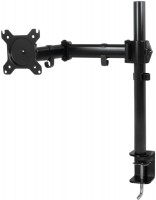
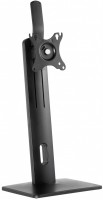
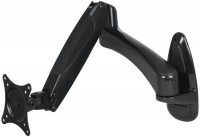
AccessoriesAll accessories for MSI MAG 342CQR E2 →






What can I say, it's a convenient monitor for work, allowing you to fit a lot of information on the screen, which significantly eases the workload. It's worth noting that for laptop use, your laptop must support sufficient bandwidth of at least HDMI 2.0 or more (for instance, in my case, using a standard HDMI output of 3440x1440 at 59Hz), but I found a solution: an HDMI to Type-C cable with 8K 60Hz bandwidth, which gives me over 120Hz at 1440 (note - we're talking about a non-gaming laptop). As for gaming, prepare for the video card to be at least a 3060/4060, or even 5060, which will handle from minimal to medium settings. An advantage of this model is the external power supply of 19V 3.4A, so if you have the right uninterruptible power supply devices or handy skills, you can set it up for uninterrupted power during outages. Large screen, external power supply 19v (easier to find a PD trigger for a power bank), separate buttons for settings (depends on personal preference, less chance of joystick failure), backlighting, VESA mount, price response time in some games and trailing without MPRT enabled, the position of the adjustment keys (such a wide monitor is better with them behind or in the center, because it wobbles)  Volodimir Homenko: use MSI MAG 342CQR E2 less than month Volodimir Homenko: use MSI MAG 342CQR E2 less than month |
Add Review
SimilarCompare using chart →

gaming, 34 ", 3440x1440 (21:9), curved 1500R, *VA, response 1 ms, 250 Hz, 10-bit (1.07B Colors), sRGB 130 %, DCI-P3 95 %, HDMI, v 2.1, DisplayPort, HUB: USB-A 3x5Gbps, speakers, AMD FreeSync Premium, VESA Adaptive-Sync, HDR, TÜV Rheinland
gaming, 34 ", 3440x1440 (21:9), curved 1500R, *VA, response 1 ms, MPRT 0.3 ms, 240 Hz, 1.07B Colors, sRGB 130.3 %, DCI-P3 94 %, HDMI, v 2.1, DisplayPort, HUB: USB-A 2x5Gbps, VESA Adaptive-Sync, HDR, TÜV Rheinland

gaming, 34 ", 3440x1440 (21:9), curved 1500R, *VA, response 1 ms, MPRT 0.5 ms, 180 Hz, 8-bit + FRC (1.07B Colors), sRGB 118.4 %, DCI-P3 92.1 %, HDMI, DisplayPort, USB-C (DP Alt Mode), Power Delivery, HUB: USB-A 2x5Gbps, KVM switch, speakers, VESA Adaptive-Sync, HDR

gaming, 34 ", 3440x1440 (21:9), curved 1500R, *VA, response 1 ms, 240 Hz, 8-bit + FRC (1.07B Colors), DCI-P3 95 %, HDMI, v 2.1, DisplayPort, HUB: USB-A 1x5Gbps, USB-C 1x5Gbps, AMD FreeSync Premium, VESA Adaptive-Sync, HDR
gaming, 34 ", 3440x1440 (21:9), curved 1500R, *VA, response 0.5 ms, 200 Hz, 8-bit + FRC (1.07B Colors), sRGB 110 %, DCI-P3 90 %, HDMI, DisplayPort, AMD FreeSync Premium, VESA Adaptive-Sync, HDR, TÜV Rheinland
gaming, 34 ", 3440x1440 (21:9), curved 1500R, *VA, MPRT 1 ms, 180 Hz, 8-bit + FRC (1.07B Colors), sRGB 123 %, DCI-P3 94 %, HDMI, DisplayPort, HUB: USB-A 4x5Gbps, speakers, AMD FreeSync Premium, HDR

gaming, 34 ", 3440x1440 (21:9), curved 1500R, *VA, response 1 ms, MPRT 0.3 ms, 240 Hz, 10-bit (1.07B Colors), sRGB 132.6 %, DCI-P3 95.3 %, HDMI, v 2.1, DisplayPort, USB-C (DP Alt Mode), Power Delivery, HUB: USB-A 4x5Gbps, KVM switch, speakers, VESA Adaptive-Sync, HDR
gaming, 34 ", 3440x1440 (21:9), curved 1500R, *VA, response 1 ms, MPRT 0.5 ms, 180 Hz, 8-bit + FRC (1.07B Colors), sRGB 126 %, DCI-P3 95 %, HDMI, DisplayPort, HUB: USB-A 3x5Gbps, speakers, AMD FreeSync Premium, NVIDIA G-Sync Compatible, HDR

gaming, 34 ", 3440x1440 (21:9), curved Curved screen, *VA, response 1 ms, MPRT 0.5 ms, 200 Hz, 8-bit + FRC (1.07B Colors), HDMI, DisplayPort, HUB: USB-A 5Gbps, speakers, AMD FreeSync Premium, HDR

gaming, 34 ", 3440x1440 (21:9), curved 1500R, *VA, response 1 ms, 180 Hz, 1.07B Colors, DCI-P3 95 %, HDMI, v 2.1, DisplayPort, HUB: USB-A 2x5Gbps, AMD FreeSync Premium, VESA Adaptive-Sync, HDR

gaming, 34 ", 3440x1440 (21:9), curved 1500R, *VA, response 0.5 ms, 240 Hz, 8-bit + FRC (1.07B Colors), sRGB 110 %, DCI-P3 85 %, HDMI, v 2.1, DisplayPort, USB-C (DP Alt Mode), Power Delivery, HUB: USB-A 2x2.0, KVM switch, VESA Adaptive-Sync, HDR, TÜV Rheinland

gaming, 34 ", 3440x1440 (21:9), curved 1500R, *VA, response 1 ms, 240 Hz, 1.07B Colors, DCI-P3 95 %, HDMI, v 2.1, DisplayPort, Power Delivery, HUB: USB-A 2x5Gbps, speakers, AMD FreeSync Premium, VESA Adaptive-Sync, HDR