
Philips 24M1N3200VS 24 " black
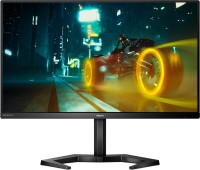 | Outdated Product Product type: gaming; Size ("): 24; Panel type: *VA; Treatment: anti-glare; Resolution: 1920x1080 (16:9); Response time GtG (ms): 4; Viewing angle vert.: 178; Horizontal viewing angle: 178; Brightness (cd/m²): 350; Static contrast: 3 500:1; Video transmission: DisplayPort: DisplayPort v1.2 |


Philips 24M1N3200VS 24 " black
Screen size:24 "
Resolution:1920x1080 (16:9)
Panel:*VA, response 4 ms
Frequency:165 Hz
Contrast:3 500:1
Brightness:350 cd/m²
Functions:Flicker-Free
Connectors:DisplayPort v1.2 • 2xHDMI v2.0
All specifications
Specifications 24M1N3200VS
|
| ||||||||||||||||||||||||||||||||||||||||||||||||||||||||||||||||||||||||||||||


The information in the model description is for reference purposes.
Always clarify the specifications and configuration of the product with the online store manager before purchasing.
Catalog Philips 2026 - new arrivals, bestsellers, and the most relevant models Philips.
Always clarify the specifications and configuration of the product with the online store manager before purchasing.
Catalog Philips 2026 - new arrivals, bestsellers, and the most relevant models Philips.

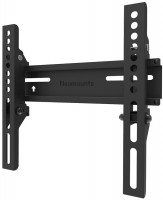
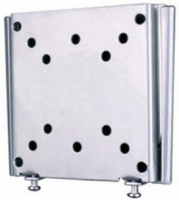
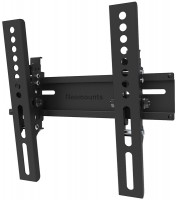
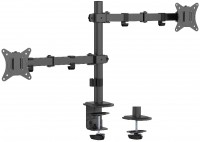
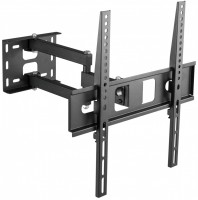
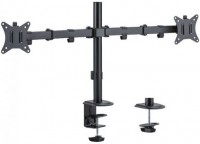
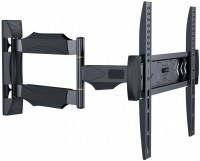
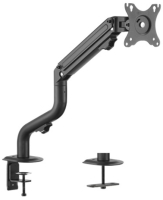
AccessoriesAll accessories for Philips 24M1N3200VS →
I'll add to my previous review. As it turns out, high refresh rate monitors can support this, and you need to enable FreeSync or G-Sync yourself, and they only work through DP. V-Sync, vertical synchronization, might be helpful with this over HDMI. All I have already described  Andriy: use Philips 24M1N3200VS less than month Andriy: use Philips 24M1N3200VS less than month |
The monitor is excellent, with high brightness, a great color gamut, a cool design, especially the stand. However, literally after two days of use, I encountered several issues with image display in games that I clearly did not expect. The first game is Sims 3, when connected via DP and 165 Hz, in full-screen mode, the image becomes very dark, oversaturated, and contrasty, yet in windowed mode, everything is perfect. The solution to this issue is HDMI and 144 Hz. Great, bought a monitor that I can't fully use. Next, on the e-commerce site in dark mode, when scrolling, again with the same 165 and DP, the text becomes contrasty (red), and there's flickering, torn images. The solution is still HDMI. In Asphalt 9, there are only 60 fps, and at 144 or any other, there's no smoothness; you need to set it to 60 Hz. What the hell, Philips? Why do I have to manually adjust this? It should work automatically, where are all those praised technologies? My video card is a GTX 1650; maybe it can't handle 165 Hz, I don't know, maybe someone can advise. But not being able to use it without jumping through hoops is a fiasco. I'm not going to return it, of course; in other games, it seems fine, but it doesn't negate the fact that I might encounter such issues again. If anyone has had a similar experience with these problems, please reply here with how you resolved these issues, because finding information to solve such problems is really difficult. I've tried everything with the settings, everything I knew and didn't know. My previous Philips monitor worked great at 60 Hz for 13 years. *Design *Size *Color palette *Excellent matrix *Matte screen *Excellent viewing angle *Includes both DP and HDMI cables *External PSU *Bezels *Speakers *mini-Jack connector * I'm nitpicking, but you can see the pixels, if you sit a bit further away it's fine * 165 Hz is both its advantage and main drawback * All image enhancement technologies don't work properly * This version is not height-adjustable, and there's no screen rotation Andriy: use Philips 24M1N3200VS less than month |
It is well suited for both work and video, and even games. I bought it not so long ago, but I like it. And the color reproduction is excellent and the viewing angles are wide, everything is perfectly visible from the sides. Color transfer, assembly, design yes all is well.  Vanya: use Philips 24M1N3200VS few months Vanya: use Philips 24M1N3200VS few months |
Add Review
SimilarCompare using chart →
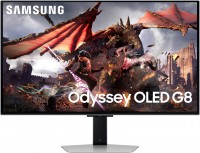
gaming, smart, 32 ", 4K, 3840x2160 (16:9), QD-OLED, response 0.03 ms, 240 Hz, 10-bit (1.07B Colors), DCI-P3 99 %, HDMI, v 2.1, DisplayPort, Bluetooth, Wi-Fi, HUB: USB-A 2x5Gbps, speakers, AMD FreeSync Premium Pro, VESA Adaptive-Sync, HDR

gaming, 31.5 ", 4K, 3840x2160 (16:9), WOLED, response 0.03 ms, 330 Hz (Full HD), 10-bit (1.07B Colors), HDMI, v 2.1, DisplayPort, Power Delivery, HUB: USB-A 3x5Gbps, KVM switch, AMD FreeSync Premium Pro, NVIDIA G-Sync Compatible, HDR, TÜV Rheinland
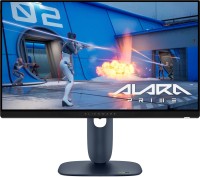
gaming, 24.5 ", 1920x1080 (16:9), IPS, response 0.5 ms, 320 Hz, 16.7M Colors, sRGB 99 %, HDMI, v 2.1, DisplayPort, HUB: USB-A 2x5Gbps, AMD FreeSync Premium, NVIDIA G-Sync Compatible, VESA Adaptive-Sync, HDR

gaming, 31.5 ", 4K, 3840x2160 (16:9), IPS, response 0.5 ms, 160 Hz, 320 Hz (Full HD), 8-bit + FRC (1.07B Colors), sRGB 131 %, DCI-P3 99 %, HDMI, v 2.1, DisplayPort, HUB: USB-A 2x2.0, VESA Adaptive-Sync, HDR, TÜV Rheinland

gaming, 31.5 ", 4K, 3840x2160 (16:9), QD-OLED, response 0.03 ms, 240 Hz, 10-bit (1.07B Colors), DCI-P3 99 %, HDMI, v 2.1, DisplayPort, USB-C (DP Alt Mode), Power Delivery, HUB: USB-A 2x5Gbps, KVM switch, speakers, AMD FreeSync Premium Pro, NVIDIA G-Sync Compatible, HDR
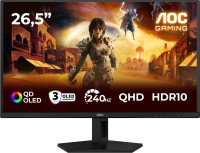
gaming, 26.5 ", 2560x1440 (16:9), QD-OLED, response 0.03 ms, 240 Hz, sRGB 147.6 %, DCI-P3 99.1 %, HDMI, DisplayPort, NVIDIA G-Sync Compatible, VESA Adaptive-Sync, HDR, TÜV Rheinland

gaming, 27 ", 2560x1440 (16:9), IPS, response 1 ms, 220 Hz, 10-bit (1.07B Colors), sRGB 133 %, DCI-P3 97 %, HDMI, v 2.1, DisplayPort, USB-C (DP Alt Mode), Power Delivery, AMD FreeSync Premium, NVIDIA G-Sync Compatible, VESA Adaptive-Sync, HDR, TÜV Rheinland

gaming, 27 ", 2560x1440 (16:9), QD-IPS, response 1 ms, 200 Hz, 1.07B Colors, sRGB 150 %, DCI-P3 99 %, HDMI, DisplayPort, USB-C (DP Alt Mode), Power Delivery, HUB: USB-A 2x5Gbps, KVM switch, NVIDIA G-Sync Compatible, VESA Adaptive-Sync, HDR, TÜV Rheinland
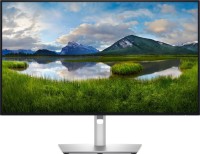
for graphics, 27 ", 4K, 3840x2160 (16:9), IPS, response 5 ms, 120 Hz, 1.07B Colors, sRGB 100 %, DCI-P3 99 %, HDMI, v 2.1, DisplayPort, USB-C (Thunderbolt v4), Power Delivery, LAN, HUB: USB-A 5x10Gbps, USB-C 2x10Gbps, KVM switch, VESA Adaptive-Sync, HDR, CalMAN Verified, TÜV Rheinland

gaming, 27 ", 4K, 3840x2160 (16:9), IPS, response 1 ms, 160 Hz, 320 Hz (Full HD), 1.07B Colors, sRGB 125 %, DCI-P3 95 %, HDMI, v 2.1, DisplayPort, USB-C (DP Alt Mode), Power Delivery, HUB: USB-A 3x5Gbps, KVM switch, speakers, AMD FreeSync Premium, NVIDIA G-Sync Compatible, VESA Adaptive-Sync, HDR, TÜV Rheinland

gaming, 27 ", 2560x1440 (16:9), WOLED, response 0.03 ms, 240 Hz, 10-bit (1.07B Colors), DCI-P3 99 %, HDMI, v 2.1, DisplayPort, USB-C (DP Alt Mode), AMD FreeSync Premium, NVIDIA G-Sync Compatible, HDR, TÜV Rheinland

gaming, 42.5 ", 4K, 3840x2160 (16:9), *VA, MPRT 0.3 ms, 144 Hz, 8-bit + FRC (1.07B Colors), HDMI, v 2.1, DisplayPort, HUB: USB-A 4x5Gbps, speakers, VESA Adaptive-Sync, HDR