
Comparison Asus VA24EHE 24 " black vs Samsung C24F390F 24 "
Add to comparison | 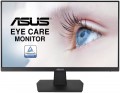 | 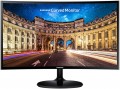 |
|---|---|---|
| Asus VA24EHE 24 " black | Samsung C24F390F 24 " | |
| Compare prices 1 | Compare prices 2 | |
| User reviews | ||
| TOP sellers | ||
Sweep frequency 75 Hz. Thin frames. AMD FreeSync. Game features like fixed crosshair or FPS counter. | Curved screen. Quality colour rendering. High level of contrast. Support for AMD Free Sync technology. Thin frames. Glossy plastic on the front. External power supply. | |
| Product type | monitor | monitor |
| Size | 24 " | 24 " |
Screen | ||
| Curved screen | 1800R | |
| Panel type | IPS | *VA |
| Surface treatment | anti-glare | matte |
| Resolution | 1920x1080 (16:9) | 1920x1080 (16:9) |
| FPS | 75 Hz | 60 Hz |
| Pixel size | 0.27 mm | 0.27 mm |
| Response time (GtG) | 5 ms | 4 ms |
| Vertical viewing angle | 178 ° | 178 ° |
| Horizontal viewing angle | 178 ° | 178 ° |
| Brightness | 250 cd/m² | 250 cd/m² |
| Static contrast | 1 000:1 | 3 000:1 |
| Dynamic Contrast | 100 000 000:1 | |
| Colour depth | 6-bit + FRC (16.7M Colors) | 8-bit (16.7M Colors) |
| Colour space (NTSC) | 72 % | |
Connection | ||
| Video transmission | VGA DVI-D HDMI | VGA HDMI |
| Connectors (optional) | mini-Jack output (3.5 mm) | |
Features | ||
| Features | Flicker-Free AMD FreeSync | Flicker-Free AMD FreeSync |
| Game Features | aim timer FPS display | |
General | ||
| Wall mount | VESA 100x100mm | VESA 75x75mm |
| Power consumption | 16 W | 25 W |
| Dimensions (WxHxD) | 540x404x204 mm | 547.8x418.2x206.5 mm |
| Weight | 3.57 kg | 3.3 kg |
| Color | ||
| Added to E-Catalog | january 2020 | march 2016 |


Compare Asus VA24EHE and Samsung C24F390F
Price comparison
You may be interested in
Asus VA24EHE often compared


Samsung C24F390F often compared


Glossary
Curved screen
The presence of a curved screen in the monitor design.
Such a screen has the left and right edges curved forward - it is believed that this shape significantly improves perception compared to a flat surface. At the same time, it makes sense to provide this feature only on fairly large diagonals - at least 30"; therefore, it is typical mainly for high-end models. It is also worth noting that in order to take advantage of all the advantages of a curved screen, you need to look at it from a certain point - at the optimal distance, strictly in the center; however, for computer monitors this is usually not a problem.
The main parameter of a curved screen is the radius of curvature. It is indicated in millimeters along the radius of a circle, the bend of which corresponds to the bend of the monitor: for example, the designation 1800R indicates a radius of 1.8 m.
The smaller the number in this designation, the more curved the screen (all other things being equal). At the same time, some manufacturers claim that the ideal curvature value is 1000R: supposedly, it is with this curvature of the screen that the image on it turns out to be as close as possible to a person’s natural field of vision, and the closer the curvature of the monitor is to 1000R, the better the viewing experience. However, in practice a lot depends on personal preference; and when viewed from a long distance (exceeding the radius of curvature by one a...nd a half times or more), all the advantages of a curved screen are lost.
Such a screen has the left and right edges curved forward - it is believed that this shape significantly improves perception compared to a flat surface. At the same time, it makes sense to provide this feature only on fairly large diagonals - at least 30"; therefore, it is typical mainly for high-end models. It is also worth noting that in order to take advantage of all the advantages of a curved screen, you need to look at it from a certain point - at the optimal distance, strictly in the center; however, for computer monitors this is usually not a problem.
The main parameter of a curved screen is the radius of curvature. It is indicated in millimeters along the radius of a circle, the bend of which corresponds to the bend of the monitor: for example, the designation 1800R indicates a radius of 1.8 m.
The smaller the number in this designation, the more curved the screen (all other things being equal). At the same time, some manufacturers claim that the ideal curvature value is 1000R: supposedly, it is with this curvature of the screen that the image on it turns out to be as close as possible to a person’s natural field of vision, and the closer the curvature of the monitor is to 1000R, the better the viewing experience. However, in practice a lot depends on personal preference; and when viewed from a long distance (exceeding the radius of curvature by one a...nd a half times or more), all the advantages of a curved screen are lost.
Panel type
The panel type determines the technology used to build a monitor’s screen and how it renders color, contrast, viewing angles, black levels, and response time. This parameter has a noticeable effect on usage scenarios.
— TN+film. The TN+film panel is designed for fast pixel response and is found in budget or older gaming monitors. It is chosen where minimal latency is important, for example in fast-paced online games, but it is inferior to IPS, VA, and OLED / WOLED in terms of color reproduction and viewing angles.
— *VA. VA panels offer high static contrast, so dark scenes look deeper than on most IPS monitors. This is a good choice for movies, gaming, evening work, and multimedia, especially if rich blacks are important without switching to OLED / WOLED. The main caveat of VA is possible smearing of dark objects in motion, so for shooters and fast-paced games it is better to look not only at the stated response time in milliseconds but also at real reviews of the specific model.
— IPS. IPS panels maintain color and brightness well when viewed from different angles, making them suitable for workspaces, studying, gaming, and hobbyist image editing. This is one of the most balanced options when you need an «everyday» monitor without a clear bias toward movies or esports. In terms of black depth, IPS usually loses to VA and OLED / WOLED, so in a dark...room, black may look more like dark gray.
— OLED. A display technology in which each pixel is an independent light source and can be completely switched off to display black. As a result, OLED provides virtually infinite contrast, deep blacks, very fast response, and high HDR performance. In classic OLED panels (RGB OLED), each pixel is formed from separate red, green, and blue subpixels that directly produce the corresponding colors. This approach provides high color accuracy and image sharpness, but requires complex manufacturing and for a long time limited the widespread adoption of such panels.
Modern monitors also use variants of OLED technology—WOLED and QD-OLED—which differ in how color is formed. Like other OLED technologies, RGB OLED retains the risk of burn-in when static elements are displayed for long periods.
— WOLED. A type of OLED panel developed and mass-produced primarily by LG Display. In these panels, organic layers generate white light, which then passes through color filters to create the primary colors. The classic WOLED structure uses a WRGB layout with an additional white subpixel, which helps increase the brightness of light areas and energy efficiency, although color saturation may decrease at high brightness.
Newer generations of WOLED use improved structures, including multilayer Tandem panels and panels without a white subpixel featuring an RGB Stripe subpixel arrangement, which increases brightness, color reproduction, and text sharpness. Like other OLED panels, WOLED provides deep blacks, high contrast, and fast response, but retains the risk of burn-in when static elements are displayed for long periods.
Additionally, the main panel types can be enhanced with miniature LEDs or an additional quantum-dot layer.
— Mini LED. An improved backlighting system for LCD monitors in which a large number of small LED zones are used instead of conventional LEDs. This backlighting allows individual areas of the screen to be dimmed more precisely, so HDR scenes look more contrasty and blacks appear deeper than on ordinary IPS or VA monitors with basic backlighting. For example, Mini LED is especially useful for gaming, movies, and HDR content, but quality depends heavily on the number of dimming zones and the settings of the specific model.
— Quantum dots (QD). Quantum-dot technology adds a special color layer to the screen, making red, green, and other saturated shades purer. It can be found in different types of monitors: QD-IPS, QD-VA, QD-OLED. In practice, this is useful for HDR, gaming, movies, and image editing, where a wide color gamut is important, but the QD designation alone does not guarantee accurate factory calibration.
— TN+film. The TN+film panel is designed for fast pixel response and is found in budget or older gaming monitors. It is chosen where minimal latency is important, for example in fast-paced online games, but it is inferior to IPS, VA, and OLED / WOLED in terms of color reproduction and viewing angles.
— *VA. VA panels offer high static contrast, so dark scenes look deeper than on most IPS monitors. This is a good choice for movies, gaming, evening work, and multimedia, especially if rich blacks are important without switching to OLED / WOLED. The main caveat of VA is possible smearing of dark objects in motion, so for shooters and fast-paced games it is better to look not only at the stated response time in milliseconds but also at real reviews of the specific model.
— IPS. IPS panels maintain color and brightness well when viewed from different angles, making them suitable for workspaces, studying, gaming, and hobbyist image editing. This is one of the most balanced options when you need an «everyday» monitor without a clear bias toward movies or esports. In terms of black depth, IPS usually loses to VA and OLED / WOLED, so in a dark...room, black may look more like dark gray.
— OLED. A display technology in which each pixel is an independent light source and can be completely switched off to display black. As a result, OLED provides virtually infinite contrast, deep blacks, very fast response, and high HDR performance. In classic OLED panels (RGB OLED), each pixel is formed from separate red, green, and blue subpixels that directly produce the corresponding colors. This approach provides high color accuracy and image sharpness, but requires complex manufacturing and for a long time limited the widespread adoption of such panels.
Modern monitors also use variants of OLED technology—WOLED and QD-OLED—which differ in how color is formed. Like other OLED technologies, RGB OLED retains the risk of burn-in when static elements are displayed for long periods.
— WOLED. A type of OLED panel developed and mass-produced primarily by LG Display. In these panels, organic layers generate white light, which then passes through color filters to create the primary colors. The classic WOLED structure uses a WRGB layout with an additional white subpixel, which helps increase the brightness of light areas and energy efficiency, although color saturation may decrease at high brightness.
Newer generations of WOLED use improved structures, including multilayer Tandem panels and panels without a white subpixel featuring an RGB Stripe subpixel arrangement, which increases brightness, color reproduction, and text sharpness. Like other OLED panels, WOLED provides deep blacks, high contrast, and fast response, but retains the risk of burn-in when static elements are displayed for long periods.
Additionally, the main panel types can be enhanced with miniature LEDs or an additional quantum-dot layer.
— Mini LED. An improved backlighting system for LCD monitors in which a large number of small LED zones are used instead of conventional LEDs. This backlighting allows individual areas of the screen to be dimmed more precisely, so HDR scenes look more contrasty and blacks appear deeper than on ordinary IPS or VA monitors with basic backlighting. For example, Mini LED is especially useful for gaming, movies, and HDR content, but quality depends heavily on the number of dimming zones and the settings of the specific model.
— Quantum dots (QD). Quantum-dot technology adds a special color layer to the screen, making red, green, and other saturated shades purer. It can be found in different types of monitors: QD-IPS, QD-VA, QD-OLED. In practice, this is useful for HDR, gaming, movies, and image editing, where a wide color gamut is important, but the QD designation alone does not guarantee accurate factory calibration.
Surface treatment
Modern monitors can use displays with both glossy and matte screen surfaces. A matte surface is in some cases more preferable due to the fact that on a glossy screen, when exposed to bright light, noticeable glare appears, sometimes interfering with viewing. On the other hand, glossy screens offer better picture quality, higher brightness, and richer colours.
Due to the development of technology, monitors with a special anti-glare coating have appeared on the market, which, while maintaining all the advantages of a glossy screen, creates significantly less visible glare in bright ambient light.
Due to the development of technology, monitors with a special anti-glare coating have appeared on the market, which, while maintaining all the advantages of a glossy screen, creates significantly less visible glare in bright ambient light.
FPS
The maximum frame rate supported by the monitor at the recommended (maximum) resolution.
The higher the frame rate, the smoother the movement on the screen will look, the less noticeable jerks and blurring will be on it. Of course, the actual image quality also depends on the video signal, but for normal viewing of video at a high frame rate, the monitor must also support it.
When choosing this option, keep in mind that at lower resolutions than the maximum, the supported frame rate may be higher. For example, a model with a 1920x1080 matrix and a claimed frame rate of 60 Hz at a reduced resolution can give 75 Hz; but the 75Hz frame rate is only listed in the specs if it is supported at the monitor's native (maximum) resolution.
Also note that a high frame rate is especially important for gaming models (see "Type"). In most of them, this figure is 120 Hz and higher; monitors with a frequency of 144 Hz are considered the best option in terms of price and quality, however, there are also higher values — 165 Hz, 180 Hz and 240 Hz. And monitors at 100 Hz can be both inexpensive gaming models and advanced home ones.
You can evaluate all the frame rates at which this...monitor is capable of operating by the vertical frequency claimed in the specifications (see below).
The higher the frame rate, the smoother the movement on the screen will look, the less noticeable jerks and blurring will be on it. Of course, the actual image quality also depends on the video signal, but for normal viewing of video at a high frame rate, the monitor must also support it.
When choosing this option, keep in mind that at lower resolutions than the maximum, the supported frame rate may be higher. For example, a model with a 1920x1080 matrix and a claimed frame rate of 60 Hz at a reduced resolution can give 75 Hz; but the 75Hz frame rate is only listed in the specs if it is supported at the monitor's native (maximum) resolution.
Also note that a high frame rate is especially important for gaming models (see "Type"). In most of them, this figure is 120 Hz and higher; monitors with a frequency of 144 Hz are considered the best option in terms of price and quality, however, there are also higher values — 165 Hz, 180 Hz and 240 Hz. And monitors at 100 Hz can be both inexpensive gaming models and advanced home ones.
You can evaluate all the frame rates at which this...monitor is capable of operating by the vertical frequency claimed in the specifications (see below).
Response time (GtG)
The time each individual pixel on the monitor takes to switch from one state to another. The lower the response time, the faster the matrix responds to the control signal, resulting in less delay and better image quality in dynamic scenes.
Note that in this case, the gray-to-gray method is used (the time it takes to switch from 10% gray to 90% gray). Pay attention to this parameter if the monitor is specifically purchased for fast-paced games, movie watching, or other applications involving quick screen movements. However, there’s no need to chase the fastest models. It’s not often possible to discern the difference between 1 ms and 5 ms. For most scenarios, monitors with a 4 ms response time will suffice. In any case, it’s best to rely on live impressions for a true comparison.
Note that in this case, the gray-to-gray method is used (the time it takes to switch from 10% gray to 90% gray). Pay attention to this parameter if the monitor is specifically purchased for fast-paced games, movie watching, or other applications involving quick screen movements. However, there’s no need to chase the fastest models. It’s not often possible to discern the difference between 1 ms and 5 ms. For most scenarios, monitors with a 4 ms response time will suffice. In any case, it’s best to rely on live impressions for a true comparison.
Static contrast
Static contrast provided by the monitor screen.
This value describes the difference between the brightest whites and darkest blacks that the screen is capable of producing. In this case, unlike dynamic contrast (see below), the difference is indicated on the condition that the brightness of the screen backlight remains unchanged. In other words, this is the contrast that is guaranteed to be achievable within one frame. Static contrast is inevitably lower than dynamic. However, it is she who describes the basic capabilities of the screen.
The minimum static contrast ratio for tolerable image quality is considered to be 250:1, but even the most modest modern monitors give out about 400:1 (and a value of 1000:1 is not the highest class), and in high-end models this figure can reach 2000:1 and even more. .
This value describes the difference between the brightest whites and darkest blacks that the screen is capable of producing. In this case, unlike dynamic contrast (see below), the difference is indicated on the condition that the brightness of the screen backlight remains unchanged. In other words, this is the contrast that is guaranteed to be achievable within one frame. Static contrast is inevitably lower than dynamic. However, it is she who describes the basic capabilities of the screen.
The minimum static contrast ratio for tolerable image quality is considered to be 250:1, but even the most modest modern monitors give out about 400:1 (and a value of 1000:1 is not the highest class), and in high-end models this figure can reach 2000:1 and even more. .
Dynamic Contrast
Dynamic contrast provided by the monitor screen.
Dynamic contrast refers to the difference between the brightest white at maximum backlight intensity and the deepest black at minimum backlight. In this way, this indicator differs from static contrast, which is indicated with a constant backlight level (see above). Dynamic contrast ratio can be expressed in very impressive numbers (in some models — more than 100,000,000: 1). However, in fact, these figures are poorly correlated with what the viewer sees: it is almost impossible to achieve such a difference within one frame. Therefore, dynamic contrast is most often more of an advertising than a practically significant indicator, it is often indicated precisely in order to impress an inexperienced buyer. At the same time, we note that there are "smart" backlight technologies that allow you to change its brightness in certain areas of the screen and achieve a higher contrast in one frame than the claimed static one; these technologies are found mostly in premium monitors.
Dynamic contrast refers to the difference between the brightest white at maximum backlight intensity and the deepest black at minimum backlight. In this way, this indicator differs from static contrast, which is indicated with a constant backlight level (see above). Dynamic contrast ratio can be expressed in very impressive numbers (in some models — more than 100,000,000: 1). However, in fact, these figures are poorly correlated with what the viewer sees: it is almost impossible to achieve such a difference within one frame. Therefore, dynamic contrast is most often more of an advertising than a practically significant indicator, it is often indicated precisely in order to impress an inexperienced buyer. At the same time, we note that there are "smart" backlight technologies that allow you to change its brightness in certain areas of the screen and achieve a higher contrast in one frame than the claimed static one; these technologies are found mostly in premium monitors.
Colour depth
The colour depth supported by the monitor.
This parameter characterizes the number of shades that the screen can display. And here it is worth recalling that the image in modern monitors is based on 3 basic colours — red, green, blue (RGB scheme). And the number of bits is indicated not for the entire screen, but for each base colour. For example, 6 bits (the minimum colour depth for modern monitors) means that the screen is capable of producing 2 ^ 6, that is, 64 shades of red, green and blue; the total number of shades will be 64 * 64 * 64 = 262,144 (0.26 million). An 8-bit colour depth (256 shades for each base colour) already gives a total of 16.7 million colours; and the most advanced modern monitors support 10-bit colour, allowing you to work with more than a billion shades.
Screens with support for FRC technology are worth a special mention; nowadays, you can find models marked " 6 bit + FRC " and " 8 bit + FRC ". This technology was developed to improve picture quality in situations where the incoming video signal has a greater colour depth than the screen, such as when 10-bit video is fed to an 8-bit matrix. If such a screen supports FRC, the picture on it will be noticeably better than on a regular 8-bit monitor (although somewhat worse than on a full-fledged 10-bit monitor, but “8 bit + FRC” screens are much...cheaper).
High colour depth is important primarily for professional graphics and other tasks that require high colour fidelity. On the other hand, such features significantly affect the cost of the monitor. In addition, it is worth remembering that the quality of colour reproduction depends not only on the colour depth, but also on other parameters — in particular, colour gamut (see below).
This parameter characterizes the number of shades that the screen can display. And here it is worth recalling that the image in modern monitors is based on 3 basic colours — red, green, blue (RGB scheme). And the number of bits is indicated not for the entire screen, but for each base colour. For example, 6 bits (the minimum colour depth for modern monitors) means that the screen is capable of producing 2 ^ 6, that is, 64 shades of red, green and blue; the total number of shades will be 64 * 64 * 64 = 262,144 (0.26 million). An 8-bit colour depth (256 shades for each base colour) already gives a total of 16.7 million colours; and the most advanced modern monitors support 10-bit colour, allowing you to work with more than a billion shades.
Screens with support for FRC technology are worth a special mention; nowadays, you can find models marked " 6 bit + FRC " and " 8 bit + FRC ". This technology was developed to improve picture quality in situations where the incoming video signal has a greater colour depth than the screen, such as when 10-bit video is fed to an 8-bit matrix. If such a screen supports FRC, the picture on it will be noticeably better than on a regular 8-bit monitor (although somewhat worse than on a full-fledged 10-bit monitor, but “8 bit + FRC” screens are much...cheaper).
High colour depth is important primarily for professional graphics and other tasks that require high colour fidelity. On the other hand, such features significantly affect the cost of the monitor. In addition, it is worth remembering that the quality of colour reproduction depends not only on the colour depth, but also on other parameters — in particular, colour gamut (see below).
Colour space (NTSC)
The colour gamut of the monitor is based on the NTSC colour model.
Any colour gamut is indicated as a percentage, however, not relative to the entire variety of visible colours, but relative to the conditional colour space (colour model). This is due to the fact that no modern screen is able to display all the colours visible to humans. However, the larger the colour gamut, the wider the monitor's capabilities, the better its colour reproduction.
Specifically, NTSC is one of the first colour models created back in 1953 with the advent of colour television. It is not used in the production of modern monitors, but is often used to describe and compare them. NTSC covers a wider range of colours than sRGB, which is standard in computer technology: for example, coverage of only 85% in NTSC gives about 110% in sRGB. So the colour gamut for this model is usually given for advertising purposes — as a confirmation of the high class of the monitor; a very good indicator in such cases is considered to be 75% or more.
Any colour gamut is indicated as a percentage, however, not relative to the entire variety of visible colours, but relative to the conditional colour space (colour model). This is due to the fact that no modern screen is able to display all the colours visible to humans. However, the larger the colour gamut, the wider the monitor's capabilities, the better its colour reproduction.
Specifically, NTSC is one of the first colour models created back in 1953 with the advent of colour television. It is not used in the production of modern monitors, but is often used to describe and compare them. NTSC covers a wider range of colours than sRGB, which is standard in computer technology: for example, coverage of only 85% in NTSC gives about 110% in sRGB. So the colour gamut for this model is usually given for advertising purposes — as a confirmation of the high class of the monitor; a very good indicator in such cases is considered to be 75% or more.