
Asus TUF Gaming VG249QM5F 24" FHD 1920x1080 Fast-IPS 260Hz (OC) FreeSync/G-SYNC Widescreen Gaming 90LM0D91-B011
 | Compare prices 4 → When you make a purchase through links on our site, we may receive a affiliate commission.
|
Buy Asus TUF Gaming VG249QM5F 24" FHD 1920x1080 Fast-IPS 260Hz (OC) FreeSync/G-SYNC Widescreen Gaming 90LM0D91-B011
When you make a purchase through links on our site, we may receive a affiliate commission.
| £128.99 |  | ||||
Asus ASUS TUF Gaming VG249QM5F 24" FHD 1920x1080 Fast-IPS 260Hz (OC) FreeSync/G-SYNC Widescreen Gaming Monitor 90LM0D91-B011 | £128.99 |  | |||
ASUS TUF Gaming VG249QM5F computer monitor 60.5 cm (23.8") 1920 x | £142.19 |  | |||
ASUS TUF Gaming VG249QM5F computer monitor 60.5 cm (23.8") 1920 x 90LM0D91-B01171 | £142.19 |  | |||
ASUS TUF Gaming VG249QM5F Gaming Monitor - 24" display size, FHD (1920x1080) resolution, Fast-IPS panel, 260Hz (OC) refresh rate, 0.3ms response time, G-SYNC compatible, AMD FreeSync Premium, ELMB SYNC, 99% SRGB colour gamut, ASUS DisplayWidget Center, Gaming AI, DisplayPort 1.4, and HDMI 2.1. ASUS TUF Gaming VG249QM5F 24" Gaming Monitor at a Glance: 24" TUF Gaming Series Five gaming monitor with FHD (1920x1080) resolution Fast IPS panel with 0.03ms response time and ASUS ELMB for smooth visuals Overclocked 260Hz refresh rate for fluid motion AMD FreeSync Premium and NVIDIA G-SYNC support AI powered gaming features adjustable in ASUS DisplayWidget Center Connect via DisplayPort 1.4 and HDMI 2.1 Optimised Gaming Visuals Enhance your gaming, with the ASUS TUF Gaming VG249QM5F 24" Gaming Monitor. This 24" display has an FHD (1920x1080) resolution, offering an excellent balance of pixel density and screen real estate. As such, all your games, films, detail-heavy UIs, and more will be shown with crisp clarity and an optimised field of view. To ensure these visuals are smooth and fluid, the Fast IPS panel boasts a 0.03ms response time and overclocked refresh rate up to 260Hz. Even when the action picks up, your games will stay clear and detailed. What’s more, the 99% SRGB gamut ensures all images are rendered with accurate colour reproduction for a more authentic viewing experience. Enhanced Picture For optimised visuals, the ASUS TUF Gaming VG249QM5F 24" Gaming Monitor supports both AMD FreeSync Premium and NVIDIA G-SYNC variable refresh rate technologies. These work to reduce screen-tearing, stuttering, and ghosting by synchronising the screen frame rate with your GPU output. This is then paired with ASUS-exclusive Extreme Low Motion Blur, which eliminates ghosting in high-frame-rate gaming. DisplayWidget Center and AI Gaming To ensure optimised performance, the ASUS TUF Gaming VG249QM5F 24" Gaming Monitor is supported by ASUS DisplayWidget Center. This UI provides access to a range of tools and settings that can be fine-tuned to suit your exact needs. What’s more, there are a variety of gaming-focused features that you can implement to enhance your gameplay, experience, and even skills. GameVisual provides eight preset display modes that have been tailored for different genres and content types, enhancing key aspects to improve the display. The GamePlus hotkey offers in-game enhancements like a crosshair or timer, which have been designed in collaboration with pro-gamers to help develop your skills. In addition to this, the ASUS TUF Gaming VG249QM5F 24" Gaming Monitor has AI-powered gaming features to ensure peak performance. Dynamic Crosshair changes the crosshair to a high-contrast colour, so it is always in sight, while Dynamic Shadow Boost enhances darker areas to reveal the enemies that lurk within. AI Visual analyses what content is on your screen and automatically adjusts the picture to optimal settings. Ergonomics
The product description is generated based on data from online stores. Before purchasing be sure to verify all information directly with the seller.
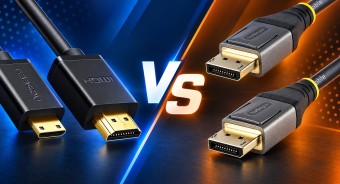
HDMI vs. DisplayPort: Which Is Better for a Monitor?Detailed comparison of the two most popular video interfaces

Most Overrated and Underrated Modern TechWhich gadgets and tech are not worth spending money on, and which ones can pleasantly surprise you.
How to place an order?How to add store?
Remember that the online store is responsible for the accuracy of information regarding price, warranty, and delivery!
SimilarCompare using chart →

gaming, 31.5 ", 4K, 3840x2160 (16:9), WOLED, response 0.03 ms, 165 Hz, 330 Hz (Full HD), 10-bit (1.07B Colors), DCI-P3 99 %, HDMI, v 2.1, DisplayPort, USB-C (DP Alt Mode), Power Delivery, HUB: USB-A 3x5Gbps, KVM switch, AMD FreeSync Premium Pro, NVIDIA G-Sync Compatible, HDR, TÜV Rheinland

gaming, 31.5 ", 4K, 3840x2160 (16:9), IPS, response 0.5 ms, 160 Hz, 320 Hz (Full HD), 8-bit + FRC (1.07B Colors), sRGB 131 %, DCI-P3 99 %, HDMI, v 2.1, DisplayPort, HUB: USB-A 2x2.0, VESA Adaptive-Sync, HDR, TÜV Rheinland

gaming, 24.5 ", 1920x1080 (16:9), IPS, response 1 ms, 240 Hz, 16.7M Colors, sRGB 120 %, HDMI, DisplayPort, speakers, AMD FreeSync Premium, HDR, TÜV Rheinland

gaming, 31.5 ", 4K, 3840x2160 (16:9), QD-OLED, response 0.03 ms, 240 Hz, 10-bit (1.07B Colors), DCI-P3 99 %, HDMI, v 2.1, DisplayPort, USB-C (DP Alt Mode), Power Delivery, HUB: USB-A 2x5Gbps, KVM switch, speakers, AMD FreeSync Premium Pro, NVIDIA G-Sync Compatible, HDR
gaming, 26.5 ", 2560x1440 (16:9), QD-OLED, response 0.03 ms, 240 Hz, sRGB 147.6 %, DCI-P3 99.1 %, HDMI, DisplayPort, NVIDIA G-Sync Compatible, VESA Adaptive-Sync, HDR, TÜV Rheinland

gaming, 27 ", 2560x1440 (16:9), QD-IPS, response 1 ms, 200 Hz, 1.07B Colors, sRGB 150 %, DCI-P3 99 %, HDMI, DisplayPort, USB-C (DP Alt Mode), Power Delivery, HUB: USB-A 2x5Gbps, KVM switch, NVIDIA G-Sync Compatible, VESA Adaptive-Sync, HDR, TÜV Rheinland
gaming, 27 ", 4K, 3840x2160 (16:9), IPS, response 1 ms, 160 Hz, 320 Hz (Full HD), 1.07B Colors, sRGB 125 %, DCI-P3 95 %, HDMI, v 2.1, DisplayPort, USB-C (DP Alt Mode), Power Delivery, HUB: USB-A 3x5Gbps, KVM switch, speakers, AMD FreeSync Premium, NVIDIA G-Sync Compatible, VESA Adaptive-Sync, HDR, TÜV Rheinland

gaming, 27 ", 2560x1440 (16:9), WOLED, response 0.03 ms, 240 Hz, 10-bit (1.07B Colors), DCI-P3 99 %, HDMI, v 2.1, DisplayPort, USB-C (DP Alt Mode), AMD FreeSync Premium, NVIDIA G-Sync Compatible, HDR, TÜV Rheinland
gaming, 27 ", 2560x1440 (16:9), IPS, response 1 ms, 300 Hz, 1.07B Colors, sRGB 132 %, DCI-P3 95 %, HDMI, v 2.1, DisplayPort, USB-C (DP Alt Mode), Power Delivery, HUB: USB-A 2x5Gbps, KVM switch, NVIDIA G-Sync Compatible, VESA Adaptive-Sync, HDR, TÜV Rheinland

gaming, 27 ", 4K, 3840x2160 (16:9), Mini LED IPS, response 1 ms, 160 Hz, 320 Hz (Full HD), 8-bit + FRC (1.07B Colors), sRGB 151.8 %, DCI-P3 98 %, HDMI, v 2.1, DisplayPort, HUB: USB-A 4x5Gbps, NVIDIA G-Sync Compatible, VESA Adaptive-Sync, HDR
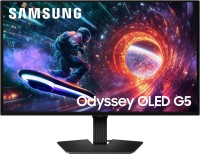
gaming, 27 ", 2560x1440 (16:9), QD-OLED, response 0.03 ms, 180 Hz, 1.07B Colors, DCI-P3 99 %, HDMI, DisplayPort, AMD FreeSync, NVIDIA G-Sync Compatible, HDR, Pantone Validated

26.5 ", 2560x1440 (16:9), QD-OLED, response 0.03 ms, 240 Hz, 10-bit (1.07B Colors), DCI-P3 99 %, HDMI, v 2.1, DisplayPort, speakers, AMD FreeSync Premium, HDR