
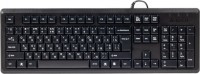
A4Tech KR-92
 |


A4Tech KR-92 | |||||||||||||||||||||||||||||||||||||||||||||||||||
|
| ||||||||||||||||||||||||||||||||||||||||||||||||||


The information in the model description is for reference purposes.
Always clarify the specifications and configuration of the product with the online store manager before purchasing.
Catalog A4Tech 2026 - new arrivals, bestsellers, and the most relevant models A4Tech.
Always clarify the specifications and configuration of the product with the online store manager before purchasing.
Catalog A4Tech 2026 - new arrivals, bestsellers, and the most relevant models A4Tech.

How to choose a gaming keyboardLet's look at the differences between the types of switches and additional equipment for gaming keyboards

Differences between different types of keyboards, their sizes and types of layoutsUnderstanding how a full-sized keyboard differs from TKL and what is the difference between layouts
Series A4Tech StandardCompare using chart →

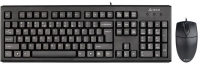
AccessoriesAll accessories for A4Tech KR-92 →





I bought it for gaming on my laptop to avoid wearing out the main keyboard. It performs the task excellently, having played on it for 50 hours without any complaints, and it handles key combinations calmly. It's hard to say if it's suitable for typing, as I have eight years of experience typing on a laptop scissor keyboard and haven't used this one for text. The only issue is the caps lock; on my model, it activates from almost the lightest touch, but it doesn't bother me since I'm not typing text. It has four rubberized rectangular corners for grip on the surface. The case height is just right for me and for those who prefer a tilted keyboard and extra legs; I got lucky with them - they fit the Lenovo Legion 5 case on 15 inches among them. It doesn't collect fingerprints, has an unobtrusive font (nothing more needed), and additional raised markings on the F and J keys for reflexively remembering the keys. I'll think of something with the caps, but overall I'm satisfied. Comfortable keyboard tilt, fn key, quiet key action, rounded key edges, sufficiently reliable cord, four rectangular rubberized corners, does not collect fingerprints Сaps lock vmikaetsya in the real minimum dotorku (exactly the marriage of my copy)  Bogdan: use A4Tech KR-92 less than month Bogdan: use A4Tech KR-92 less than month |
Add Review
Ask Question
Video reviews
We recommendCompare using chart →
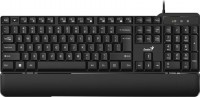



play (for kids), mechanical, свитчи GL Tactile, format 80% (TKL, without Numpad), Bluetooth / radio / wired, additional keys: 3, backlight, RGB backlight, battery, up to 36 h