
HP OMEN Photon (6CL96AA)
 | Compare prices 2 → When you make a purchase through links on our site, we may receive a affiliate commission.
|

HP OMEN Photon | |||||||||||||||||||||||||||||||||||||||||||||||||||||||||||||||||||||||||||||||
|
| ||||||||||||||||||||||||||||||||||||||||||||||||||||||||||||||||||||||||||||||


Wireless charging (QI)
The information in the model description is for reference purposes.
Always clarify the specifications and configuration of the product with the online store manager before purchasing.
Catalog HP 2026 - new arrivals, bestsellers, and the most relevant models HP.
Always clarify the specifications and configuration of the product with the online store manager before purchasing.
Catalog HP 2026 - new arrivals, bestsellers, and the most relevant models HP.

How to choose a gaming mouseWe'll look at grip types, sensor sensitivity, pushbutton switches, and other important nuances

How to choose a mouse for games, office tasks and creative workLet's explore the nuances of the computer mouse market together and find the perfect options that match your requirements
Series HP OMEN (gaming)

gaming, 27 ", 2560x1440 (16:9), IPS, response 1 ms, 180 Hz, 8-bit (16.7M Colors), DCI-P3 95 %, HDMI, DisplayPort, AMD FreeSync, VESA Adaptive-Sync, HDR, TÜV Rheinland
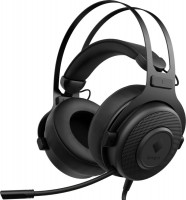
gaming, overhead, closed, wired, 3.5 mm, USB-A, 1.2 m, multichannel, 20 – 20000 Hz, 32 Ohm

game, 16 ", 1920x1200 (16:10), IPS, 144 Hz, Ryzen AI, 9 365, 2 GHz, RAM 16 GB, DDR5, RTX 5070, SSD M.2 NVMe, 1 TB, Win 11 Home, USB-A 5Gbps, USB-A 10Gbps, USB-C 10Gbps, Wi-Fi 6E, VR, fast charge, 2.44 kg
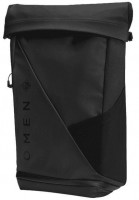
urban, on a suitcase, 25 L, for laptop, Rolltop, RFID-protection, pockets: lower, 54x27.5x17.5 cm, weight 1150 g
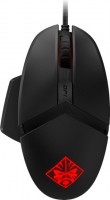
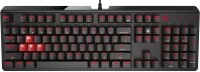
play (for kids), mechanical, свитчи Blue (Clicky), format 100% (full size), wired, backlight
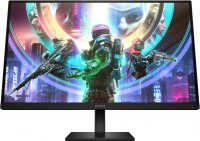
gaming, 27 ", 2560x1440 (16:9), IPS, response 1 ms, 240 Hz, 8-bit (16.7M Colors), sRGB 99 %, DCI-P3 95 %, HDMI, DisplayPort, HUB: USB-A 2x5Gbps, speakers, AMD FreeSync Premium, NVIDIA G-Sync Compatible, VESA Adaptive-Sync, HDR, TÜV Rheinland
game, 16 ", 2560x1600 (16:10), IPS, 240 Hz, Ryzen AI, 7 350, 2 GHz, RAM 16 GB, DDR5, RTX 5060, SSD M.2 NVMe, 512 GB, Win 11 Home, USB-A 5Gbps, USB-A 10Gbps, USB-C 10Gbps, Wi-Fi 6E, VR, fast charge, 2.44 kg
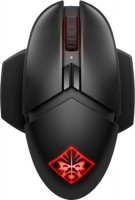
gaming mouse, radio, buttons: 8, programmable, + wheel, 4D, свитчи: optical, RGB backlight, sensor 16000 DPI, wireless charger, in box: replaceable side panels, battery
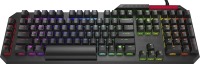
play (for kids), optical, свитчи Blue (Clicky), format 100% (full size), wired, additional keys: 6, with macros, backlight, USB hub, RGB backlight
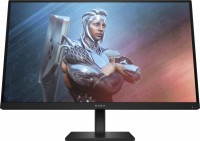
gaming, 27 ", 1920x1080 (16:9), IPS, response 1 ms, 165 Hz, 8-bit (16.7M Colors), sRGB 99 %, DCI-P3 95 %, HDMI, DisplayPort, AMD FreeSync Premium, HDR

ultrabook, game, 14 ", 2880x1800 (16:10), OLED, 120 Hz, Core Ultra 9, 285H, 1 GHz, RAM 32 GB, LPDDR5X, RTX 5070, SSD M.2 NVMe, 2 TB, Win 11 Home, USB-A 10Gbps, USB-C 10Gbps, USB-C 40G (USB4), Thunderbolt, Wi-Fi 7, VR, fast charge, 3D face scanner, 1.63 kg
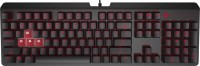
play (for kids), mechanical, свитчи Cherry MX Brown (Tactile), format 100% (full size), wired, backlight
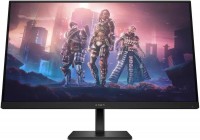
gaming, 31.5 ", 2560x1440 (16:9), IPS, response 1 ms, 165 Hz, 8-bit (16.7M Colors), sRGB 99 %, DCI-P3 95 %, HDMI, DisplayPort, AMD FreeSync Premium, HDR
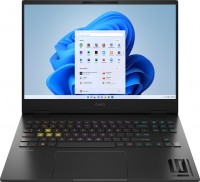
game, 16 ", 1920x1200 (16:10), IPS, 165 Hz, Core i7, 13700HX, 1.5 GHz, RAM 16 GB, DDR5, RTX 4060, SSD M.2 NVMe, 1 TB, Win 11 Home, USB-A 5Gbps, USB-C 40G (USB4), Thunderbolt, Wi-Fi 6E, VR, fast charge, 3D face scanner, 2.17 kg
play (for kids), mechanical, свитчи Cherry MX Red (Linear), format 100% (full size), wired, backlight
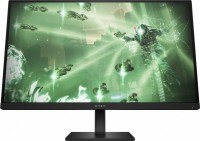
gaming, 27 ", 2560x1440 (16:9), IPS, response 1 ms, 165 Hz, 8-bit (16.7M Colors), sRGB 99 %, DCI-P3 95 %, HDMI, DisplayPort, AMD FreeSync Premium, VESA Adaptive-Sync, HDR
game, 16 ", 2560x1600 (16:10), IPS, 240 Hz, Ryzen 9, 8940HX, 2.4 GHz, RAM 24 GB, DDR5, RTX 5070, SSD M.2 NVMe, 1 TB, Win 11 Home, USB-A 5Gbps, USB-A 10Gbps, USB-C 10Gbps, Wi-Fi 6E, VR, fast charge, 2.44 kg
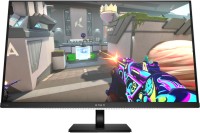
gaming, 31.5 ", 4K, 3840x2160 (16:9), QD-OLED, response 0.03 ms, 240 Hz, 10-bit (1.07B Colors), sRGB 100 %, DCI-P3 99 %, HDMI, v 2.1, DisplayPort, USB-C (DP Alt Mode), Power Delivery, HUB: USB-A 3x5Gbps, USB-C 2x5Gbps, KVM switch, speakers, AMD FreeSync Premium Pro, NVIDIA G-Sync Compatible, VESA Adaptive-Sync, HDR, TÜV Rheinland
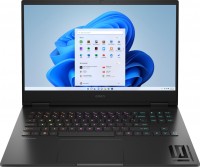
game, 16.1 ", 1920x1080 (16:9), IPS, 144 Hz, Ryzen 7, 7840HS, 3.8 GHz, RAM 16 GB, DDR5, RTX 4050, SSD M.2 NVMe, 512 GB, Win 11 Home, USB-A 5Gbps, USB-C 5Gbps, Wi-Fi 6E, VR, fast charge, 2.37 kg
AccessoriesAll accessories for HP OMEN Photon →


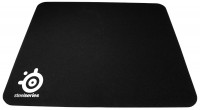








My first wireless Fully charges in 1-2 hours, no more, and the charge lasts for 2-3 weeks (I play almost every day for 6-8 hours) (just so you know, I have the lighting set at 50% brightness since I don't particularly need it). The mouse wheel lighting is nice. The charging cable fits very snugly into the mouse and does not fall out, you can even play with it connected. The side attachments are on very good magnets, you can even use these magnets to pull the mouse itself. After 10 months, one of the magnets from the side flat magnetic thing fell off, attached itself to the mouse, but I easily pulled it out and pushed it back in. The sensor is located at the front of the mouse and feels slightly different, but I got used to it after 2 weeks of purchasing and playing games. My old wired mouse also had side buttons that clicked very easily, and at first, I thought the front side button on this mouse was harder to press, but now I don't feel any difficulty at all, maybe it's the anatomy of my hand.  Râtêώĭǿ: use HP OMEN Photon more than year Râtêώĭǿ: use HP OMEN Photon more than year |
Add Review
Ask Question
We recommendCompare using chart →


gaming mouse, radio / Bluetooth / wired, Multi-Device, with memory, buttons: 6, programmable, + wheel, 4D, свитчи: optical, Razer Gen-3, up to 90 mln, RGB backlight, sensor 18000 DPI, battery, up to 180 h

Bluetooth/radio, BT v 5, Multi-Device, buttons: quiet, 7, programmable, + wheel, sensor 8000 DPI, battery, 650 mAh, up to 70 days
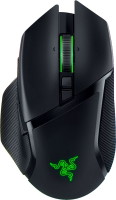
gaming mouse, radio / Bluetooth / wired, USB-A, with memory, buttons: 6, programmable, + wheel, 4D, свитчи: optical, Razer Gen-3, up to 90 mln, RGB backlight, sensor 30000 DPI, battery, up to 150 h
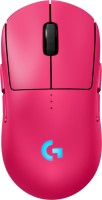
gaming mouse, radio / wired, USB-A, with memory, buttons: 6, programmable, + wheel, свитчи: optical, Logitech Lightforce, RGB backlight, sensor 32000 DPI, wireless charger, battery, up to 95 h

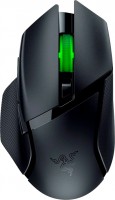
gaming mouse, Bluetooth/radio, Multi-Device, with memory, buttons: 6, programmable, + wheel, свитчи: mechanical, Razer Gen-2, up to 60 mln, RGB backlight, sensor 18000 DPI, 1xAA

gaming mouse, radio, with memory, buttons: 5, programmable, + wheel, sensor 30000 DPI, 1xAA

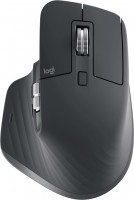
Bluetooth/radio, Multi-Device, buttons: quiet, 6, programmable, + wheel, sensor 8000 DPI, battery, 500 mAh, up to 70 days
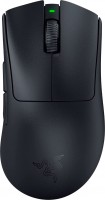
gaming mouse, radio / wired, USB-A, with memory, buttons: 4, programmable, + wheel, свитчи: optical, Razer Gen-3, up to 90 mln, sensor 30000 DPI, battery, up to 90 h