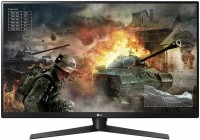
LG UltraGear 32GK850G 32 " black (719192617322)
 | Compare prices 3 → When you make a purchase through links on our site, we may receive a affiliate commission.
|

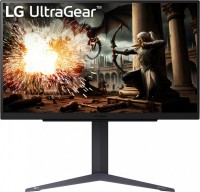
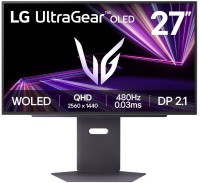
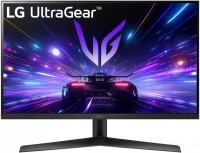
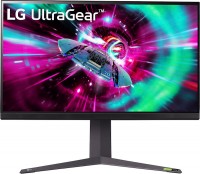
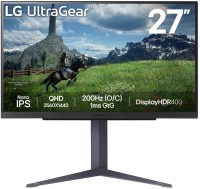
A large-caliber gaming monitor with a screen size of 31.5", which is equipped with a number of progressive picture enhancers. In particular, the Black Stabilizer feature helps to see the darkest details of the image, and the Dynamic Action Sync system minimizes the input delay, allowing you to quickly respond to what is happening. Another "feature" of the model is the backlight Sphere Lighting.
The monitor was equipped with a VA-matrix with a resolution of WQHD (2560x1440 pixels), a brightness of 350 cd / m² and a response time of 5 ms. The frame rate on the LG 32GK850G screen reaches 144 Hz, and it automatically adapts to the current capabilities of the graphics card (support for NVIDIA G-Sync technology). The model is connected to signal sources via HDMI and DisplayPort interfaces. Moreover, the monitor has a two-port USB 3.0 hub in its arsenal. Thin side bezels around the display contribute to the possibility of creating a multi-screen configuration.
|
| ||||||||||||||||||||||||||||||||||||||||||||||||||||||||||||||||||||||||||||||||||


Always clarify the specifications and configuration of the product with the online store manager before purchasing.
Catalog LG 2026 - new arrivals, bestsellers, and the most relevant models LG.

Buy LG UltraGear 32GK850G 32 " black
Lg 32GK850G-B 80 Cm 31.5" Led Lcd Monitor 16:9 5 Ms Gtg 2560 X 1440 16.7 Mi 32GK850G-B | £733.90 |  | |||
LG 32GK850G computer monitor 80 cm (31.5") 2560 x 1440 pixels Qua | £751.40 |  | |||
| £776.83 |  | ||||











I want to add to my review from August 9. Six months have passed since I started using it - the glare in the center has "smoothed out" - it just kind of stretched and blended together, the image is not as black, it's slightly grayed out on a solid black across the image surface - tolerable (but the black is still great and vibrant, it's a *VA matrix after all); the glare in the bottom left has intensified, I've gotten used to it, it doesn't affect the image perception. No dead pixels have appeared. The color temperature has slightly leveled across the surface, it's noticeably more pleasant to use (or maybe my eyes adapted). Overall, the monitor is okay (now). But it took about 2-3 months to "warm up." I settled on these settings: Brightness = 33 Contrast = 70 Color = warm Frequency = 144 Hz (without overdrive up to 165 Hz - I don't see the difference) I can't live without G-Sync now :) The diagonal and aspect ratio, resolution - just what I need! The backlighting shines like a monitor backdrop at night - good for the eyes (I set it to warm white) Eyes don't get tired from prolonged use. I spent a long time "getting to know" the monitor. Currently, the price is clearly inflated - I bought it at the end of July 2019 for 19,000.  Pavel: Pavel: |
Unfortunately, I bought this monitor. Everything would be fine, there are no dead pixels, the picture is smooth. But the image on the entire surface of the device has different shades, pink on the left and green on the right, with the division slightly to the right of the center. At first glance, it's not very noticeable, but if you use it, read text, use browsers, graphic editors - it's like a knife to the eyes, the gray color is completely different in different parts of the screen - yellowish, greenish, pinkish. This is very noticeable and it strains the eyes, and overall it is very annoying, using the monitor is very uncomfortable. There are backlight issues right in the center (2 spots about 10 cm in size, well visible + bottom left). Don't take it. LG does not monitor the quality of this device. The store refused to replace it - despite the fact that only 10 days have passed since the purchase (the sellers "did not see" this effect and stated be thankful that there are no dead pixels - up to 5 pieces for THIS monitor = normal and not covered under warranty), they also refused to refund the money. LG service in Kyiv does not answer the phone. Now I only have one desire left - to throw it in the trash or give it away and forget about the money I (for me a considerable sum) spent. I will never look at LG and the store where I bought it again (one of LG's official "partners" in Ukraine, Kyiv). Now I don't know what to do with it at all. I can't use it. The engineers' idea was good, the result of execution - disappointing. The design, response time, G-Sync are wonderful, the cable is high-quality (DP), and the backlight looks beautiful. It would be the perfect monitor for gaming if not for - see "Comment". Lots of image defects. It is not comfortable to use - it is almost impossible. use LG UltraGear 32GK850G less than month |