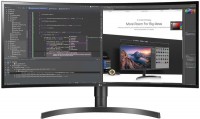
LG UltraWide 29WL500 29 "
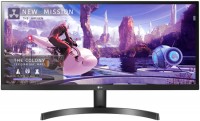 |

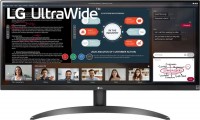
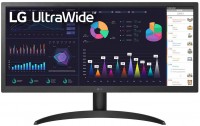
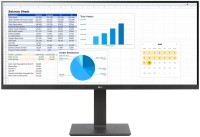
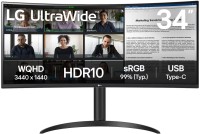
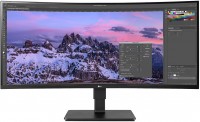
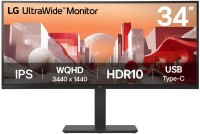
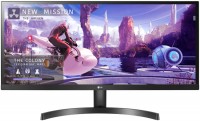
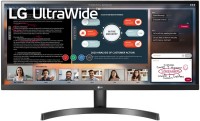
A noteworthy player in the field of widescreen monitors with a horizontally stretched screen. Taking into account the proportions of the panel 21:9, the picture is broadcast on the LG 29WL500 display at a resolution of 2560x1080 pixels. This is where the charms of the screen are just beginning. First, the guarantor of a realistic colour reproduction of the image on it and the visibility of details in scenes with difficult lighting is the HDR technology put into service.
Secondly, the monitor matrix was “brought up” with 99 percent colour gamut of the sRGB environment. And thirdly, the device supports the “Picture-by-Picture” image display mode and is equipped with a package of options that will appeal to avid gamers (AMD FreeSync adaptive synchronization technology in the range of 48-75 Hz, crosshair display in the centre of the screen, function highlighting dark areas with Black Equalizer, etc.). The connection interfaces on the back of the monitor face the wall. Among them is a digital DisplayPort version 1.4 connector and a tandem of HDMI ports version 2.0. Also from the rear in the body of the model, holes were drilled for a wall bracket of the VESA standard 100x100 mm.
|
| ||||||||||||||||||||||||||||||||||||||||||||||||||||||||||||||||||||||||

Always clarify the specifications and configuration of the product with the online store manager before purchasing.
Catalog LG 2026 - new arrivals, bestsellers, and the most relevant models LG.




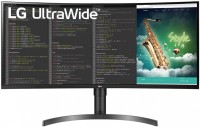
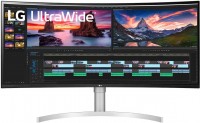
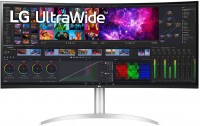







0 1 1 2 |
Never have I enjoyed a monitor so much. I got a 29", and that's just enough. It's convenient for opening two windows and playing games, although not all games support such resolution. - IPS matrix; - 75Hz and Freesync; - various color presets, energy-efficient mode; - easy assembly, hard plastic, the legs seem metallic, but sturdy I haven't discovered it yet  Grigoriy: use LG UltraWide 29WL500 less than month Grigoriy: use LG UltraWide 29WL500 less than month |
I was choosing between FullHD 144hz and 2560x1080 75hz, I decided that in AAA games you don't get more than 75hz, plus there will be a wider view. For owners: in HDMI Compatibility mode, you can't enable HDR and 12bit can only be enabled at 50hz; with Compatibility mode off, you can enable 12bit at 60hz. To watch HDR movies, you need to download the latest version of the VLC player and enable HDR in Windows. The monitor is generally three times better than old monitors, the pluses include: HDR, color reproduction, contrast, clarity, flexible adjustment of everything possible, eyes really get much less tired because of Flicker-Free. 21:9 is just great in all games from COD to Dota 2 (game performance is 30% less than FullHD). HDR 400 turned out to be a much bigger advantage than I thought, in many games colors and shadows change completely for the better. 1080p movies will be cropped or stretched, but you can download 4k movies and adjust to 2k. The only downside is the lack of DisplayPort.  Aleksandr Sergeevich: use LG UltraWide 29WL500 few months Aleksandr Sergeevich: use LG UltraWide 29WL500 few months |
Only go for it if you want a 21:9, otherwise it's better to get a FullHD with 144 hertz for this money. Personally, I wanted exactly this aspect ratio and inches, but 144 hertz with 21:9 costs 16k UAH. For those interested, in games, 2560x1080 compared to 1920x1080, performance dropped by 30%, and if you go for 2560x1440, it'll drop by 40%. It's worth the money. For me, the backlight consistency is a 7 out of 10. When you turn on DisplayHDR400 and place it next to a monitor without it, you can see the difference, but it's not worth paying extra for. True HDR is DisplayHDR 1000+ On Nvidia cards, it is not possible to enable FreeSync because it can only be activated through a DisplayPort, which this monitor does not have. |
LG UltraWide 29WL500 configurations
| Price for LG UltraWide 29WL500 | ||||
|---|---|---|---|---|
 | LG UltraWide 29WL500 29 " | from £355.90 | 2 offers | |
 | LG UltraWide 34WL500 34 " | from £401.90 | 3 offers | |