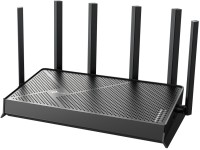
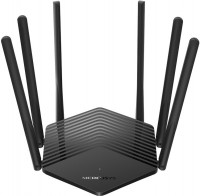
Mercusys MR50G
 | Compare prices 2 → When you make a purchase through links on our site, we may receive a affiliate commission.
|

A high-performance and affordable dual-band wireless router (AC1900 class) with full support for Wi-Fi 5, Beamforming technology, and six external antennas to ensure quality coverage over a significant area. It is positioned by the manufacturer as an affordable mid-range product designed for building a high-speed Wi-Fi network in a one, two, or three-room apartment, small house, or small office (up to two stationary PCs).
The high-speed WAN port with Gigabit Ethernet standard will help realize the potential of a gigabit connection to the provider's cable network. Besides the functions of a wireless router, the Mercusys MR50G router can also serve as an access point, Ethernet switch (WAN + 2xLAN), and DHCP server. Thanks to a current hardware platform based on the dual-core Mediatek TP1900BN processor and support for MIMO 3x3 multi-threaded data transmission technology, a high theoretical connection speed is claimed. In the 2.4 GHz band, it reaches 600 Mbps, while at 5 GHz — up to 1300 Mbps. The router correctly supports VPN traffic processing and performs routing of IPTV stream transmissions. The Smart Connect function distributes devices across optimal bands for the most efficient network performance.
|
| ||||||||||||||||||||||||||||||||||||||||||||||||||||||||||||||||||||||||||||||


Always clarify the specifications and configuration of the product with the online store manager before purchasing.
Catalog Mercusys 2026 - new arrivals, bestsellers, and the most relevant models Mercusys.
1 1 0 3 |
Good model, cool look 6 antennas, can easily withstand 15-20 subscribers over the air, combined broadcast mode, support wifi 5 Some antennas hang out, at first there were no firmware at all, someone will not like the size, since the device is large |

I have been using it for 2 years. There were no problems, it did not turn off and everything works well. 6 antennas, there are settings for 5 and 2.4 GHz Only 2 ports for cables (1 for internet)  Kiril Olenik: use Mercusys MR50G more than year Kiril Olenik: use Mercusys MR50G more than year |
As a cheap router for an apartment, it has the right to use. There are no old measurements when it’s new and used as an input router, or when it’s determined how accurate the access is, when the TV is connected via Wi-Fi, the picture is merged with a thick video stream (~ 70-80 MB it). Tests of file transfer in a local network (where all have gigabytes) did not show more than 100 Mbit per client. Works stably (including distributing Wi-Fi) for at least 2 days In "access point" mode, it is not possible to extract more than 100 Mbps per client on any wireless connection. |
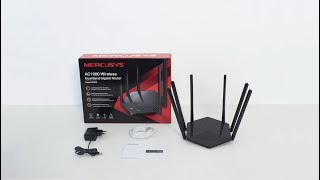



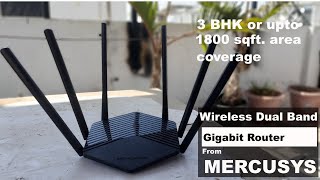



Mercusys MR50G is an AC1900 class dual-band router positioned as an affordable mid-range product.
Speed indicators
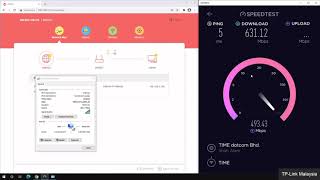
The theoretical maximum data transfer rate when the device is operating in the 2.4 GHz band is declared at the level of 600 Mbps, when using the 5 GHz frequency - up to 1300 Mbps. By cable, clients connect to the router through one of two gigabit LAN ports. Also, a bandwidth of 1 Gbps is characterized by a WAN connector in the interface shelf of the model, which serves to connect the device to the global network.
stable coating
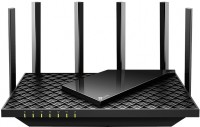
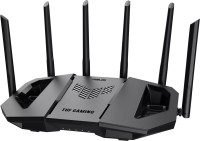
The “horns” of six non-removable antennas protrude from the hexagonal body of the router, which can be directed in the right direction to provide better coverage. Beamforming technology is used in the model to improve the finishing of a wireless signal in hard-to-reach corners. In turn, MU-MIMO technology is designed to optimize the simultaneous operation of multiple devices.
Local management
Proprietary function Smart Connect automatically splits connected clients into optimal ranges for the most efficient network operation. The model has parental control, correct processing of VPN traffic, and routing of IPTV streams. The router is controlled exclusively through the web interface and only from the local network. Access to the administrative panel of the device is opened via the link http://mwlogin.net.