
Razer Orochi
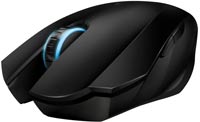 | Outdated Product Product type: mouse; Connection: Bluetooth / wired; Sensor: laser; Type: for game; Sensor resolution (DPI): 2000; Buttons: 7; Programmable buttons; Cable: Interface: USB-A; removable; braided; Left handed; |


Razer Orochi | |||||||||||||||||||||||||||||||||||||||||||||||||||
|
| ||||||||||||||||||||||||||||||||||||||||||||||||||


The information in the model description is for reference purposes.
Always clarify the specifications and configuration of the product with the online store manager before purchasing.
Catalog Razer 2026 - new arrivals, bestsellers, and the most relevant models Razer.
Always clarify the specifications and configuration of the product with the online store manager before purchasing.
Catalog Razer 2026 - new arrivals, bestsellers, and the most relevant models Razer.

How to choose a gaming mouseWe'll look at grip types, sensor sensitivity, pushbutton switches, and other important nuances

How to choose a mouse for games, office tasks and creative workLet's explore the nuances of the computer mouse market together and find the perfect options that match your requirements
Series Razer OrochiCompare using chart →
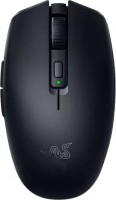
gaming mouse, Bluetooth/radio, Multi-Device, with memory, buttons: 5, programmable, + wheel, свитчи: mechanical, Razer Gen-2, sensor 18000 DPI, 1xAA
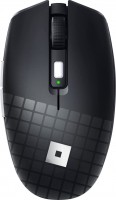
gaming mouse, Bluetooth/radio, Multi-Device, with memory, buttons: 5, programmable, + wheel, свитчи: mechanical, Razer Gen-2, sensor 18000 DPI, 1xAA

gaming mouse, Bluetooth/radio, Multi-Device, with memory, buttons: 5, programmable, + wheel, свитчи: mechanical, Razer Gen-2, sensor 18000 DPI, 1xAA
AccessoriesAll accessories for Razer Orochi →











Razer Orochi is one of the few high-quality wireless mice currently available. This mouse is perfect for laptop owners or travelers, as it is compact and very convenient. Its shape easily fits the hand, ensuring no discomfort. It's worth noting that the mouse can be used in both wireless and wired modes, catering to personal preference. The laser is also impressive—4000dpi allows you to accurately translate your movement to the cursor without any glitches. 1. Ergonomics 2. Wireless/wired mode 3. Bluetooth connection 4. Laser sensor 4000dpi Not suitable for large hands or long fingers  eclipse: use Razer Orochi few months i recommend it should buy eclipse: use Razer Orochi few months i recommend it should buy |
Sensor issues are partially resolved with firmware updates. Compact, stylish, beautiful, Razer. Long-lasting batteries. There are a couple of issues: 1) Quickly enters sleep mode (only 30 seconds) 2) "Poor tracking" sensor doesn't work on every surface 3) The right button often gets pressed accidentally when the hand is just resting on the mouse (you have to be a bit careful) 4) Sometimes it just loses connection even on normal mousepads. use Razer Orochi few months |
Add Review
Ask Question
Additional features mouse Razer Orochi:
Specializing in the production of peripherals and accessories company Razer has announced the appearance of the Razer Imperator gaming mouse. The main efforts in the development of the new model were thrown on ergonomics. As a result, a form was created, the contours of which are designed for the sharp movements made by the players.
The mouse is suitable for users who prefer to control it both with the palm of their hand and with their fingertips. The only condition is that the manipulator should be held with the right hand. The new model is the first to use the technology of adjusting the position of the side buttons, allowing you to adjust the mouse to your hand size.
- Built-in Razer Synapse Memory
- On-the-fly sensitivity adjustment
- Gaming-optimized Bluetooth connection
- Dual Mode: Wired/Wireless
Specializing in the production of peripherals and accessories company Razer has announced the appearance of the Razer Imperator gaming mouse. The main efforts in the development of the new model were thrown on ergonomics. As a result, a form was created, the contours of which are designed for the sharp movements made by the players.
The mouse is suitable for users who prefer to control it both with the palm of their hand and with their fingertips. The only condition is that the manipulator should be held with the right hand. The new model is the first to use the technology of adjusting the position of the side buttons, allowing you to adjust the mouse to your hand size.
We recommendCompare using chart →


gaming mouse, radio / Bluetooth / wired, Multi-Device, with memory, buttons: 6, programmable, + wheel, 4D, свитчи: optical, Razer Gen-3, up to 90 mln, RGB backlight, sensor 18000 DPI, battery, up to 180 h

Bluetooth/radio, BT v 5, Multi-Device, buttons: quiet, 7, programmable, + wheel, sensor 8000 DPI, battery, 650 mAh, up to 70 days
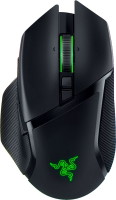
gaming mouse, radio / Bluetooth / wired, USB-A, with memory, buttons: 6, programmable, + wheel, 4D, свитчи: optical, Razer Gen-3, up to 90 mln, RGB backlight, sensor 30000 DPI, battery, up to 150 h
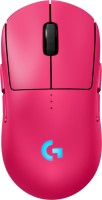
gaming mouse, radio / wired, USB-A, with memory, buttons: 6, programmable, + wheel, свитчи: optical, Logitech Lightforce, RGB backlight, sensor 32000 DPI, wireless charger, battery, up to 95 h

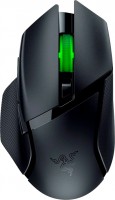
gaming mouse, Bluetooth/radio, Multi-Device, with memory, buttons: 6, programmable, + wheel, свитчи: mechanical, Razer Gen-2, up to 60 mln, RGB backlight, sensor 18000 DPI, 1xAA

gaming mouse, radio, with memory, buttons: 5, programmable, + wheel, sensor 30000 DPI, 1xAA

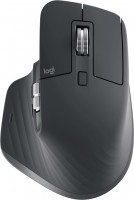
Bluetooth/radio, Multi-Device, buttons: quiet, 6, programmable, + wheel, sensor 8000 DPI, battery, 500 mAh, up to 70 days
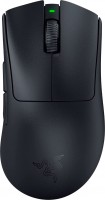
gaming mouse, radio / wired, USB-A, with memory, buttons: 4, programmable, + wheel, свитчи: optical, Razer Gen-3, up to 90 mln, sensor 30000 DPI, battery, up to 90 h