
Samsung 970 EVO M.2 MZ-V7E2T0BW 2 TB
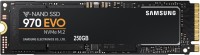 | Expecting restock Placement: internal; Volume: 2 TB; Form factor: M.2; M.2 interface: PCIe 3.0 4x; Controller: Samsung Phoenix; NVMe; Write speed (MB/s): 2500; Read speed (MB/s): 3500; DWPD (times/day): 0.3; Manufacturer's warranty: 5 years; TRIM; Data encryption; |


We recommend products in stockSSD Samsung →
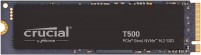
2 TB, M.2, 22x80, PCIe 4.0 4x, 3D TLC NAND, write: 7000 MB/s, read: 7400 MB/s, DRAM buffer, warranty 5 years
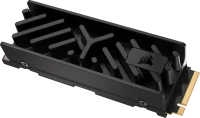
2 TB, M.2, 22x80, PCIe 5.0 4x, 3D TLC NAND, write: 8500 MB/s, read: 10000 MB/s, warranty 5 years
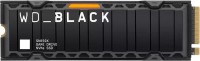
2 TB, M.2, 22x80, PCIe 4.0 4x, 3D TLC NAND, write: 6600 MB/s, read: 7300 MB/s, DRAM buffer, warranty 5 years

2 TB, M.2, 22x80, PCIe 4.0 4x, 3D TLC NAND, write: 6500 MB/s, read: 7000 MB/s, warranty 5 years

2 TB, M.2, 22x80, PCIe 4.0 4x, 3D TLC NAND, write: 6900 MB/s, read: 7400 MB/s, warranty 5 years
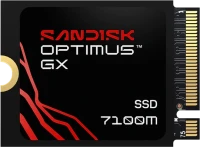
2 TB, M.2, 22x30, PCIe 4.0 4x, 3D TLC NAND, write: 6900 MB/s, read: 7250 MB/s, warranty 5 years

2 TB, M.2, 22x80, PCIe 4.0 4x, 3D TLC NAND, write: 6600 MB/s, read: 7300 MB/s, warranty 5 years
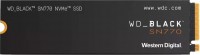
2 TB, M.2, 22x80, PCIe 4.0 4x, 3D TLC NAND, write: 4850 MB/s, read: 5150 MB/s, warranty 5 years
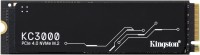
2 TB, M.2, 22x80, PCIe 4.0 4x, 3D TLC NAND, write: 7000 MB/s, read: 7000 MB/s, DRAM buffer, warranty 5 years
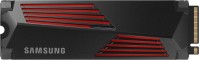
2 TB, M.2, 22x80, PCIe 4.0 4x, 3D TLC NAND, write: 6900 MB/s, read: 7450 MB/s, DRAM buffer, warranty 5 years
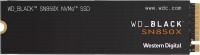
2 TB, M.2, 22x80, PCIe 4.0 4x, 3D TLC NAND, write: 6600 MB/s, read: 7300 MB/s, DRAM buffer, warranty 5 years

2 TB, M.2, 22x80, PCIe 5.0 4x, 3D TLC NAND, write: 13800 MB/s, read: 14500 MB/s, DRAM buffer, warranty 5 years
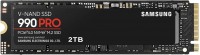
2 TB, M.2, 22x80, PCIe 4.0 4x, 3D TLC NAND, write: 6900 MB/s, read: 7450 MB/s, DRAM buffer, warranty 5 years
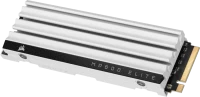
2 TB, M.2, 22x80, PCIe 4.0 4x, 3D TLC NAND, write: 6500 MB/s, read: 7000 MB/s, warranty 5 years

2 TB, M.2, 22x80, PCIe 4.0 4x, 3D TLC NAND, write: 6600 MB/s, read: 7300 MB/s, warranty 5 years
Samsung MZ-V7E2T0BW | |||||||||||||||||||||||||||||||||||||||||||||||||
| |||||||||||||||||||||||||||||||||||||||||||||||||

The information in the model description is for reference purposes.
Always clarify the specifications and configuration of the product with the online store manager before purchasing.
Catalog Samsung 2026 - new arrivals, bestsellers, and the most relevant models Samsung.
Always clarify the specifications and configuration of the product with the online store manager before purchasing.
Catalog Samsung 2026 - new arrivals, bestsellers, and the most relevant models Samsung.
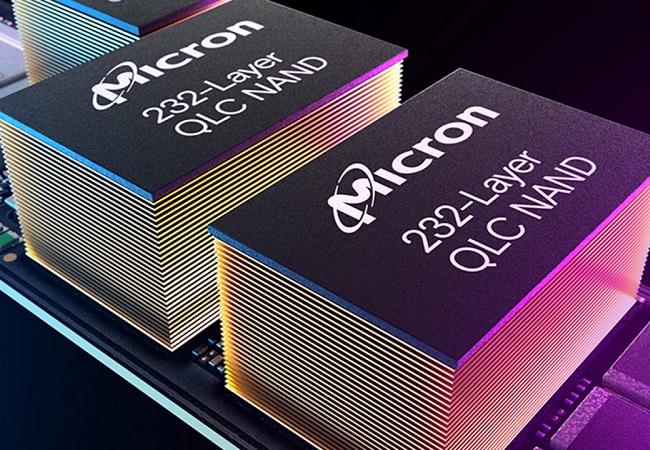
TLC, QLC, MLC, SLC: which type of drive memory is better?Important differences between the types of NAND memory TLC, QLC, MLC, SLC, which determine the scope of their use and development prospects
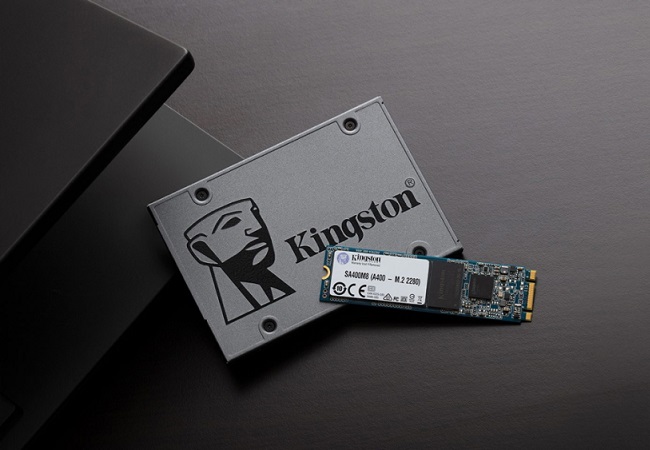
How to choose the right SSDChoosing an SSD with the required speed and good reliability for home, work and gaming
Series Samsung EVO (high efficiency TLC)Compare using chart →
2 TB, M.2, 22x80, PCIe 5.0 2x, 3D TLC NAND, write: 6300 MB/s, read: 7250 MB/s, warranty 5 years
1 TB, M.2, 22x80, PCIe 5.0 2x, 3D TLC NAND, write: 6300 MB/s, read: 7150 MB/s, warranty 5 years
4 TB, M.2, 22x80, PCIe 5.0 2x, 3D TLC NAND, write: 6300 MB/s, read: 7250 MB/s, warranty 5 years
1 TB, 2.5", 3D TLC NAND, write: 530 MB/s, read: 560 MB/s, SATA 3, DRAM buffer, warranty 5 years
500 GB, 2.5", 3D TLC NAND, write: 530 MB/s, read: 560 MB/s, SATA 3, DRAM buffer, warranty 5 years
4 TB, 2.5", 3D TLC NAND, write: 530 MB/s, read: 560 MB/s, SATA 3, DRAM buffer, warranty 5 years
2 TB, M.2, 22x80, PCIe 5.0 2x, 3D TLC NAND, write: 4200 MB/s, read: 5000 MB/s, warranty 5 years
2 TB, 2.5", 3D TLC NAND, write: 530 MB/s, read: 560 MB/s, SATA 3, DRAM buffer, warranty 5 years
500 GB, 2.5", 3D TLC NAND, write: 530 MB/s, read: 560 MB/s, SATA 3, DRAM buffer, warranty 5 years
250 GB, 2.5", 3D TLC NAND, write: 530 MB/s, read: 560 MB/s, SATA 3, DRAM buffer, warranty 5 years
1 TB, M.2, 22x80, PCIe 5.0 2x, 3D TLC NAND, write: 4200 MB/s, read: 5000 MB/s, warranty 5 years
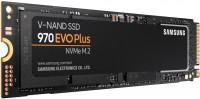
1 TB, M.2, 22x80, PCIe 3.0 4x, 3D TLC NAND, write: 3300 MB/s, read: 3500 MB/s, DRAM buffer, warranty 5 years
2 TB, 2.5", 3D TLC NAND, write: 530 MB/s, read: 560 MB/s, SATA 3, DRAM buffer, warranty 5 years
1 TB, 2.5", 3D TLC NAND, write: 530 MB/s, read: 560 MB/s, SATA 3, DRAM buffer, warranty 5 years
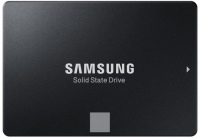
500 GB, 2.5", 3D TLC NAND, write: 520 MB/s, read: 550 MB/s, SATA 3, DRAM buffer, warranty 5 years
250 GB, 2.5", 3D TLC NAND, write: 520 MB/s, read: 550 MB/s, SATA 3, DRAM buffer, warranty 5 years
4 TB, 2.5", 3D TLC NAND, write: 520 MB/s, read: 550 MB/s, SATA 3, DRAM buffer, warranty 5 years
2 TB, M.2, 22x80, PCIe 3.0 4x, 3D TLC NAND, write: 3300 MB/s, read: 3500 MB/s, DRAM buffer, warranty 5 years
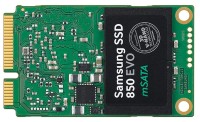
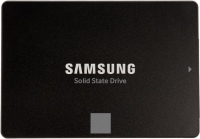
Model overview based on user reviews
The Samsung 970 EVO M.2 SSD is highly praised for its impressive speed and reliability, making it a top choice for users seeking enhanced performance. Users appreciate its easy installation due to the convenient form factor, which requires no cables or additional power supply. The SSD is noted for its durability, with some users expecting it to last for many years. It performs exceptionally well under load, maintaining a maximum temperature of around 40 degrees. While it does not include a radiator, it does not throttle speed even when filling up. Overall, the Samsung 970 EVO M.2 is a high-quality and efficient storage solution, ideal for those looking to upgrade from traditional HDDs or older SSD models.
Pros
Cons
0 0 1 4 |
Decent model. Windows 10 boots up in 6 seconds (excluding BIOS loading and the post-screen). Speed Design (looks alright on the board) Not yet use Samsung MZ-V7E500BW few months |
I bought this drive for a Mi Notebook Pro laptop, as there is an additional M2 slot because the built-in memory is not a lot and another drive was needed for the so-called disk D. The SSD was bought with many years ahead in mind, so it was chosen carefully, prioritizing maximum speed and quality. It installed in the laptop without any issues, everything runs smoothly as expected, and the speed is impressive. For example, installing a 30 GB game was unpacked in about 1 - 1.5 minutes, with copying speed within the drive around 1200 MB/s. Of course, it's worth noting the very convenient form factor; I hadn't used such before, and here there are no cables or power supply needed, just plug it into the slot and off you go. The maximum temperature I've seen it reach under load is about 40 degrees. Speed and more speed Nothing of course  Viktor Skrypai: use Samsung MZ-V7E500BW few months Viktor Skrypai: use Samsung MZ-V7E500BW few months |
I bought it for fast Windows performance. I read a lot of different comments, reviews, and tests, and it seems Samsung is the best of all similar gadgets. When it comes to copying, as the tests showed, sometimes it’s very fast, sometimes not so much, but still cool. I saw a comment from someone saying theirs heats up to 70°C with Windows, but I don’t have that issue. My case is open, positioned two centimeters from the hot graphics card, and it runs at 40-47°C, never showed higher temperatures in the fall, maybe it will be warmer in the summer. I installed a cooler opposite it, a bit far due to the processor’s heatsink getting in the way, but at 800 RPM, it’s now running at 35-42°C, even with the graphics card heated during gaming. If placed closer with higher RPM, the result will definitely be better. Not yet. But there's a note: a regular SSD (Patriot Pyro 240GB) loaded Windows in 10-12 seconds, and this one loads in 5-7 seconds before antivirus installation, and 6-12 seconds with antivirus, varying each time. It doesn't get along with Intel Optane modules, maybe it needs to be converted from GPT to something else, I'm not really sure about this. use Samsung MZ-V7E250BW few months |
3 out of 5 user review(s) shown
2 more user review(s)
Video reviews

Samsung 970 EVO Plus vs Crucial P3 Plus SSD Comparison
21 March 20231 916 view

Samsung 970 EVO PLUS 500 GB SSD NVMe M.2 Unboxing 4K
24 May 20211 177 view

Samsung 970 Evo Plus SSD 2TB Unboxing
2 February 20221 000 view

Samsung SSD 980 PRO vs Samsung SSD 970 EVO Plus – Comparison, Differences, Pros and Cons
17 November 2021836 view

Samsung 970 EVO Plus SSD Unboxing and Installation. Lenovo Ideapad S145 SSD Upgrade.
10 April 2021497 view

Samsung 970 EVO Plus 250GB | UNBOXING | ATHLON 200ge | ASUS PRIME A320m-K | VishalGV
2 June 2021367 view

Unboxing the Samsung 970 Evo Plus NVMe SSD and installing Windows 10 on the Acer
15 April 2023283 view

Samsung 970 EVO Plus - Unboxing.
9 April 2022271 view

UNBOXING FASTEST SAMSUNG 970 EVO PLUS 1TB NVMe m.2 SSD // PCei Gen3 m.2 SSD - 3.5GB/s
5 July 2021201 view

Samsung 970 EVO Plus SSD Quick Unboxing and Overview
28 June 2021188 view

Samsung 970 EVO NVMe M 2 SSD 01 TB Unboxing | Tech Land
29 October 2018175 view

Samsung 970 EVO Plus 250GB (Unboxing)
2 July 2022172 view

SAMSUNG 970 EVO PLUS | Unboxing & Installation
19 September 2019122 view

Samsung 970 evo plus Review & Unboxing full performance| Samsung 970 Evo Plus speed
15 January 2021113 view

Workstation's parts unboxing: Ryzen 9 3950x, Asus Prime X570-Pro, Samsung 970 Evo Plus, Msi - ASMR
13 September 2022111 view

Samsung 970 EVO Plus 1TB m.2 NVM-e SSD Unboxing Experience Review
11 December 2019104 view