
Comparison Marshall Major III Bluetooth vs JBL E45BT
Add to comparison | 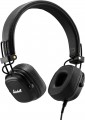 | 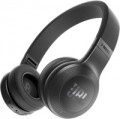 |
|---|---|---|
| Marshall Major III Bluetooth | JBL E45BT | |
| Compare prices 1 | Compare prices 1 | |
| User reviews | ||
| TOP sellers | ||
Output for additional headphones. Joystick on the left bowl. Detachable cable. Foldable construction. | ||
Connection and design | ||
| Design | overhead, closed foldable | overhead, closed foldable swiveling earcups |
| Connection type | combined | combined |
| Connection | mini-Jack (3.5 mm) Bluetooth | mini-Jack (3.5 mm) Bluetooth v4.1 |
| Plug | L-shaped | 45° angle |
| Cable supply | single-sided | single-sided |
| Range | 10 m | 10 m |
| Cable type | round coiled | round |
| Detachable cable |  | |
Specs | ||
| Impedance | 32 Ohm | 32 Ohm |
| Frequency range | 20 – 20000 Hz | 20 – 20000 Hz |
| Sensitivity | 97 dB | 96 dB |
| Speaker size | 40 mm | 40 mm |
| Emitter type | dynamic | dynamic |
Microphone specs | ||
| Microphone | built into the case | built into the case |
Features | ||
| Volume control | | |
| Multipoint |  | |
| Codec support | aptX | |
Power supply | ||
| Power source | battery | battery |
| Headphone battery capacity | 610 mAh | |
| Operating time (music) | 30 h | 16 h |
General | ||
| Weight | 178 g | 186 g |
| Color | ||
| Added to E-Catalog | june 2018 | december 2016 |


Compare Marshall Major III Bluetooth and JBL E45BT
Price comparison
You may be interested in
Marshall Major III Bluetooth often compared


JBL E45BT often compared


Glossary
Design
This item primarily specifies the way headphones are mounted on the ears; by this parameter, modern headphones are divided into over-ear, in-ear, earbuds, open-ear types. For over-ear models, it may also specify the acoustic design (closed, semi-open, open), as well as the presence of features such as over-ear construction (in the absence of this feature such headphones are called on-ear, or just "on-ear"), swivel cups, auto headband adjustment or even the popular mid-2021 trend — Cat Ear Headphones (headphones with cat ears). Details such as a rigid band, over-the-ear mounting, neck mounting, and folding ability, can be combined with almost any method of ear placement (with some exceptions — for example, on-ear models cannot be worn on the neck).
Here is a more detailed description of different ear placement options:
— On-ear. On-ear headphones are placed outside the auditory pinnae, covering the ear from the side ("usual" on-ear models) or completely (full-size Over-Ear — see below). In any case, such models are fairly large. This, on the one hand, simplifies the creation of headphones w...ith advanced audio characteristics, and also allows using some specific tricks without much difficulty — for example, multiple drivers or multichannel surround sound support. On the other hand, the size of the "ears" complicates transportation and use on the go. Moreover, it should be noted that most on-ear models feature a headband, making them less compatible with complex hairstyles and some headgear. This disadvantage is absent in models with rigid bands and over-the-ear mounts, but they also have their specifics (see below).
On-ear headphones can have different acoustic designs:
— In-ear with a rigid band. In-ear headphones are placed inside the ear canals, allowing them to be most securely fixed in the ear and not fall out. The presence of a rigid band further increases the reliability of the headphones' fixation. This type of headphones is well-suited for sports. The rigid band and in-ear design of sound emitters allows the headphones to stay securely in place even during intensive running.
— Earbuds. Also colloquially known as "pills." Similar to in-ear models, such headphones are small and placed in the auditory pinna — but not deep in the ear canal, just at its entrance, almost outside. As a result, earbuds are somewhat simpler in construction and cheaper, but achieving rich sound and advanced acoustic characteristics is more challenging with them. Such models provide quite low sound isolation, but this can be either a downside or an advantage — depending on the situation. Some headphones of this type have an elongated shape, allowing them to sit deeper in the ears and approaching in-ear models in capabilities.
It is worth noting separately that in-ear models and earbuds don't use headbands — the headphones are made either completely separate or connected by a device such as a rigid band or neck mount. Thus, such headphones can easily be worn with almost any hairstyle or headgear.
— Earbuds with a rigid band. Earbuds are simply inserted into the ear canal entrance, not penetrating deeply. This is not the most reliable way to fix the headphones, but due to the presence of a rigid band, earbuds gain secure placement and reliable fixation. The headphones themselves have an open sound path design, which reproduces audio with noticeable distortion to the original sound signal. However, the open acoustic scheme allows clear hearing of the surrounding environment.
As for additional design features, they can be such:
— Full-size Over-Ear. On-ear headphones (see above) in which each cup completely covers the ear and fits tightly against the head. Cups in such models are made fairly large and equipped with characteristic soft "borders" along the inner side's perimeter — these borders fit tightly against the head, so the ear pinna is effectively inside the cup. The main advantage of such a design is that the headphones (with the right size) practically do not touch the user's ears and do not press on them — this is particularly comfortable for extended use. Furthermore, Over-Ear models facilitate achieving high-quality sound isolation (although among them it is possible to find models with semi-open and even completely open acoustic design). The main disadvantage of such devices is bulkiness and inconvenience in transport and on-the-go use. Additionally, when wearing glasses, Over-Ear cups usually press on the frames' sides — this can cause discomfort.
— Open-ear. A special variety of wireless true wireless headphones with open acoustic design. Unlike earbuds and in-ear models, open-ear headphones do not suggest partial or full closure of the auricle — this provides better perception of surrounding sounds. This is handy during walks and outdoor runs. Most often, such headphones have over-the-ear mounts (see below), and the drivers in their construction are directed straight into the ear canals but remain outside. Passive noise isolation in open-ear headphones is practically absent, and the playing music and phone conversations may be heard by those nearby — keep this in mind.
— Auto headband adjustment. A headband capable of automatically adjusting to the user's head size. Such a headband usually consists of two parts — a rigid, usually metallic, base and a soft inner part that fits directly against the head. The inner part is capable of stretching, and the user just needs to place the cups on the ears comfortably — and the headband will automatically adjust to the needed size.
— Rigid band. A band made of rigid material, connecting the two headphones and worn on the back of the head; in some models, it can also serve as a neck mount (see below). The advantage of such a device over a classic headband is that the band can be used with almost any hairstyle and headgear. On the other hand, in in-ear models and earbuds (see above), this feature makes the headphones bulkier, and in on-ear models, it makes sense to use it only with regular models, not belonging to full-size Over Ear. Consequently, for a range of reasons, the band is not particularly popular nowadays.
— Over-the-ear mounting. A mount that allows fixing each headphone directly on the auricle; it generally has the form of a characteristic band. This feature appears in all types of modern "ears," except Over Ear (see above), and its specific meaning depends primarily on the main method of placing the headphone on the ear. For in-ear models and earbuds, over-the-ear mounting provides additional retention reliability: the likelihood of the headphone falling out of the ear is practically reduced to zero due to such a mount. In on-ear "ears," this feature appears significantly less often, and its main purpose is to do without a headband or rigid band — in some cases, these construction elements are unnecessary.
— Neck mounting. A feature found exclusively in wireless and combined models (see "Connection Type") — and only in in-ear and earbuds (see above). Both headphones in such models are connected by either a regular wire with a thickened part or a special horseshoe-shaped band (to each end of this band, an individual "ear" is connected via a wire). In any case, during use, this wire or band is located behind the user's neck, ensuring additional convenience: removed from the ears (or fallen out), headphones do not drop to the ground but remain hanging on the mount. Some models also feature special magnets, enabling the removed headphones to "stick" together, turning the entire structure into a ring — reducing the risk of dropping the device even further.
— Folding ability. The ability to compactly fold headphones for storage and transportation. Note that this feature is listed only for on-ear models (see above) — in-ear headphones and earbuds are already quite portable by themselves, without a special folding design.
— Swivel cups. A design feature found in on-ear headphones (see above). Swivel means cups that, in working position, can rotate at a certain angle around the vertical axis. This allows headphones to further adjust to the user's head size and shape — thereby increasing comfort, especially during prolonged wear. On the other hand, the swivel mount slightly complicates the headphones' construction, increases the cost, and somewhat reduces reliability.
Here is a more detailed description of different ear placement options:
— On-ear. On-ear headphones are placed outside the auditory pinnae, covering the ear from the side ("usual" on-ear models) or completely (full-size Over-Ear — see below). In any case, such models are fairly large. This, on the one hand, simplifies the creation of headphones w...ith advanced audio characteristics, and also allows using some specific tricks without much difficulty — for example, multiple drivers or multichannel surround sound support. On the other hand, the size of the "ears" complicates transportation and use on the go. Moreover, it should be noted that most on-ear models feature a headband, making them less compatible with complex hairstyles and some headgear. This disadvantage is absent in models with rigid bands and over-the-ear mounts, but they also have their specifics (see below).
On-ear headphones can have different acoustic designs:
- Closed. Models with a high degree of sound isolation, maximally shielding the user from external sounds. This design contributes to rich sound (especially in the bass range) and provides a very powerful immersion effect, making it suitable for home use (including computer games) and noisy environments. However, using such "ears" on the street is not recommended: full isolation from surrounding sounds in such conditions can be unsafe. Besides, it is believed that a fully closed design slightly worsens sound fidelity.
- Open. Headphones with minimal sound isolation, allowing most external sounds through. They are less powerful and rich in sound compared to closed models and less effective in noisy environments; also, the sound from such headphones is easily heard by those around. On the other hand, open models generally provide more authentic sound and are better suited for situations where it's necessary to monitor the surrounding environment — for example, for use on the street.
- Semi-open. A kind of compromise between the above-described options: headphones with better sound isolation than open models but still not reaching the level of closed "ears." For some users, this intermediate option may be more comfortable. Additionally, semi-open headphones are valued in professional sound work: they retain bass richness and at the same time do not create the distortions characteristic of a fully closed design.
- With a rigid band. A rigid band allows the earbuds to be reliably fixed to the auditory pinnae. A close analogue of the rigid band is the headband of full-size headphones, but unlike that, the band is worn on the back of the head, not the top. For this reason, rigid bands are mostly made without soft padding, from bare plastic/metal. Headphones with a rigid band most often have a sporting focus, as being on the back of the head, they will not slip even during intense running. On-ear headphones are closely pressed to the auditory pinnae, but the speakers themselves are placed outside the ear canals.
- Cat Ear ("ears"). On-ear headphones in an interesting design — with imitation cat ears on the headband. This addition does not affect working characteristics but looks unusual and can be a great addition to the owner's vibrant, original style. Cat Ear Headphones are particularly popular among teenagers.
— In-ear with a rigid band. In-ear headphones are placed inside the ear canals, allowing them to be most securely fixed in the ear and not fall out. The presence of a rigid band further increases the reliability of the headphones' fixation. This type of headphones is well-suited for sports. The rigid band and in-ear design of sound emitters allows the headphones to stay securely in place even during intensive running.
— Earbuds. Also colloquially known as "pills." Similar to in-ear models, such headphones are small and placed in the auditory pinna — but not deep in the ear canal, just at its entrance, almost outside. As a result, earbuds are somewhat simpler in construction and cheaper, but achieving rich sound and advanced acoustic characteristics is more challenging with them. Such models provide quite low sound isolation, but this can be either a downside or an advantage — depending on the situation. Some headphones of this type have an elongated shape, allowing them to sit deeper in the ears and approaching in-ear models in capabilities.
It is worth noting separately that in-ear models and earbuds don't use headbands — the headphones are made either completely separate or connected by a device such as a rigid band or neck mount. Thus, such headphones can easily be worn with almost any hairstyle or headgear.
— Earbuds with a rigid band. Earbuds are simply inserted into the ear canal entrance, not penetrating deeply. This is not the most reliable way to fix the headphones, but due to the presence of a rigid band, earbuds gain secure placement and reliable fixation. The headphones themselves have an open sound path design, which reproduces audio with noticeable distortion to the original sound signal. However, the open acoustic scheme allows clear hearing of the surrounding environment.
As for additional design features, they can be such:
— Full-size Over-Ear. On-ear headphones (see above) in which each cup completely covers the ear and fits tightly against the head. Cups in such models are made fairly large and equipped with characteristic soft "borders" along the inner side's perimeter — these borders fit tightly against the head, so the ear pinna is effectively inside the cup. The main advantage of such a design is that the headphones (with the right size) practically do not touch the user's ears and do not press on them — this is particularly comfortable for extended use. Furthermore, Over-Ear models facilitate achieving high-quality sound isolation (although among them it is possible to find models with semi-open and even completely open acoustic design). The main disadvantage of such devices is bulkiness and inconvenience in transport and on-the-go use. Additionally, when wearing glasses, Over-Ear cups usually press on the frames' sides — this can cause discomfort.
— Open-ear. A special variety of wireless true wireless headphones with open acoustic design. Unlike earbuds and in-ear models, open-ear headphones do not suggest partial or full closure of the auricle — this provides better perception of surrounding sounds. This is handy during walks and outdoor runs. Most often, such headphones have over-the-ear mounts (see below), and the drivers in their construction are directed straight into the ear canals but remain outside. Passive noise isolation in open-ear headphones is practically absent, and the playing music and phone conversations may be heard by those nearby — keep this in mind.
— Auto headband adjustment. A headband capable of automatically adjusting to the user's head size. Such a headband usually consists of two parts — a rigid, usually metallic, base and a soft inner part that fits directly against the head. The inner part is capable of stretching, and the user just needs to place the cups on the ears comfortably — and the headband will automatically adjust to the needed size.
— Rigid band. A band made of rigid material, connecting the two headphones and worn on the back of the head; in some models, it can also serve as a neck mount (see below). The advantage of such a device over a classic headband is that the band can be used with almost any hairstyle and headgear. On the other hand, in in-ear models and earbuds (see above), this feature makes the headphones bulkier, and in on-ear models, it makes sense to use it only with regular models, not belonging to full-size Over Ear. Consequently, for a range of reasons, the band is not particularly popular nowadays.
— Over-the-ear mounting. A mount that allows fixing each headphone directly on the auricle; it generally has the form of a characteristic band. This feature appears in all types of modern "ears," except Over Ear (see above), and its specific meaning depends primarily on the main method of placing the headphone on the ear. For in-ear models and earbuds, over-the-ear mounting provides additional retention reliability: the likelihood of the headphone falling out of the ear is practically reduced to zero due to such a mount. In on-ear "ears," this feature appears significantly less often, and its main purpose is to do without a headband or rigid band — in some cases, these construction elements are unnecessary.
— Neck mounting. A feature found exclusively in wireless and combined models (see "Connection Type") — and only in in-ear and earbuds (see above). Both headphones in such models are connected by either a regular wire with a thickened part or a special horseshoe-shaped band (to each end of this band, an individual "ear" is connected via a wire). In any case, during use, this wire or band is located behind the user's neck, ensuring additional convenience: removed from the ears (or fallen out), headphones do not drop to the ground but remain hanging on the mount. Some models also feature special magnets, enabling the removed headphones to "stick" together, turning the entire structure into a ring — reducing the risk of dropping the device even further.
— Folding ability. The ability to compactly fold headphones for storage and transportation. Note that this feature is listed only for on-ear models (see above) — in-ear headphones and earbuds are already quite portable by themselves, without a special folding design.
— Swivel cups. A design feature found in on-ear headphones (see above). Swivel means cups that, in working position, can rotate at a certain angle around the vertical axis. This allows headphones to further adjust to the user's head size and shape — thereby increasing comfort, especially during prolonged wear. On the other hand, the swivel mount slightly complicates the headphones' construction, increases the cost, and somewhat reduces reliability.
Connection
The specific connection interface provided in the headphones. At the same time, some models may provide several options at once - these are either combined devices (see “Connection type”) or wired headphones equipped with additional adapters.
— micro-Jack (2.5 mm). A wired connector similar to the popular mini-Jack 3.5 mm (see below), but smaller in dimensions. Equipment with such a connection is rare - they are mostly miniature devices, where there is simply no room for a 3.5 mm connector. Accordingly, this interface has not become widespread among headphones: it is almost never found in its pure form; models with such a plug are usually supplemented with an adapter or cable for a mini-Jack.
— mini-Jack(3.5 mm). Perhaps the most popular modern type of audio connector; If a device claims to have a headphone output, most likely it is a 3.5 mm jack. Accordingly, most headphones with a wired connection use this type of connector. It is worth noting that headphones with a microphone designed for such a connection are equipped with a special plug for a combined headphone + microphone audio connector (similar connectors are popular in portable gadgets and laptops). But with a jack intended only for “ears” without a microphone, such a plug may not work correctly. An alternative could be headphones equipped with two separate mini-jack plugs; See below for more details on this option.
— mini-Jack (2 x 3.5 mm).... Models with two 3.5 mm mini-jack plugs. This option is guaranteed to mean that we are not talking about classic headphones, but about a headset with a microphone: one plug is used for headphones, the second for a microphone. Such models are convenient when used with equipment that has separate 3.5 mm jacks for “ears” and a microphone - for example, for a PC.
— Pentaconn (4.4 mm). It is a 5-pin balanced output. Pentaconn uses a larger plug compared to the mini-Jack; its size is 4.4 mm, which is stronger and more reliable than the 3.5 mm connection. Pentaconn's balanced connection makes it possible to work with high-power audio signals. Thanks to this connection, it is possible to transmit a signal over a fairly long distance. Accordingly, such a connector is relevant for headphones of the highest category.
— Jack (6.35 mm). The largest type of Jack-type audio connector found in modern technology. Outputs of this type are found mainly in stationary audio equipment - for portable devices they are too bulky, where it is easier to use a 3.5 mm mini-jack. At the same time, the 6.35 mm connector is considered a more suitable interface for professional and audiophile-grade equipment: it provides a more reliable connection, greater contact density and, accordingly, less likelihood of interference. Therefore, although relatively few headphones (mostly premium solutions) are equipped with their own Jack type connector, many models with a 3.5 mm mini-Jack plug are equipped with an adapter to 6.35 mm.
- XLR. A characteristic round connector with a locking lock and 3 contacts (there are other options for quantity). Typically, it is used to transmit an analog signal over a balanced connection. This connection provides high immunity to interference, typical for professional use; at the same time, the connector itself has quite large dimensions. In view of all this, the presence of XLR is relevant mainly for headphones designed for use with advanced stationary equipment.
— Bluetooth. The most popular wireless connection option in modern headphones. This is due to the fact that built-in Bluetooth modules are available in almost any modern smartphone, tablet or laptop, and appropriate adapters can be produced for devices without this module (for example, a PC). True, the sound quality with a traditional Bluetooth connection is relatively low, but to correct the situation, special technologies like aptX and aptxHD are increasingly being used (see “Codec support”).
It is also worth noting that Bluetooth modules can correspond to different versions (the latest for 2022 are Bluetooth 5.0, Bluetooth 5.1, Bluetooth 5.2, Bluetooth 5.3, Bluetooth 5.4). This point does not affect the sound quality, but it determines a number of additional nuances - communication range and reliability , the ability to work through walls and other obstacles, resistance to interference, etc. In modern “ears” you can find the following versions of Bluetooth:
- IR channel. Another method of wireless connection, the peculiarity of which is that it does not use radio waves, but infrared radiation. Theoretically, the advantage of such a connection is its resistance to electromagnetic interference, the disadvantage is that it only works in line of sight. In practice, the situation is such that in most cases it is easier to use Bluetooth or a radio channel for a wireless connection. So this option is found exclusively in specialized devices for equipment equipped with their own IR outputs - in particular, among headphones for car monitors.
— USB-A. Wired connection to a standard (full-dimensions) USB connector. This option is found exclusively among headphones designed for computers/laptops or gaming consoles. One of its advantages is that sound via USB is transmitted digitally and is processed not by the computer's audio card, but by the built-in headphone converter; such a converter often provides better sound quality than the mentioned audio card. In addition, multi-channel audio can be transmitted via a USB connection - this point will be especially appreciated by gamers. Another advantage is that when using USB headphones, specialized audio outputs remain free, and you can connect other equipment to them - for example, computer speakers or a vibration pad.
- USB-C. A relatively new type of USB connector, used in both desktop computers and portable devices - as a successor to microUSB. It is not very different in dimensions, but has a more advanced design - in particular, it is made double-sided, which makes connection easier. Most often complemented by other connection options (they can be either wired or wireless).
- Lightning. A universal connector used in Apple portable devices - iPhone smartphones and iPad tablets - since 2012. Not used by other manufacturers. Accordingly, models with such an interface are designed specifically for Apple technology (primarily iPhone and iPod touch players). This type of connection is especially relevant given the fact that in the latest iPhones the manufacturer has completely abandoned a separate audio output, and the only option for connecting headphones is the Lightning port.
— Branded connector. A connection connector that does not belong to generally accepted standards and is used to a limited extent in equipment from one or several manufacturers. Such connectors are found mainly among headphones for mobile phones. However, due to general standardization, this option has practically disappeared from the scene. Theoretically, the branded connector is also the Lightning described above, but it is separated into a separate category due to the popularity of Apple technology.
— micro-Jack (2.5 mm). A wired connector similar to the popular mini-Jack 3.5 mm (see below), but smaller in dimensions. Equipment with such a connection is rare - they are mostly miniature devices, where there is simply no room for a 3.5 mm connector. Accordingly, this interface has not become widespread among headphones: it is almost never found in its pure form; models with such a plug are usually supplemented with an adapter or cable for a mini-Jack.
— mini-Jack(3.5 mm). Perhaps the most popular modern type of audio connector; If a device claims to have a headphone output, most likely it is a 3.5 mm jack. Accordingly, most headphones with a wired connection use this type of connector. It is worth noting that headphones with a microphone designed for such a connection are equipped with a special plug for a combined headphone + microphone audio connector (similar connectors are popular in portable gadgets and laptops). But with a jack intended only for “ears” without a microphone, such a plug may not work correctly. An alternative could be headphones equipped with two separate mini-jack plugs; See below for more details on this option.
— mini-Jack (2 x 3.5 mm).... Models with two 3.5 mm mini-jack plugs. This option is guaranteed to mean that we are not talking about classic headphones, but about a headset with a microphone: one plug is used for headphones, the second for a microphone. Such models are convenient when used with equipment that has separate 3.5 mm jacks for “ears” and a microphone - for example, for a PC.
— Pentaconn (4.4 mm). It is a 5-pin balanced output. Pentaconn uses a larger plug compared to the mini-Jack; its size is 4.4 mm, which is stronger and more reliable than the 3.5 mm connection. Pentaconn's balanced connection makes it possible to work with high-power audio signals. Thanks to this connection, it is possible to transmit a signal over a fairly long distance. Accordingly, such a connector is relevant for headphones of the highest category.
— Jack (6.35 mm). The largest type of Jack-type audio connector found in modern technology. Outputs of this type are found mainly in stationary audio equipment - for portable devices they are too bulky, where it is easier to use a 3.5 mm mini-jack. At the same time, the 6.35 mm connector is considered a more suitable interface for professional and audiophile-grade equipment: it provides a more reliable connection, greater contact density and, accordingly, less likelihood of interference. Therefore, although relatively few headphones (mostly premium solutions) are equipped with their own Jack type connector, many models with a 3.5 mm mini-Jack plug are equipped with an adapter to 6.35 mm.
- XLR. A characteristic round connector with a locking lock and 3 contacts (there are other options for quantity). Typically, it is used to transmit an analog signal over a balanced connection. This connection provides high immunity to interference, typical for professional use; at the same time, the connector itself has quite large dimensions. In view of all this, the presence of XLR is relevant mainly for headphones designed for use with advanced stationary equipment.
— Bluetooth. The most popular wireless connection option in modern headphones. This is due to the fact that built-in Bluetooth modules are available in almost any modern smartphone, tablet or laptop, and appropriate adapters can be produced for devices without this module (for example, a PC). True, the sound quality with a traditional Bluetooth connection is relatively low, but to correct the situation, special technologies like aptX and aptxHD are increasingly being used (see “Codec support”).
It is also worth noting that Bluetooth modules can correspond to different versions (the latest for 2022 are Bluetooth 5.0, Bluetooth 5.1, Bluetooth 5.2, Bluetooth 5.3, Bluetooth 5.4). This point does not affect the sound quality, but it determines a number of additional nuances - communication range and reliability , the ability to work through walls and other obstacles, resistance to interference, etc. In modern “ears” you can find the following versions of Bluetooth:
- Bluetooth v 4.0. An update in which the capabilities of version 3.0 (classic + high-speed Bluetooth) were supplemented with a third format - Bluetooth LE (low energy consumption). This communication standard is intended mainly for transmitting small amounts of information - in particular, service data packets to maintain a connection. At the same time, the creators managed to combine economical energy consumption and a long communication range - it can reach 100 m. This has a positive effect on the stability of the connection.
- Bluetooth v4.1. Development and improvement of Bluetooth 4.0. If we talk specifically about headphones, the key innovation for them in this version is improved noise immunity when working near 4G (LTE) mobile communication devices (in earlier standards, Bluetooth and LTE signals could overlap, which led to failures). So, for use with a 4G smartphone, headphones with Bluetooth support of at least v 4.1 are definitely recommended.
- Bluetooth v4.2. Further, after 4.1, development of the Bluetooth standard, which mainly introduced a number of general improvements in reliability and noise immunity.
- Bluetooth v 5.0. Major Bluetooth update released in 2016. One of the most notable innovations was the introduction of two additional operating modes of Bluetooth LE: an increased speed mode (by reducing the range) and an extended range mode (by reducing the speed). In the case of headphones, the main significance of these innovations is to improve the overall reliability of the connection, increase its range and reduce the number of dropouts.
- Bluetooth v5.1. Update version v 5.0, in which, in addition to general improvements in the quality and reliability of communication, an interesting feature has appeared, such as determining the direction from which the Bluetooth signal is coming. Thanks to this, a smartphone or other gadget that supports this standard is able to determine the location of connected devices with an accuracy of a centimeter; This can be useful, for example, for finding headphones that have disappeared from sight but are still working.
- Bluetooth v5.2. The next update, after 5.1, is Bluetooth 5th generation. The main innovations in this version are a number of security improvements, additional optimization of power consumption in LE mode and a new audio signal format for synchronizing parallel playback on multiple devices.
- Bluetooth v5.3 was introduced at the dawn of 2022. Among the innovations in it, they accelerated the process of negotiating a communication channel between the controller and the device, implemented the function of quickly switching between the operating state in a low duty cycle and a high-speed mode, and improved the throughput and stability of the connection by reducing susceptibility to interference. When unexpected interference occurs in Low Energy mode, the procedure for selecting a communication channel to switch from now on has been accelerated.
- Bluetooth v5.4. introduced at the beginning of 2023, increased the range and speed of data exchange. Also in Bluetooth v 5.4, the energy-saving BLE mode has been improved. This version of the protocol uses new security features to protect data from unauthorized access, has increased connection reliability by selecting the best channel for communication, and prevents connection losses due to interference.
- IR channel. Another method of wireless connection, the peculiarity of which is that it does not use radio waves, but infrared radiation. Theoretically, the advantage of such a connection is its resistance to electromagnetic interference, the disadvantage is that it only works in line of sight. In practice, the situation is such that in most cases it is easier to use Bluetooth or a radio channel for a wireless connection. So this option is found exclusively in specialized devices for equipment equipped with their own IR outputs - in particular, among headphones for car monitors.
— USB-A. Wired connection to a standard (full-dimensions) USB connector. This option is found exclusively among headphones designed for computers/laptops or gaming consoles. One of its advantages is that sound via USB is transmitted digitally and is processed not by the computer's audio card, but by the built-in headphone converter; such a converter often provides better sound quality than the mentioned audio card. In addition, multi-channel audio can be transmitted via a USB connection - this point will be especially appreciated by gamers. Another advantage is that when using USB headphones, specialized audio outputs remain free, and you can connect other equipment to them - for example, computer speakers or a vibration pad.
- USB-C. A relatively new type of USB connector, used in both desktop computers and portable devices - as a successor to microUSB. It is not very different in dimensions, but has a more advanced design - in particular, it is made double-sided, which makes connection easier. Most often complemented by other connection options (they can be either wired or wireless).
- Lightning. A universal connector used in Apple portable devices - iPhone smartphones and iPad tablets - since 2012. Not used by other manufacturers. Accordingly, models with such an interface are designed specifically for Apple technology (primarily iPhone and iPod touch players). This type of connection is especially relevant given the fact that in the latest iPhones the manufacturer has completely abandoned a separate audio output, and the only option for connecting headphones is the Lightning port.
— Branded connector. A connection connector that does not belong to generally accepted standards and is used to a limited extent in equipment from one or several manufacturers. Such connectors are found mainly among headphones for mobile phones. However, due to general standardization, this option has practically disappeared from the scene. Theoretically, the branded connector is also the Lightning described above, but it is separated into a separate category due to the popularity of Apple technology.
Plug
The design of the plug provided in the headphones. This parameter is relevant primarily for models with a mini-Jack interface (see "Connection") — the rest of the plugs are made straight in most cases, exceptions are extremely rare.
— Direct. The traditional, most simple and unpretentious option is plugs that do not have any bends. Usually, they are compatible without restrictions with stationary audio equipment, PCs, laptops, etc. But for smartphones and other portable gadgets, this option is not always optimal — it all depends on how the gadget is located in your pocket or case. In some cases — for example, when carrying a smartphone in a regular pants pocket — such a wire can be strongly bent around the plug, which quickly becomes unusable; in such cases it is worth paying attention to L-shaped or curved plugs (see below).
— L-shaped. Plugs angled at 90° in the shape of the letter L. Designed primarily for use with smartphones and other handheld devices: such devices, when worn, can be positioned in such a way that a bent plug is more convenient than a straight one. However, the L-shaped design may also be the best choice for stationary equipment, where the headphone wire approaches the connector at a right angle — for example, this situation is often found in computers and laptops.
— At an angle of 45°. A variation of the L-shaped plug...described above, bent not at a straight line, but at a smaller angle (not necessarily exactly 45 °). It is also designed primarily for pocket equipment, and with such an application, such plugs are considered even more convenient and reliable than traditional L-shaped ones. But for stationary devices, it hardly makes sense to specifically look for a model with a similar connector (although such an application is technically quite possible).
— Direct. The traditional, most simple and unpretentious option is plugs that do not have any bends. Usually, they are compatible without restrictions with stationary audio equipment, PCs, laptops, etc. But for smartphones and other portable gadgets, this option is not always optimal — it all depends on how the gadget is located in your pocket or case. In some cases — for example, when carrying a smartphone in a regular pants pocket — such a wire can be strongly bent around the plug, which quickly becomes unusable; in such cases it is worth paying attention to L-shaped or curved plugs (see below).
— L-shaped. Plugs angled at 90° in the shape of the letter L. Designed primarily for use with smartphones and other handheld devices: such devices, when worn, can be positioned in such a way that a bent plug is more convenient than a straight one. However, the L-shaped design may also be the best choice for stationary equipment, where the headphone wire approaches the connector at a right angle — for example, this situation is often found in computers and laptops.
— At an angle of 45°. A variation of the L-shaped plug...described above, bent not at a straight line, but at a smaller angle (not necessarily exactly 45 °). It is also designed primarily for pocket equipment, and with such an application, such plugs are considered even more convenient and reliable than traditional L-shaped ones. But for stationary devices, it hardly makes sense to specifically look for a model with a similar connector (although such an application is technically quite possible).
Cable type
The type of cable provided in the design or delivery of the headphones. Note that this parameter is relevant both for wired or combined models (see “Connection type”), and for some wireless models - in particular, earbuds and in-ear headphones without a mount, where a wire connects one earphone to another.
- Round. The classic round wire is straight, without braiding or other additional accessories. It is inexpensive and in most cases quite practical, which is why it is found in most modern headphones. The disadvantage is that if the thickness is small, the round wire is prone to tangling; therefore, this option is considered not very convenient for compact headphones, such as in-ear or in-ear (see “Design”), which often have to be carried in a pocket or bag.
- Flat. The main advantage of a flat cable is that it does not get tangled as much as a round cable, and if something happens it is much easier to untangle. This is especially important for earbuds and in-ear headphones, which are often rolled up for storage or transport. However, larger overhead models can also be equipped with a flat wire.
— Round, braided. A round wire with an outer braid, usually fabric. See above for details on round wire. And the presence of a braid gives such a cable a number of advantages over the classic one with “bare” insula...tion. Thus, the wire turns out to be more durable, reliable and resistant to kinks and pressure, tangles less, has a solid appearance, and in some models the braiding also provides shielding from external interference. The downside of these advantages is the increased price.
— Spiral. A round cable, coiled into a spring. The main advantages of a spiral wire are that it practically does not tangle and can significantly stretch relative to its original length. The latter is very convenient if, as you use your ears, you have to change the distance to the signal source. The disadvantages of spiral cable are bulkiness and relatively high cost. Therefore, it is often used in mid-range and top-end headphones (including professional models).
- Round, braided. A cable in the form of two wires twisted into a spiral. This option should not be confused with a spiral wire - in this case we are not talking about a spring. This cable is notable primarily for its unusual appearance; For greater originality, the wiring can be made in different colors. It is also somewhat more tangle-resistant than the classic round one, although a lot depends on the thickness. At the same time, individual wires can be noticeably thinner than a solid round wire, which somewhat reduces reliability.
- Round. The classic round wire is straight, without braiding or other additional accessories. It is inexpensive and in most cases quite practical, which is why it is found in most modern headphones. The disadvantage is that if the thickness is small, the round wire is prone to tangling; therefore, this option is considered not very convenient for compact headphones, such as in-ear or in-ear (see “Design”), which often have to be carried in a pocket or bag.
- Flat. The main advantage of a flat cable is that it does not get tangled as much as a round cable, and if something happens it is much easier to untangle. This is especially important for earbuds and in-ear headphones, which are often rolled up for storage or transport. However, larger overhead models can also be equipped with a flat wire.
— Round, braided. A round wire with an outer braid, usually fabric. See above for details on round wire. And the presence of a braid gives such a cable a number of advantages over the classic one with “bare” insula...tion. Thus, the wire turns out to be more durable, reliable and resistant to kinks and pressure, tangles less, has a solid appearance, and in some models the braiding also provides shielding from external interference. The downside of these advantages is the increased price.
— Spiral. A round cable, coiled into a spring. The main advantages of a spiral wire are that it practically does not tangle and can significantly stretch relative to its original length. The latter is very convenient if, as you use your ears, you have to change the distance to the signal source. The disadvantages of spiral cable are bulkiness and relatively high cost. Therefore, it is often used in mid-range and top-end headphones (including professional models).
- Round, braided. A cable in the form of two wires twisted into a spiral. This option should not be confused with a spiral wire - in this case we are not talking about a spring. This cable is notable primarily for its unusual appearance; For greater originality, the wiring can be made in different colors. It is also somewhat more tangle-resistant than the classic round one, although a lot depends on the thickness. At the same time, individual wires can be noticeably thinner than a solid round wire, which somewhat reduces reliability.
Sensitivity
Rated headphone sensitivity. Technically, this is the volume at which they sound when a certain standard signal from the amplifier is connected to them. Thus, sensitivity is one of the parameters that determine the overall volume of the headphones: the higher it is, the louder the sound will be with the same input signal level and other things being equal. However, we must not forget that the volume level also depends on the resistance (impedance, see above); moreover, it is worth choosing “ears” for a specific device first by impedance, and only then by sensitivity. In this case, one parameter can be compensated for by another: for example, a model with high resistance and high sensitivity can work even on a relatively weak amplifier.
As for specific figures, headphones with indicators of 100 dB or less are designed mainly for use in a quiet environment (in some similar models, the sensitivity does not exceed 90 dB). For use on the street, in transport and other similar conditions, it is desirable to have more sensitive headphones — about 101 – 105 dB, or even 110 dB. And in some models, this figure can reach 116 – 120 dB. and even more.
It is also worth noting that this parameter is relevant only for a wired connection according to the analogue standard — for example, via a 3.5 mm mini-...jack. When using digital interfaces like USB and wireless channels like Bluetooth, the sound is processed in the built-in headphone converter, and if you plan to mainly use this kind of application, you can not pay much attention to sensitivity.
As for specific figures, headphones with indicators of 100 dB or less are designed mainly for use in a quiet environment (in some similar models, the sensitivity does not exceed 90 dB). For use on the street, in transport and other similar conditions, it is desirable to have more sensitive headphones — about 101 – 105 dB, or even 110 dB. And in some models, this figure can reach 116 – 120 dB. and even more.
It is also worth noting that this parameter is relevant only for a wired connection according to the analogue standard — for example, via a 3.5 mm mini-...jack. When using digital interfaces like USB and wireless channels like Bluetooth, the sound is processed in the built-in headphone converter, and if you plan to mainly use this kind of application, you can not pay much attention to sensitivity.
Multipoint
A technology used in Bluetooth models (see "Connection") that allows the headphones to connect to multiple devices at the same time. Thanks to this, you can, for example, listen to music from a laptop, and when a call comes in on a mobile phone, switch the headphones to a conversation. This technology has its own characteristics for different manufacturers, and therefore, if the multipoint function is critical for you, you should separately clarify the details of its operation in the selected model.
Codec support
Codecs and additional audio processing technologies supported by Bluetooth headphones (see “Connection”). Initially, sound transmission via Bluetooth involves fairly strong signal compression; This is not critical when transmitting speech, but can greatly spoil the impression when listening to music. To eliminate this shortcoming, various technologies are used, in particular aptX, aptX HD, aptX Low Latency, aptX Adaptive, AAC, LDAC and LHDC. Of course, to use any of the technologies, it must be supported not only by the “ears”, but also by the Bluetooth device with which they are used. Here are the main features of each option:
- aptX. A Bluetooth codec designed to significantly improve the quality of audio transmitted over Bluetooth. According to the creators, it allows you to achieve quality comparable to Audio CD (16-bits/44.1kHz). The benefits of aptX are most noticeable when listening to high-quality content (such as lossless formats), but even on regular MP3 it can provide a noticeable sound improvement.
- aptX HD. Development and improvement of the original aptX, allowing for sound purity comparable to Hi-Res audio (24-bits/48kHz). As in the original, the benefits of aptX HD are noticeable mainly on high-quality...audio, although this codec will not be out of place for MP3.
- aptX Low Latency. A specific version of aptX described above, designed not so much to improve sound quality, but to reduce delays in signal transmission. Such delays inevitably occur when working via Bluetooth; They are not critical for listening to music, but when watching videos or playing games, there may be a noticeable desynchronization between the image and sound. The aptX LL codec eliminates this phenomenon, reducing latency to 32 ms - such a difference is imperceptible to human perception (although for serious tasks like studio audio work it is still too high). aptX LL support is found mainly in gaming headphones.
- aptX Adaptive. Further development of aptX; actually combines the capabilities of aptX HD and aptX Low Latency, but is not limited to this. One of the main features of this standard is the so-called adaptive bitrate: the codec automatically adjusts the actual data transfer rate based on the characteristics of the broadcast content (music, game audio, voice communications, etc.) and the congestion of the frequencies used. This, in particular, helps reduce energy consumption and increase communication reliability; and special algorithms allow you to broadcast sound quality comparable to aptX HD (24 bits/48 kHz), using several times less amount of transmitted data. And the minimum data transfer latency (at the aptX LL level) makes this codec excellent for games and movies.
- aptX Lossless. The next stage in the development of aptX technology, which involves transmitting CD-quality sound over a wireless Bluetooth network without loss or compression. Audio broadcasting with sampling parameters of 16 bits / 44.1 kHz is carried out with a bitrate of about 1.4 Mbit/s - this is about three times faster than it was in the aptX Adaptive edition (see above). Support for aptX Lossless began to be introduced at the end of 2021 as part of the Snapdragon Sound initiative from Qualcomm.
- A.A.C. A Bluetooth codec used primarily in portable Apple gadgets. In terms of capabilities, it is noticeably inferior to more advanced standards like aptX or LDAC: the sound quality when using AAC is comparable to an average MP3 file. However, for listening to the same MP3s, this is quite enough; the difference becomes noticeable only on more advanced formats. AAC hardware requirements are low, and its support in headphones is inexpensive.
— LDAC. Sony's proprietary Bluetooth codec. It surpasses even aptX HD in terms of bandwidth and potential sound quality, providing performance at the Hi-Res level of 24-bits/96kHz audio; there is even an opinion that this is the maximum quality that it makes sense to provide in wireless headphones - further improvement will simply be imperceptible to the human ear. On the other hand, supporting this standard is not cheap, and there are still quite a few gadgets with such support - these are, in particular, Sony smartphones, as well as mid- and high-end devices running Android 8.0 Oreo and later versions.
- LHDC. LHDC (Low latency High-Definition audio Codec) is a high-definition, low-latency codec developed by the Hi-Res Wireless Audio Alliance and Savitech. In the vast majority of cases, its support is implemented at the hardware level in Huawei and Xiaomi smartphones. The codec is also known as HWA (Hi-Res Wireless Audio). When using LHDC, signal transmission from the phone to the headphones is carried out with a bits rate of up to 900 kbps, a bits depth of up to 24 bits and a sampling frequency of up to 96 kHz. This ensures a stable and reliable communication with reduced latency. The codec is optimally suited for high-end wireless headphones and advanced digital audio formats.
- aptX. A Bluetooth codec designed to significantly improve the quality of audio transmitted over Bluetooth. According to the creators, it allows you to achieve quality comparable to Audio CD (16-bits/44.1kHz). The benefits of aptX are most noticeable when listening to high-quality content (such as lossless formats), but even on regular MP3 it can provide a noticeable sound improvement.
- aptX HD. Development and improvement of the original aptX, allowing for sound purity comparable to Hi-Res audio (24-bits/48kHz). As in the original, the benefits of aptX HD are noticeable mainly on high-quality...audio, although this codec will not be out of place for MP3.
- aptX Low Latency. A specific version of aptX described above, designed not so much to improve sound quality, but to reduce delays in signal transmission. Such delays inevitably occur when working via Bluetooth; They are not critical for listening to music, but when watching videos or playing games, there may be a noticeable desynchronization between the image and sound. The aptX LL codec eliminates this phenomenon, reducing latency to 32 ms - such a difference is imperceptible to human perception (although for serious tasks like studio audio work it is still too high). aptX LL support is found mainly in gaming headphones.
- aptX Adaptive. Further development of aptX; actually combines the capabilities of aptX HD and aptX Low Latency, but is not limited to this. One of the main features of this standard is the so-called adaptive bitrate: the codec automatically adjusts the actual data transfer rate based on the characteristics of the broadcast content (music, game audio, voice communications, etc.) and the congestion of the frequencies used. This, in particular, helps reduce energy consumption and increase communication reliability; and special algorithms allow you to broadcast sound quality comparable to aptX HD (24 bits/48 kHz), using several times less amount of transmitted data. And the minimum data transfer latency (at the aptX LL level) makes this codec excellent for games and movies.
- aptX Lossless. The next stage in the development of aptX technology, which involves transmitting CD-quality sound over a wireless Bluetooth network without loss or compression. Audio broadcasting with sampling parameters of 16 bits / 44.1 kHz is carried out with a bitrate of about 1.4 Mbit/s - this is about three times faster than it was in the aptX Adaptive edition (see above). Support for aptX Lossless began to be introduced at the end of 2021 as part of the Snapdragon Sound initiative from Qualcomm.
- A.A.C. A Bluetooth codec used primarily in portable Apple gadgets. In terms of capabilities, it is noticeably inferior to more advanced standards like aptX or LDAC: the sound quality when using AAC is comparable to an average MP3 file. However, for listening to the same MP3s, this is quite enough; the difference becomes noticeable only on more advanced formats. AAC hardware requirements are low, and its support in headphones is inexpensive.
— LDAC. Sony's proprietary Bluetooth codec. It surpasses even aptX HD in terms of bandwidth and potential sound quality, providing performance at the Hi-Res level of 24-bits/96kHz audio; there is even an opinion that this is the maximum quality that it makes sense to provide in wireless headphones - further improvement will simply be imperceptible to the human ear. On the other hand, supporting this standard is not cheap, and there are still quite a few gadgets with such support - these are, in particular, Sony smartphones, as well as mid- and high-end devices running Android 8.0 Oreo and later versions.
- LHDC. LHDC (Low latency High-Definition audio Codec) is a high-definition, low-latency codec developed by the Hi-Res Wireless Audio Alliance and Savitech. In the vast majority of cases, its support is implemented at the hardware level in Huawei and Xiaomi smartphones. The codec is also known as HWA (Hi-Res Wireless Audio). When using LHDC, signal transmission from the phone to the headphones is carried out with a bits rate of up to 900 kbps, a bits depth of up to 24 bits and a sampling frequency of up to 96 kHz. This ensures a stable and reliable communication with reduced latency. The codec is optimally suited for high-end wireless headphones and advanced digital audio formats.
Headphone battery capacity
The capacity of the battery installed in the headphones of the corresponding design (see "Power").
Theoretically, a higher capacity allows to achieve greater battery life, but in fact, the operating time also depends on the power consumption of the headphones — and it can be very different, depending on the characteristics and design features. So this parameter is secondary, and when choosing it is worth paying attention not so much to the battery capacity, but to the directly claimed operating time (see below).
Theoretically, a higher capacity allows to achieve greater battery life, but in fact, the operating time also depends on the power consumption of the headphones — and it can be very different, depending on the characteristics and design features. So this parameter is secondary, and when choosing it is worth paying attention not so much to the battery capacity, but to the directly claimed operating time (see below).
Operating time (music)
The declared operating time of headphones with autonomous power supply (see above) when listening to music on a single battery charge or a set of batteries.
As a rule, the characteristics indicate a certain average operating time in music listening mode, for standard conditions; in practice, it will depend on the intensity of use, volume level and other operating parameters, and in models with replaceable batteries - also on the quality of specific batteries. However, based on the stated time, you can fairly reliably assess the autonomy of the selected headphones and compare them with other models. As for specific values, relatively “short-lived” devices have a battery life of up to 8 hours, a figure of 8 – 12 hours can be called quite good, 12 – 20 hours – very good, and in the most “long-lasting” headphones the operating time can exceed 20 hours.
As a rule, the characteristics indicate a certain average operating time in music listening mode, for standard conditions; in practice, it will depend on the intensity of use, volume level and other operating parameters, and in models with replaceable batteries - also on the quality of specific batteries. However, based on the stated time, you can fairly reliably assess the autonomy of the selected headphones and compare them with other models. As for specific values, relatively “short-lived” devices have a battery life of up to 8 hours, a figure of 8 – 12 hours can be called quite good, 12 – 20 hours – very good, and in the most “long-lasting” headphones the operating time can exceed 20 hours.