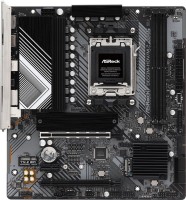
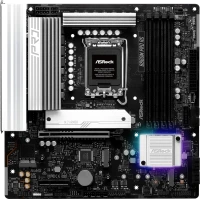
ASRock B250M Pro4
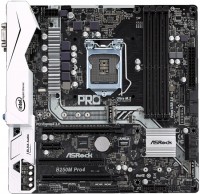 | Outdated Product Socket: LGA 1151; Form factor: micro-ATX; Size (mm): 244x244; Chipset: Intel B250; DDR4 (slots): 4; Memory module: DIMM; RAM frequency (MHz): 2400; Max. memory (GB): 64; SATA 3: 6; M.2 connector: 2; PCIe support: 3.0; CrossFire (AMD); HDMI; Sound (channels): 7.1; LAN: 1 Gbps; USB-A 2.0 (pcs): 2 |


|
| |||||||||||||||||||||||||||||||||||||||||||||||||||||||||||||||||||||||||||||||||||||||||||||||||||||||||||||||||||||||||||||||||||||||||||||||||


Always clarify the specifications and configuration of the product with the online store manager before purchasing.
Catalog ASRock 2026 - new arrivals, bestsellers, and the most relevant models ASRock.

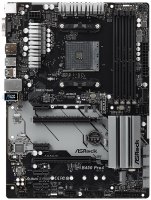
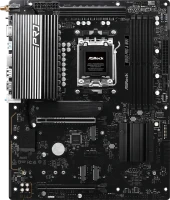
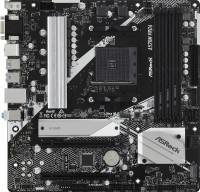

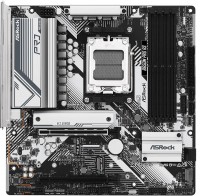
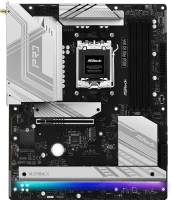



upgrade is the only thing that saves the hyper-Penium from competition with the eight-core FX (yes, they (FX-8320E) are more expensive, BUT DDR3 memory is much (twice!) cheaper than DDR4 [for Pentium]), plus there's no need for overclocking. And in the future, you can get a used i7 7700k cheaply. cooling on the VRM chains will allow for an upgrade to the i7 7700k. 4 RAM slots will allow starting with 2 sticks of 4GB each and later adding 2 more. i would actually like to overclock the CPU (which won't be possible with such a power supply on the i7 7700k), but these are just nitpicks. |

Extremely poor-quality motherboard. About 4 months after the purchase, a BIOS update was released, which I downloaded from the manufacturer's website and installed according to the instructions. After that, the motherboard stopped booting. Communication with the support service came down to this - "We don't have service centers in Russia, return this CRAP to the store," but since the PC was purchased assembled, I have to return the entire PC for 45 working days (2.5 months) because the manufacturer released faulty software. I highly do not recommend this manufacturer as they have no service centers in Russia. It's better to buy MSI, GIGABYTE, ASUS, etc., as they at least have service centers. Absent After updating the BIOS to 2.40 (downloaded from the official website and installed according to their instructions) - the motherboard won't start.  Sergey: use ASRock B250M Pro4 few months Sergey: use ASRock B250M Pro4 few months |
Closer to the people
ASRock B250M Pro4 is a prime example of how innovations that were only used in flagship motherboards a year ago are gradually becoming available to mainstream and even low-cost models. So, the increase in the number of PCIe 3.0 lines in the B270 chipset to 12 pcs (this is without processor lines) made it possible to equip the motherboard with two M.2 slots for SSD drives at once. The transition from SATA to M.2 allows not only to triple the speed of the disk subsystem (from 500 to 1500 MB / s), but also to reduce the mess of wires inside the PC case (M.2 drives are attached directly to the motherboard without any cables).
Under cover
The second innovation of ASRock B250M Pro4, as an inexpensive motherboard, is a protective cover for the rear interface panel. It is of practical use only in the case of frequent reassembly of the PC (journalists, reviewers, service centre engineers), but, of course, no one will dispute the improved aesthetics. But the heatsink on the processor power circuit, which no one except ASRock installs on low-cost and mid-price motherboards, is of the most practical use, especially when power-hungry Core i7 chips are installed.
no turns
The third innovation was the high-speed USB Type-C port, which allows you to connect external devices to your computer in any convenient direction. Finally, the fourth improvement is an increase in the frequency of DDR4 RAM from 2133 to 2400 MHz. The processor will not speed it up much, but the integrated graphics accelerator is still like - an additional 3-5 FPS in games. ASRock B250M Pro4 costs about the same as motherboards on the old B150 chipset. Moreover, if the B150 did not differ in anything important from the low-cost H110, then the advantages of the B250 are obvious. The ASRock B250M Pro4 is of greatest interest to those who decide to completely switch to M.2 drives, but do not want to spend a lot of money on a motherboard.