
Canon EOS 1D Mark III body
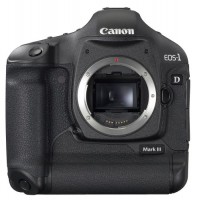 | Outdated Product Sensor size: APS-H; Effective MP number: 10.7; Manual focus; Image stabilization: in absent; White balance measuring; Auto bracketing; Viewfinder: optical (pentaprism); Continuous shooting (fps): 10; Screen ("): 3; Memory cards types: SD, SDHC, CompactFlash; External flash connect; Power source: battery |


We recommend products in stockDigital Cameras Canon →
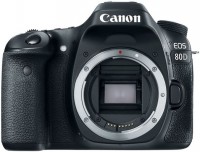
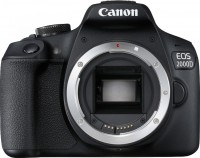
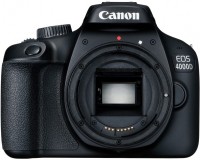
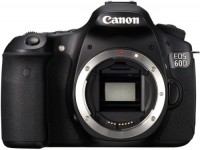

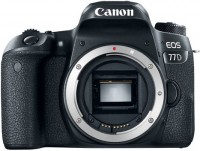
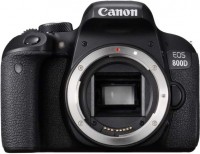
Canon EOS 1D Mark III body
Panel:APS-H, 10.7 MPix
Snapshot size:3888x2592 px
ISO range:100-3200
Burst shooting:10 fps
Screen:3 ''
All specifications
Specifications EOS 1D Mark III body
|
| ||||||||||||||||||||||||||||||||||||||||||||||||||||||||||||||||||||||||||||||||||||||||||||||||||||||||||||||||||||||||||||||||||||


The information in the model description is for reference purposes.
Always clarify the specifications and configuration of the product with the online store manager before purchasing.
Catalog Canon 2026 - new arrivals, bestsellers, and the most relevant models Canon.
Always clarify the specifications and configuration of the product with the online store manager before purchasing.
Catalog Canon 2026 - new arrivals, bestsellers, and the most relevant models Canon.

Does a full frame make a difference? Is it worth buying a full-frame camera?Do I need to spend money on an expensive full frame or is it better to buy a cropped camera?..

Decoding Canon Camera Series and Model LabelsCurrent Canon camera lines.
Series Canon EOS (SLR)Compare using chart →
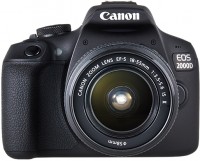
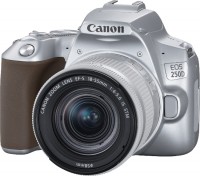
dSLR, lens kits, 24 MP, screen: 3 '', oscillating, touch, ultra HD (4K) video, lens: 3 x, focal: 18 - 55 mm, 449 g
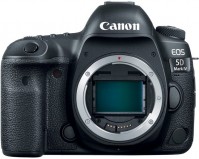
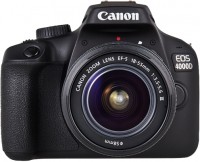
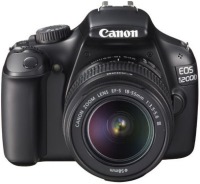
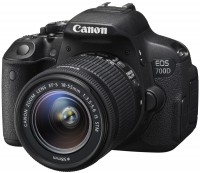
dSLR, lens kits, 24 MP, screen: 3 '', oscillating, touch, lens: 3 x, focal: 18 - 55 mm, 995 g
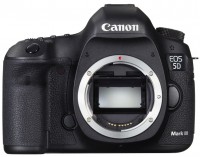
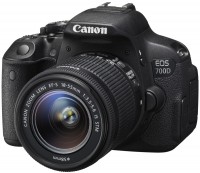
dSLR, lens kits, 18 MP, screen: 3 '', oscillating, touch, lens: 3 x, focal: 18 -55 mm, 785 g
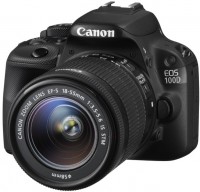
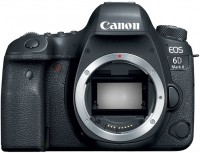
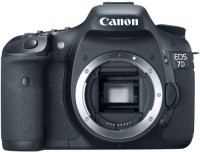
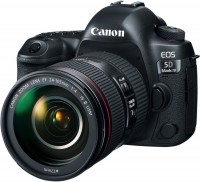
dSLR, lens kits, 30 MP, screen: 3.2 '', touch, ultra HD (4K) video, lens: 4.3 x, focal: 24 - 105 mm, 1530 g
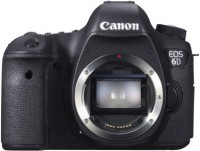
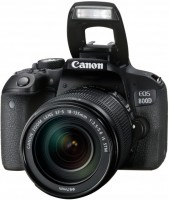
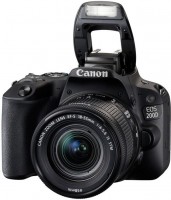
dSLR, lens kits, 24 MP, screen: 3 '', oscillating, touch, lens: 3 x, focal: 18 - 55 mm, 658 g
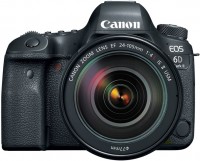
dSLR, lens kits, 26 MP, screen: 3 '', oscillating, touch, lens: 4.3 x, focal: 24 - 105 mm, 1560 g
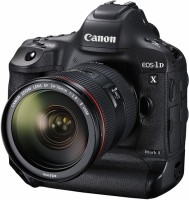
dSLR, lens kits, 20 MP, screen: 3.2 '', touch, ultra HD (4K) video, lens: 4.3 x, focal: 24 - 105 mm






Video reviews

Canon EOS-1D X Mark III | Behind the Scenes with Surf Photographer Ben Thouard
8 January 2020130 564 view
Canon 1DX vs 1D Mark III Shutter Sounds
19 July 202374 289 view
Canon eos 1d mark iii - My Thoughts
25 May 202156 599 view

Canon Eos 1Ds Mark III - My Thoughts | Professional Full Frame Camera Under €500
14 September 202241 243 view

Canon EOS-1D X Mark III - Hands-on First Look
7 January 202031 152 view

Canon 1D Mark iii in 2022 - Should you buy this Old Professional Camera?
9 March 202229 419 view

Canon 1DX Mark III : DSLR Camera for DINOSAURS?! (Unboxing and Review)
18 October 202329 157 view

Canon EOS 1Ds Mark III. Fantastic value full-frame digital cameras.
26 April 202420 517 view

CANON 1D Mark III Sample Images
9 January 201820 494 view

Photographing the Coast with my Canon 1D Mark 3
9 June 202213 218 view

Canon eos 1d Mark III unboxing
11 May 20216 540 view

Canon EOS 1d Mark III Sample Images | Canon 1d M3 Sample photos | Canon EOS 1d Mark III Pictures
10 January 20216 118 view

Canon 1D mark III - review of a professional camera from 2007
18 February 20255 571 view

wildife photography with Canon EOS-1D Mark III DSLR Camera and Canon EF 500mm f/4L IS II USM Lens
19 April 20235 175 view

Retro Review - Canon EOS 1Ds mkiii - How does it preform in 2025?
22 January 20254 961 view

Retro Review - How good is the Canon EOS 1D mkii in 2024?
28 July 20243 530 view

Canon EOS 1D Mark III Photography - Sample Images
28 February 20193 049 view
Canon Eos 1d mark III (low) shutter speed and sound
13 August 20232 547 view

Canon Eos 1d mark III (high) shutter speed and sound
13 August 20232 061 view

Canon EOS-1D Mark III with EF 17-35mm f/2.8L lens samples
5 October 20161 158 view

Canon EOS-1D Mark III with EF 600mm f/4L IS USM lens samples
6 October 2016879 view

Canon EOS-1D Mark III Review: Is This Pro DSLR Still Worth It?
18 March 2025733 view
Canon eos 1D mark III shuter sound
26 January 2019642 view

Canon EOS-1D Mark III with EF 300mm f/2.8L IS USM lens samples
5 October 2016469 view

Canon EOS-1D Mark III with EF 70-200mm f/2.8L IS USM lens samples
4 October 2016257 view

Canon EOS-1D Mark III with EF 100-400mm f/4.5-5.6L IS lens samples
4 October 2016225 view

Canon EOS-1D Mark III with EF 70-200mm f/2.8L IS lens samples
4 October 2016111 view

買取強化商品 キャノン Canon EOS 1D Mark III 3 カメラ・レンズの高価買取専門 ミンクス 茨城
29 October 201745 view

Evaluate the Comparison between the Canon EOS-1D Mark III and the iPhone 16 Pro Max
1 November 202419 view
New LCD Screen with Live View Mode
The bright 3.0-inch LCD monitor has a resolution of 230,000 pixels for highly accurate framing and viewing of photos. A novelty for EOS series cameras, the Live View mode allows you to compose the frame without using the viewfinder, which is especially useful for shooting from an awkward position.
The EOS-1D Mark III model uses an improved large LCD screen for ease of reading and menu operation. The presence of 57 custom functions opens up more possibilities for photographers to customize the camera in accordance with specific shooting requirements. The new "My Menu" feature allows you to save frequently used settings to a separate menu for easy access.
Additionally, by using the LCD screen, you can directly manage the settings of new accessories presented today, such as the Speedlite 580EX II flash and the WFT-E2 wireless file transmitter.
Reliability of All Components
The EOS-1D Mark III model features many practical improvements for photographers. The shutter resource has been increased by 50% to 300,000 operations. The camera body is made of magnesium alloy and has a coating that protects against moisture and dust penetration. The integrated EOS cleaning system further enhances device reliability by removing dust from the sensor, thereby reducing the need for manual cleaning. The camera helps prevent accidental damage to captured material. If the memory card slot is open while recording images, a corresponding warning appears on the LCD screen accompanied by a sound signal. The camera supports video output interfaces (for viewing images in NTSC and PAL formats) and USB 2.0.
Compatibility and Accessories
In addition to the new camera, Canon presents several new solutions for the professional EOS system:
The EOS-1D Mark III model comes with a wide range of software tools designed to simplify the photographer's work. This includes the Digital Photo Professional (DPP) program - an effective tool for converting RAW format files, providing full control over the processing of such images. This solution is also integrated with camera functions like Dust Delete Data and Picture Style. The package also includes EOS Utility, ImageBrowser / Zoom Browser, and Photostitch software.
CMOS Image Sensor
One of the key advantages of Canon cameras is CMOS image sensor technology. The noise reduction scheme applied in these sensors in each pixel area allows you to obtain images with virtually zero noise level. Compared to CCD technology, CMOS sensors consume less power, increasing battery life.
In Canon's CMOS sensors, the signal is converted by individual amplifiers located in each pixel area. This avoids extra stages in the charge transfer process and speeds up signal transfer time to the image processing processor. This allows for noise reduction, power consumption limitation, and increased shooting speed.
Built-in EOS Cleaning System
This system combats dust in three ways: preventing, repelling, and eliminating it.
Picture Style Function
This feature with preset modes significantly simplifies image quality control in the camera. The preset Picture Style modes can be compared to different types of film with varying sensitivity levels. Within each preset mode, sharpness, contrast, tone, and color saturation can be adjusted. The factory camera settings allow you to start working with JPEG images quickly without setting additional menu settings. Pre-set Picture Style modes applied to RAW format images can be modified using Canon's Digital Photo Professional software.
Six pre-set shooting modes include:
Digital Photo Professional Software
The Digital Photo Professional software is designed for high-speed and quality processing of RAW format images recorded without loss of image quality. It allows displaying images in real-time and instantly viewing the results of changes made, providing full control of RAW image parameters: white balance, dynamic range, exposure compensation, and color tones. It is possible to record images in the camera in the sRGB or Adobe RGB color space. The Digital Photo Professional software supports sRGB, Adobe RGB, ColorMatch RGB, Apple RGB, and Wide Gamut RGB color spaces.
ICC profiles (International Color Consortium) can be applied when converting RAW format files to TIFF or JPEG format. This ensures accurate color reproduction in programs that support ICC profiles, such as Adobe Photoshop. To improve work efficiency, image settings can be saved and then applied to other images.
The advantages of the new version of Digital Photo Professional software include a threefold increase in image preview speed, improved noise reduction functionality, and the ability to simultaneously batch process TIFF and JPEG images.
EOS Utility Software
The latest version of EOS Utility software provides support for remote shooting and camera setup. It allows remote operation in Live View mode and configures the new Original Data Security Kit OSK-E3 and the WFT-E2 wireless file transmitter. The EOS Utility software can be configured to monitor "hot folders" and automatically rename and move incoming images into a structured file system – an ideal solution for data transfer via Wi-Fi standard. This software is suitable for commercial and studio photographers who need to transfer images directly to a PC.
The bright 3.0-inch LCD monitor has a resolution of 230,000 pixels for highly accurate framing and viewing of photos. A novelty for EOS series cameras, the Live View mode allows you to compose the frame without using the viewfinder, which is especially useful for shooting from an awkward position.
The EOS-1D Mark III model uses an improved large LCD screen for ease of reading and menu operation. The presence of 57 custom functions opens up more possibilities for photographers to customize the camera in accordance with specific shooting requirements. The new "My Menu" feature allows you to save frequently used settings to a separate menu for easy access.
Additionally, by using the LCD screen, you can directly manage the settings of new accessories presented today, such as the Speedlite 580EX II flash and the WFT-E2 wireless file transmitter.
Reliability of All Components
The EOS-1D Mark III model features many practical improvements for photographers. The shutter resource has been increased by 50% to 300,000 operations. The camera body is made of magnesium alloy and has a coating that protects against moisture and dust penetration. The integrated EOS cleaning system further enhances device reliability by removing dust from the sensor, thereby reducing the need for manual cleaning. The camera helps prevent accidental damage to captured material. If the memory card slot is open while recording images, a corresponding warning appears on the LCD screen accompanied by a sound signal. The camera supports video output interfaces (for viewing images in NTSC and PAL formats) and USB 2.0.
Compatibility and Accessories
In addition to the new camera, Canon presents several new solutions for the professional EOS system:
- EF 16-35mm f/2.8L II USM - a high-speed ultra-wide-angle zoom lens providing high image quality across the entire aperture range
- Speedlite 580EX II - a new flash replacing the Speedlite 580EX model, capable of operating in any weather conditions when connected to the EOS-1D Mark III model
- The WFT-E2 wireless file transmitter differs from the previous model in smaller size and weight, as well as greater flexibility: it offers increased operating speed through the ability to wirelessly transfer images while shooting
- The Original Data Security Kit OSK-E3 is a means of verifying the authenticity of images taken with the camera, supporting image encryption for additional protection
The EOS-1D Mark III model comes with a wide range of software tools designed to simplify the photographer's work. This includes the Digital Photo Professional (DPP) program - an effective tool for converting RAW format files, providing full control over the processing of such images. This solution is also integrated with camera functions like Dust Delete Data and Picture Style. The package also includes EOS Utility, ImageBrowser / Zoom Browser, and Photostitch software.
CMOS Image Sensor
One of the key advantages of Canon cameras is CMOS image sensor technology. The noise reduction scheme applied in these sensors in each pixel area allows you to obtain images with virtually zero noise level. Compared to CCD technology, CMOS sensors consume less power, increasing battery life.
In Canon's CMOS sensors, the signal is converted by individual amplifiers located in each pixel area. This avoids extra stages in the charge transfer process and speeds up signal transfer time to the image processing processor. This allows for noise reduction, power consumption limitation, and increased shooting speed.
Built-in EOS Cleaning System
This system combats dust in three ways: preventing, repelling, and eliminating it.
- Dust prevention: The camera's internal elements are designed to reduce dust appearance. The improved camera body is designed to prevent dust from appearing during carrying
- Dust repelling: The low-pass filter in front of the image sensor is made with anti-static material, thus repelling dust
- Dust elimination: The self-cleaning image sensor uses high-frequency vibrations to "shake" dust off the infrared filter in about one second after each power-on. To start shooting immediately after power-on, this feature is immediately disabled during shutter release
Picture Style Function
This feature with preset modes significantly simplifies image quality control in the camera. The preset Picture Style modes can be compared to different types of film with varying sensitivity levels. Within each preset mode, sharpness, contrast, tone, and color saturation can be adjusted. The factory camera settings allow you to start working with JPEG images quickly without setting additional menu settings. Pre-set Picture Style modes applied to RAW format images can be modified using Canon's Digital Photo Professional software.
Six pre-set shooting modes include:
- Standard - enhances photo sharpness and color saturation; images do not require additional processing
- Portrait - optimization of tones and color saturation, reduction of sharpness to improve skin tones
- Landscape - activates clarity of green and blue areas and increases sharpness for better transmission of mountain, tree, and building outlines
- Neutral - ideal for post-processing
- Faithful - maximum color match to the object when shooting with a color temperature of 5200K
- Monochrome mode - for monochrome shooting with various filters (yellow, orange, red, and green) and toning (sepia, blue, purple, and green)
Digital Photo Professional Software
The Digital Photo Professional software is designed for high-speed and quality processing of RAW format images recorded without loss of image quality. It allows displaying images in real-time and instantly viewing the results of changes made, providing full control of RAW image parameters: white balance, dynamic range, exposure compensation, and color tones. It is possible to record images in the camera in the sRGB or Adobe RGB color space. The Digital Photo Professional software supports sRGB, Adobe RGB, ColorMatch RGB, Apple RGB, and Wide Gamut RGB color spaces.
ICC profiles (International Color Consortium) can be applied when converting RAW format files to TIFF or JPEG format. This ensures accurate color reproduction in programs that support ICC profiles, such as Adobe Photoshop. To improve work efficiency, image settings can be saved and then applied to other images.
The advantages of the new version of Digital Photo Professional software include a threefold increase in image preview speed, improved noise reduction functionality, and the ability to simultaneously batch process TIFF and JPEG images.
EOS Utility Software
The latest version of EOS Utility software provides support for remote shooting and camera setup. It allows remote operation in Live View mode and configures the new Original Data Security Kit OSK-E3 and the WFT-E2 wireless file transmitter. The EOS Utility software can be configured to monitor "hot folders" and automatically rename and move incoming images into a structured file system – an ideal solution for data transfer via Wi-Fi standard. This software is suitable for commercial and studio photographers who need to transfer images directly to a PC.