Catalog   /   Computing   /   Monitors   /   LG

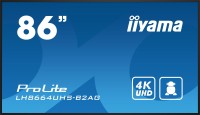
LG 86TR3DK-B 86 "

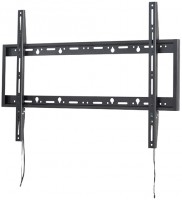
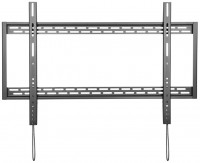
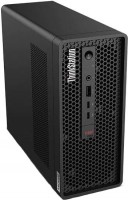
Photos - Monitor LG 86TR3DK-B 86 "
Photos 7
LG 86TR3DK-B 86 "
Screen size:86 "
Resolution:3840x2160 (16:9)
Panel:IPS
Frequency:60 Hz
Contrast:1 200:1
Brightness:350 cd/m²
Functions:PBP, Flicker-Free
Connectors:USB-C (DP Alt Mode) • 3xHDMI, VGA, LAN
32 GB internal memory, 4 GB RAM. OPS slot. LG CreateBoard Share support.
All specifications
Specifications 86TR3DK-B
Colour
Product typeTongue cleaning
Size86 "
Touch screen / multitouch 40 точек /
Smart platformwebOS
Screen
Panel typeIPS / Direct LED /
Surface treatmentanti-glare
Resolution3840x2160 (16:9)
FPS60 Hz
Pixel size0.5 mm
Vertical viewing angle178 °
Horizontal viewing angle178 °
Brightness350 cd/m²
Static contrast1 200:1
Dynamic Contrast5 000:1
Colour depth8-bit + FRC (1.07B Colors)
Colour space (NTSC)72 %
Connection
Video transmissionVGA
3xHDMI
USB-C (DP Alt Mode)
HDMI output (serial)
Power Delivery
Power PD65 W
USB-A hub1x2.0, 4x5Gbps
BluetoothBluetooth v5.0
Wi-FiWi-Fi 6 (802.11ax) / module included /
Connectors (optional)mini-Jack input (3.5 mm)
mini-Jack output (3.5 mm)
LAN / 1 Gbps /
optical
COM port (RS-232)
Features
Featureslight sensor
PBP (Picture by Picture)
Flicker-Free
Speakers
Sound power2x15 W
General
Wall mountVESA 800x600 mm
Power consumption385 W / 580W maximum /
Remote control
Dimensions (WxHxD)1957x1160x100 mm
Weight58.6 kg
Official Websitelg.com
Added to E-CatalogMay 2024
The information in the model description is for reference purposes.
Always clarify the specifications and configuration of the product with the online store manager before purchasing.
Catalog LG 2026 - new arrivals, bestsellers, and the most relevant models LG.

Buy LG 86TR3DK-B 86 "

When you make a purchase through links on our site, we may receive a affiliate commission.

LG CreateBoard Standard interactive whiteboard 2.18 m (86") 3840 x 2160 pixels Touchscreen Black 86TR3DQ-B.AUEQ

Resolution : 3,840 × 2,160 (UHD). Brightness : 400 nit (Typ.). Multi-Touch Point : Max. 50 Points. OS Ver. : Andorid 14 (EDLA... more). Interface (Input) : HDMI (3), DP, RGB (VGA), Audio, RS-232C, RJ45 (LAN), USB Type-C (2), USB 3.0 Type-A (5), USB 2.0 Type-A. Interface (Output) : HDMI Out, Audio Out, Touch USB (3), RJ45 (LAN). Innovate, Collaborate, and Create with Seamless Technology, LG CreateBoard. Creative Whiteboard Solution. LG CreateBoard offers a lifelike touch experience, allowing users to interact with content directly on the board. You can write, draw, zoom, and rotate using just your fingers, making it an effective tool for creative projects or presentations. Additionally, LG CreateBoard enables screen and content sharing, making it an excellent tool for seamless collaboration even with remote team members.. Various Teaching Templates. LG CreateBoard offers a variety of educational templates and tools such as a ruler, table, and sticky note, fostering active student participation and facilitating intuitive lessons.. Easy to Save / Import / Export. LG CreateBoard incorporates straightforward import and export features. Resources can be saved and directly imported to and from Google Drive or OneDrive. After meetings, you can directly send emails to share materials, or scan a QR code to transfer them to your personal device.. LG CreateBoard Lab. LG’s proprietary whiteboarding software. Tools for Fluid Discussion. A variety of tools such as a calculator, clock, and sticky note are available to facilitate smooth discussions and ensure seamless idea sharing and communication. Also, users can personalize the menu bar with their most frequently used tools, thereby improving their work efficiency.. Web Browser. When you need a reference during a discussion, you can access various online information in real time with the simple click of a web browser. The necessary information found on the internet can be easily dragged and dropped into the material you’re creating, enhancing the productivity of your meetings.. Multi-OS Support. LG CreateBoard Lab offers multi-OS support, allowing users to utilize it not only with LG CreateBoard but also with other devices. This enables users to maintain a seamless experience on tablets, laptops, and various other devices, even outside the classroom.. LG CreateBoard Share. LG CreateBoard Share offers a wireless screen sharing feature, providing users with a flexible discussion environment. Users can share their screen from their own PC, tablet, or smartphone, simplifying the process of sharing and collaborating on team projects or presentation materials.. Wireless ScreenShare Feature for Seamless Meeting Environment. LG CreateBoard Share establishes a seamless and stable meeting room without the need for extra cables or connections. Presenters can now share their screens without the need to inconveniently move around and unplug and plug cables each time the presenter changes. With the capability to share up to 9
Backtotheoffice.co.uk
Delivery: in United Kingdom
Report
£1,429.99

LG 86TR3DK-B interactive whiteboard 2.18 m (86") 3840 x 2160 pixe

LG 86TR3DK-B interactive whiteboard 2.18 m (86") 3840 x 2160 pixels Touchscreen Black
LaptopHub.uk
Delivery: in United Kingdom
Report
£1,504.21

LG 86TR3DK-B interactive whiteboard 2.18 m (86") 3840 x 2160 pixe

LG 86TR3DK-B interactive whiteboard 2.18 m (86") 3840 x 2160 pixels Touchscreen Black Various Teaching TemplatesTR3DK series... moreoffers a variety of educational templates and teaching tools such as a ruler. table. and sticky notes. allowing for active engagement by students and enabling intuitive classes. Editing images and videos becomes easy with TR3DK series. and created resources can be easily shared with others through QR codes.Multi-touchTR3DK Digital Board can simultaneously detect up to 40 points for multi-touch functionality. This creates a lifelike board touch experience. helping students easily become accustomed and truly engage in classes. This leads to the maximum concentration and organic engagement of students.Easy to Save / Import / ExportTR3DK series include simple import and export functionality. Resources can be saved and imported directly to and from Google Drive or OneDrive. and files can be imported from a USB drive (Users can browse resources saved on USB storage).Wireless ScreenShareLG CreateBoard Share enables users to show up to 9 shared screens or a file on a screen in real-time when the LG CreateBoard Share app is installed on the device. Also. files from the host can be easily sent to any devices connected to the LG CreateBoard Share app. and several quick controls by the host are available.LG ConnectedCare DMSLG ConnectedCare DMS is a cloud solution for remotely monitoring. controlling. and managing the status of TR3DK Digital Board installed in educational environments. This feature enables IT managers to operate and manage important resources on operating devices without physically visiting sites.Bluetooth ConnectivityTR3DK Digital Board supports wireless Bluetooth connections to various devices such as a speaker. mouse. keyboard. etc. This is optimal for building a hybrid environment so that online and offline classes can proceed smoothly.C-type ConnectionUSB-C connectivity simplifies connections which enables charging and sending data simultaneously over just one single cable.QR Login forEasy Cloud AccessThe QR code on the home screen reduces preparation time for class by enabling personal device verification. Users can sign up for a variety of apps on the TR3DK Digital Board including Google Drive and OneDrive with just one QR verification without any additional login process. Once a lesson is finished. users can simply click the Logout button to disconnect. thus the risk of a personal information leak is reduced.Advanced Eye-CareTR3DK Digital Board has introduced a flicker-free function. With the reduced flickering of the monitor's backlight. users can use the device with more comfort even when using it for a long time.Front Connectivity DesignTR3DK Digital Board features front display ports and speakers which are ideal for both teachers and students. enabling content to be delivered easier with more immersive sound.Built-in OPS SlotTR3DK Digital Board supports OPS slots. allowing you to easily and conveniently
Pcnova.co.uk
Delivery: in United Kingdom
Report
£1,504.21

LG 86TR3DK-B interactive whiteboard 2.18 m (86") 3840 x 2160 pixe

Various Teaching TemplatesTR3DK series offers a variety of educational templates and teaching tools such as a ruler. table. a... morend sticky notes. allowing for active engagement by students and enabling intuitive classes. Editing images and videos becomes easy with TR3DK series. and created resources can be easily shared with others through QR codes.Multi-touchTR3DK Digital Board can simultaneously detect up to 40 points for multi-touch functionality. This creates a lifelike board touch experience. helping students easily become accustomed and truly engage in classes. This leads to the maximum concentration and organic engagement of students.Easy to Save / Import / ExportTR3DK series include simple import and export functionality. Resources can be saved and imported directly to and from Google Drive or OneDrive. and files can be imported from a USB drive (Users can browse resources saved on USB storage).Wireless ScreenShareLG CreateBoard Share enables users to show up to 9 shared screens or a file on a screen in real-time when the LG CreateBoard Share app is installed on the device. Also. files from the host can be easily sent to any devices connected to the LG CreateBoard Share app. and several quick controls by the host are available.LG ConnectedCare DMSLG ConnectedCare DMS is a cloud solution for remotely monitoring. controlling. and managing the status of TR3DK Digital Board installed in educational environments. This feature enables IT managers to operate and manage important resources on operating devices without physically visiting sites.Bluetooth ConnectivityTR3DK Digital Board supports wireless Bluetooth connections to various devices such as a speaker. mouse. keyboard. etc. This is optimal for building a hybrid environment so that online and offline classes can proceed smoothly.C-type ConnectionUSB-C connectivity simplifies connections which enables charging and sending data simultaneously over just one single cable.QR Login forEasy Cloud AccessThe QR code on the home screen reduces preparation time for class by enabling personal device verification. Users can sign up for a variety of apps on the TR3DK Digital Board including Google Drive and OneDrive with just one QR verification without any additional login process. Once a lesson is finished. users can simply click the Logout button to disconnect. thus the risk of a personal information leak is reduced.Advanced Eye-CareTR3DK Digital Board has introduced a flicker-free function. With the reduced flickering of the monitor's backlight. users can use the device with more comfort even when using it for a long time.Front Connectivity DesignTR3DK Digital Board features front display ports and speakers which are ideal for both teachers and students. enabling content to be delivered easier with more immersive sound.Built-in OPS SlotTR3DK Digital Board supports OPS slots. allowing you to easily and conveniently mount OPS desktop at the back of the TR3DK Digital Board without the hassle of connecting
Gamingkit.co.uk
Delivery: in United Kingdom
Report
£1,534.30

LG 86TR3DK-B interactive whiteboard 2.18 m (86") 3840 x 2160 pixels Touchscreen Black 86TR3DK-B.AUEQ

Various Teaching Templates TR3DK series offers a variety of educational templates and teaching tools such as a ruler table... moreand sticky notes allowing for active engagement by students and enabling intuitive classes. Editing images and videos becomes easy with TR3DK series and created resources can be easily shared with others through QR codes. Multi-touch TR3DK Digital Board can simultaneously detect up to 40 points for multi-touch functionality. This creates a lifelike board touch experience helping students easily become accustomed and truly engage in classes. This leads to the maximum concentration and organic engagement of students. Easy to Save / Import / Export TR3DK series include simple import and export functionality. Resources can be saved and imported directly to and from Google Drive or OneDrive and files can be imported from a USB drive (Users can browse resources saved on USB storage). Wireless ScreenShare LG CreateBoard Share enables users to show up to 9 shared screens or a file on a screen in real-time when the LG CreateBoard Share app is installed on the device. Also files from the host can be easily sent to any devices connected to the LG CreateBoard Share app and several quick controls by the host are available. LG ConnectedCare DMS LG ConnectedCare DMS is a cloud solution for remotely monitoring controlling and managing the status of TR3DK Digital Board installed in educational environments. This feature enables IT managers to operate and manage important resources on operating devices without physically visiting sites. Bluetooth Connectivity TR3DK Digital Board supports wireless Bluetooth connections to various devices such as a speaker mouse keyboard etc. This is optimal for building a hybrid environment so that online and offline classes can proceed smoothly. C-type Connection USB-C connectivity simplifies connections which enables charging and sending data simultaneously over just one single cable. Front Connectivity Design TR3DK Digital Board features front display ports and speakers which are ideal for both teachers and students enabling content to be delivered easier with more immersive sound. Built-in OPS Slot TR3DK Digital Board supports OPS slots allowing you to easily and conveniently mount OPS desktop at the back of the TR3DK Digital Board without the hassle of connecting to an external desktop offering you more expanded functions. Smart Viewing The Smart Viewing feature of TR3DK Digital Board enables efficient teaching. Two or more materials can be displayed on the same screen simultaneously without having to repeat Alt-tab making teaching more convenient and efficient. Two materials can be displayed side by side (multi window mode) or one material can be overlaid on the other one (picture-in-picture mode). Power Saving When a device doesnt receive an external input signal for a specific amount of time set by the user the device goes into standby mode.
Quzo.co.uk
Delivery: to United Kingdom
Report
£1,542.15

LG 86TR3DK-B configurations

Price for LG 86TR3DK-B
LG 65TR3DK-B 65 "from £996.676 offers
LG 75TR3DK-B 75 "from £1,191.474 offers
LG 86TR3DK-B 86 "from £1,429.995 offers