
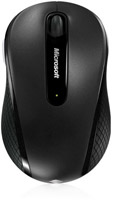
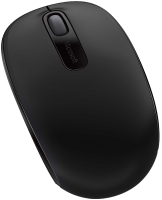
Microsoft Wireless Mobile Mouse 4000
 | Compare prices 2 → When you make a purchase through links on our site, we may receive a affiliate commission.
|

Microsoft Wireless Mobile Mouse 4000 | |||||||||||||||||||||||||||||||||||||||||||||||||||
|
| ||||||||||||||||||||||||||||||||||||||||||||||||||


The information in the model description is for reference purposes.
Always clarify the specifications and configuration of the product with the online store manager before purchasing.
Catalog Microsoft 2026 - new arrivals, bestsellers, and the most relevant models Microsoft.
Always clarify the specifications and configuration of the product with the online store manager before purchasing.
Catalog Microsoft 2026 - new arrivals, bestsellers, and the most relevant models Microsoft.

How to choose a gaming mouseWe'll look at grip types, sensor sensitivity, pushbutton switches, and other important nuances
Branded technologies in computer mice worldWhat technologies are in mice and what benefits they give in particular tasks
Series Microsoft Mobile (Wireless)Compare using chart →












Model overview based on user reviews
The Microsoft Wireless Mobile Mouse 4000 has received mixed reviews from users. Some appreciate its Bluetooth connectivity and comfortable rubber sides, noting that it works immediately without needing drivers. However, several users have reported significant issues with the product's durability and reliability. Common complaints include the rubber peeling off after a short period, the receiver overheating and melting, and the lack of energy-saving features, leading to frequent battery replacements. Additionally, customer service has been criticized for not providing adequate support for these issues. Overall, while the mouse offers a pleasant user experience initially, its long-term reliability is questionable, prompting some users to switch to other brands.
Pros
Cons
3 0 0 1 |
no heap  kdy: use Microsoft Wireless Mobile Mouse 4000 more than year i recommend it don't buy kdy: use Microsoft Wireless Mobile Mouse 4000 more than year i recommend it don't buy |
The mouse worked for me for 3 years, after upgrading my desktop computer, I moved it to my laptop, where the radio receiver burned out on the third day. Frankly, it's unclear how such a brand can produce such [censored] and at such a price, the mouse is not cheap!! I got an A4, which works significantly better, with energy saving features and other benefits. no after a year, the rubber started peeling off on the sides; the receiver in the laptop burned out; the scroll wheel spins without clicks!!; no auto-off for energy saving, the battery lasts a month.. Anton: use Microsoft Wireless Mobile Mouse 4000 more than year i recommend it don't buy |
buy it, you won't regret it))) this company knows what it's producing) bluetooth miniature (no cord) gives a very pleasant feeling when held))) The sides are covered with soft rubber))) As soon as I bought it, I connected it and it worked immediately, no drivers needed to be installed)) not at all) Danil: use Microsoft Wireless Mobile Mouse 4000 week i recommend it should buy |
3 out of 4 user review(s) shown
1 more user review(s)
Video reviews

Microsoft D5D-00054 Wireless Mobile Mouse 4000
15 August 2012718 view

Microsoft wireless moble mouse 4000 unboxing
3 October 2010484 view

Unboxing: Microsoft Wireless Mobile Mouse 4000
3 January 2013459 view

Microsoft Mouse Wireless Mobile 4000 with mini transceiver
20 June 2023416 view

Review: Microsoft Wireless Mobile Mouse 4000
29 August 2013405 view

Microsoft wireless mobile mouse 4000 show and feedback
3 September 2011166 view
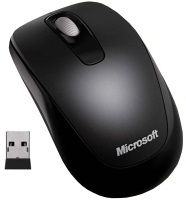
Allows you to work without problems on surfaces that are unacceptable for conventional devices, such as carpeting or upholstery of upholstered furniture. Microsoft continues to develop a line of products that support the original BlueTrack technology. Recall that such devices differ from all similar products in the use of an advanced optical sensor with blue backlight, which provides a more accurate reading of the working surface than mice with a laser or standard optical sensor. Thanks to new technology, mice are able to work without problems on surfaces that are unacceptable for conventional devices, such as carpeting or upholstery of upholstered furniture. So, following the MS SideWinder X8 gaming manipulator, as well as the Wireless Mobile Mouse 6000 and Wireless Mouse 5000, Microsoft announced an inexpensive mouse for laptop and netbook users -. This compact BlueTrack-enabled gadget is equipped with a miniature USB receiver (protruding less than 10 mm beyond the port) and connects to a PC via a 2.4 GHz radio channel. If necessary, the receiver can be hidden in a special compartment at the bottom of the mouse. When it is installed there, the device will automatically turn off. The products are powered by one AA battery. An LED indicator will notify the user when the battery is running low. the receiver is 5 m. It is also worth noting that the mouse has a dedicated key for accessing the Windows Flip function in the environment of Windows Vista and Windows 7 operating systems.
We recommendCompare using chart →

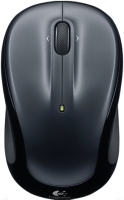

Bluetooth/radio, BT v 5, Multi-Device, buttons: quiet, 7, programmable, + wheel, sensor 8000 DPI, battery, 650 mAh, up to 70 days
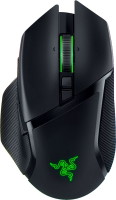
gaming mouse, radio / Bluetooth / wired, USB-A, with memory, buttons: 6, programmable, + wheel, 4D, свитчи: optical, Razer Gen-3, up to 90 mln, RGB backlight, sensor 30000 DPI, battery, up to 150 h

gaming mouse, radio / wired, USB-A, with memory, buttons: 6, programmable, + wheel, свитчи: optical, Logitech Lightforce, RGB backlight, sensor 32000 DPI, wireless charger, battery, up to 95 h
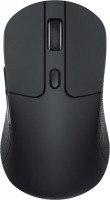
gaming mouse, radio / Bluetooth / wired, USB-C, USB-A, BT v 5, Multi-Device, buttons: 5, programmable, + wheel, свитчи: mechanical, Kailh GM 8.0, up to 80 mln, RGB backlight, sensor 26000 DPI, battery, up to 135 h
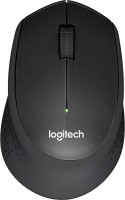
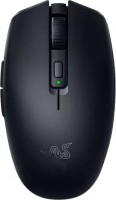
gaming mouse, Bluetooth/radio, Multi-Device, with memory, buttons: 5, programmable, + wheel, свитчи: mechanical, Razer Gen-2, sensor 18000 DPI, 1xAA
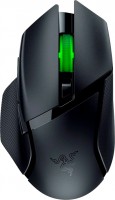
gaming mouse, Bluetooth/radio, Multi-Device, with memory, buttons: 6, programmable, + wheel, свитчи: mechanical, Razer Gen-2, up to 60 mln, RGB backlight, sensor 18000 DPI, 1xAA

gaming mouse, radio, with memory, buttons: 5, programmable, + wheel, sensor 30000 DPI, 1xAA

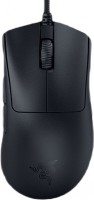
gaming mouse, wired, USB-A, with memory, buttons: 4, programmable, + wheel, свитчи: optical, Razer Gen-3, sensor 30000 DPI
I used it for less than a year. After just 4 months, the rubber started bulging in areas where it comes into contact with the skin.
[URL=http://www.radikal.ru][IMG]http://i032.radik
al.ru/1012/8c/63f6672d6247.jpg[/IMG][/URL]This did not happen on my Logitech Revolution MX over 2 years.
The pads are less slippery.
After 11 months, the receiver heated up while plugged into the laptop, melted, and stopped working.
[URL=http://www.radikal.ru][IMG]http://s44.radika
l.ru/i106/1012/86/57102d9277cf.jpg[/IMG][/URL]Thankfully, it didn't fry my port and apartment.
When I contacted customer support, they said they don't provide service and advised me to contact the store. When I mentioned that I bought it in the States, they kept insisting, like parrots, to contact the store.
Buy Logitech, they simply replace defective units with new ones. I have two Logitechs and had THIS. Instead of THIS, after getting nothing from service, I ordered another Logitech.
Thanks, comrades from Microsoft.
I'd like to add - I'm not the only one who faced the problem with the receiver melting, in