
Asus ProArt PA348CGV 34 " black
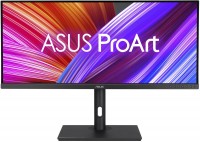 |

Asus ProArt PA348CGV 34 " black
Screen size:34 "
Resolution:3440x1440 (21:9)
Panel:IPS, response 2 ms
Frequency:120 Hz
Contrast:1 000:1
Brightness:350 cd/m²
Functions:HDR, AMD FreeSync Premium Pro, PBP, Flicker-Free
Connectors:USB-C (DP Alt Mode) • DisplayPort v1.4 • 2xHDMI v2.0
All specifications
Specifications ProArt PA348CGV
|
| ||||||||||||||||||||||||||||||||||||||||||||||||||||||||||||||||||||||||||||||||||||||||||||


The information in the model description is for reference purposes.
Always clarify the specifications and configuration of the product with the online store manager before purchasing.
Catalog Asus 2026 - new arrivals, bestsellers, and the most relevant models Asus.
Always clarify the specifications and configuration of the product with the online store manager before purchasing.
Catalog Asus 2026 - new arrivals, bestsellers, and the most relevant models Asus.

Buy Asus ProArt PA348CGV 34 " black
All prices 7 →When you make a purchase through links on our site, we may receive a affiliate commission.
ASUS ProArt PA348CGV computer monitor 86.4 cm (34") 3440 x 1440 pixels UltraWide Quad HD Black | £683.51 |  | |||
Asus PA348CGV Curved Gaming Monitor PA348CGV | £716.39 |  | |||
Asus 90LM07Z0-B01370 | £770.49 |  | |||
ASUS ProArt PA348CGV 86.4 cm (34") 3440 x 1440 pixels 90LM07Z0-B01370 | £773.21 | | |||
| £798.98 |  | ||||
ASUS ProArt PA348CGV computer monitor 86.4 cm (34") 3440 x 1440 p | £811.86 |  | |||
| £811.86 |  | ||||
Series Asus ProArt (for design)

for graphics, 27 ", 2560x1440 (16:9), IPS, response 5 ms, 144 Hz, 10-bit (1.07B Colors), sRGB 100 %, DCI-P3 97 %, HDMI, v 2.1, DisplayPort, USB-C (DP Alt Mode), Power Delivery, HUB: USB-A 3x5Gbps, USB-C 1x5Gbps, KVM switch, speakers, AMD FreeSync, VESA Adaptive-Sync, HDR, CalMAN Verified, TÜV Rheinland

transformer 360°, 13.3 ", touch, 2880x1800 (16:10), OLED, Ryzen AI, Max+ 388, 3.6 GHz, RAM 32 GB, LPDDR5X, Radeon 8060S, SSD M.2 NVMe, 1 TB, Win 11 Pro, USB-A 10Gbps, USB-C 40G (USB4), Wi-Fi 7, 3D face scanner, 1.4 kg
for graphics, 34 ", 3440x1440 (21:9), IPS, response 2 ms, 120 Hz, 10-bit (1.07B Colors), sRGB 100 %, DCI-P3 98 %, HDMI, DisplayPort, USB-C (DP Alt Mode), Power Delivery, HUB: USB-A 4x5Gbps, speakers, AMD FreeSync Premium Pro, HDR, CalMAN Verified, TÜV Rheinland

high performance, 16 ", touch, 3840x2400 (16:10), OLED, 120 Hz, Ryzen AI, 9 HX 370, 2 GHz, RAM 32 GB, LPDDR5X, RTX 5070 Ti, SSD M.2 NVMe, 1 TB, Win 11 Pro, USB-A 10Gbps, USB-C 10Gbps, USB-C 40G (USB4), Wi-Fi 7, VR, fast charge, 3D face scanner, 1.85 kg
for graphics, 27 ", 2560x1440 (16:9), IPS, response 5 ms, 144 Hz, 8-bit + FRC (1.07B Colors), sRGB 100 %, DCI-P3 95 %, HDMI, DisplayPort, USB-C (DP Alt Mode), Power Delivery, HUB: USB-A 4x5Gbps, speakers, AMD FreeSync Premium, VESA Adaptive-Sync, HDR, CalMAN Verified, TÜV Rheinland

16 ", touch, 2880x1800 (16:10), OLED, 120 Hz, Ryzen AI, 9 HX 370, 2 GHz, RAM 64 GB, LPDDR5X, RTX 5070, SSD M.2 NVMe, 2 TB, Win 11 Home, USB-A 10Gbps, USB-C 10Gbps, USB-C 40G (USB4), Wi-Fi 7, VR, fast charge, 3D face scanner, 1.85 kg
for graphics, 27 ", 5K, 5120x2880 (16:9), IPS, response 5 ms, 60 Hz, 10-bit (1.07B Colors), sRGB 100 %, DCI-P3 99 %, HDMI, v 2.1, DisplayPort, USB-C (DP Alt Mode), Power Delivery, HUB: USB-A 3x5Gbps, USB-C 1x5Gbps, KVM switch, speakers, VESA Adaptive-Sync, HDR, CalMAN Verified, TÜV Rheinland
16 ", touch, 2880x1800 (16:10), OLED, 120 Hz, Ryzen AI, 9 HX 370, 2 GHz, RAM 64 GB, LPDDR5X, RTX 5070, 2xSSD M.2 NVMe, 4 TB, Win 11 Home, USB-A 10Gbps, USB-C 10Gbps, USB-C 40G (USB4), Wi-Fi 7, VR, fast charge, 3D face scanner, 1.85 kg
for graphics, 32 ", 4K, 3840x2160 (16:9), IPS, response 5 ms, 60 Hz, 10-bit (1.07B Colors), sRGB 100 %, HDMI, DisplayPort, USB-C (DP Alt Mode), Power Delivery, HUB: USB-A 4x5Gbps, speakers, AMD FreeSync, HDR, CalMAN Verified, TÜV Rheinland

high performance, 16 ", touch, 3840x2400 (16:10), OLED, Ryzen AI, 9 HX 370, 2 GHz, RAM 64 GB, LPDDR5X, RTX 5090, 2xSSD M.2 NVMe, 4 TB, Win 11 Home, USB-A 10Gbps, USB-C 10Gbps, USB-C 40G (USB4), Wi-Fi 7, VR, fast charge, 3D face scanner, 1.95 kg

for graphics, 27 ", 2560x1440 (16:9), IPS, response 5 ms, 120 Hz, 1.07B Colors, sRGB 100 %, DCI-P3 95 %, HDMI, v 2.1, DisplayPort, HUB: USB-A 4x5Gbps, speakers, VESA Adaptive-Sync, HDR, CalMAN Verified, TÜV Rheinland

high performance, 16 ", touch, 3840x2400 (16:10), OLED, 120 Hz, Ryzen AI, 9 HX 370, 2 GHz, RAM 64 GB, LPDDR5X, RTX 5080, SSD M.2 NVMe, 2 TB, Win 11 Home, USB-A 10Gbps, USB-C 10Gbps, USB-C 40G (USB4), Wi-Fi 7, VR, fast charge, 3D face scanner, 1.85 kg
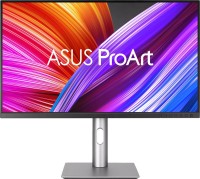
for graphics, 27 ", 4K, 3840x2160 (16:9), IPS, response 5 ms, 60 Hz, 10-bit (1.07B Colors), sRGB 100 %, DCI-P3 99 %, HDMI, DisplayPort, USB-C (DP Alt Mode), Power Delivery, HUB: USB-A 3x5Gbps, speakers, VESA Adaptive-Sync, HDR, CalMAN Verified, TÜV Rheinland
16 ", touch, 2880x1800 (16:10), OLED, 120 Hz, Ryzen AI, 9 HX 370, 2 GHz, RAM 32 GB, LPDDR5X, RTX 5070, SSD M.2 NVMe, 1 TB, Win 11 Home, USB-A 10Gbps, USB-C 10Gbps, USB-C 40G (USB4), Wi-Fi 7, VR, fast charge, 3D face scanner, 1.85 kg

for graphics, 27 ", 4K, 3840x2160 (16:9), IPS, response 1 ms, 160 Hz, 10-bit (1.07B Colors), sRGB 100 %, DCI-P3 98 %, HDMI, v 2.1, DisplayPort, USB-C (DP Alt Mode), Power Delivery, HUB: USB-A 2x5Gbps, USB-C 1x5Gbps, KVM switch, speakers, VESA Adaptive-Sync, HDR, CalMAN Verified, TÜV Rheinland
high performance, 16 ", touch, 3840x2400 (16:10), OLED, 120 Hz, Ryzen AI, 9 HX 370, 2 GHz, RAM 32 GB, LPDDR5X, RTX 5070 Ti, SSD M.2 NVMe, 2 TB, Win 11 Home, USB-A 10Gbps, USB-C 10Gbps, USB-C 40G (USB4), Wi-Fi 7, VR, fast charge, 3D face scanner, 1.85 kg
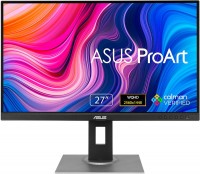
for graphics, 27 ", 2560x1440 (16:9), response 5 ms, 75 Hz, 8-bit (16.7M Colors), sRGB 100 %, DVI-D, HDMI, DisplayPort, mini DisplayPort, HUB: USB-A 4x5Gbps, speakers, CalMAN Verified

transformer 360°, 13.3 ", touch, 2880x1800 (16:10), OLED, Ryzen AI, Max+ 395, 3 GHz, RAM 128 GB, LPDDR5X, Radeon 8060S, SSD M.2 NVMe, 2 TB, Win 11 Home, USB-A 10Gbps, USB-C 40G (USB4), Wi-Fi 7, 3D face scanner, 1.4 kg

for graphics, 23.8 ", 1920x1080 (16:9), IPS, response 5 ms, 144 Hz, sRGB 100 %, DCI-P3 95 %, HDMI, v 2.1, DisplayPort, USB-C (DP Alt Mode), Power Delivery, HUB: USB-A 3x5Gbps, USB-C 1x5Gbps, KVM switch, speakers, VESA Adaptive-Sync, HDR, CalMAN Verified, TÜV Rheinland
transformer 360°, 13.3 ", touch, 2880x1800 (16:10), OLED, Ryzen AI, Max+ 395, 3 GHz, RAM 32 GB, LPDDR5X, Radeon 8060S, SSD M.2 NVMe, 1 TB, Win 11 Home, USB-A 10Gbps, USB-C 40G (USB4), Wi-Fi 7, 3D face scanner, 1.4 kg
AccessoriesAll accessories for Asus ProArt PA348CGV →







I have been using this monitor for over a month, so my impressions are already dry and calm. Additionally, I can say that next time I would consider a slightly curved monitor, because even turning your head or eyes, which you will have to due to its size, the outer 2-3 cm on the sides seem too far away. - Excellent screen, it displays colors just the way I need, considering I use it alongside a 14" MacBook screen on an M1. You might need to tweak the settings, but there are definitely enough options to adjust it to your liking. - Wonderful wide flat stand, convenient to place things on it and easy to maintain - The height is adjustable even a bit more than I need - It has a clamp that can be installed instead of the stand - Charges the laptop powerfully via USB-C, so you can set aside the charger and use just one cable, which also transmits the image in the other direction - The USB hub works great, although its convenience is so-so, it's perfect for connecting devices that are constantly needed, like a mouse/keyboard transmitter - You can place two applications on one screen at once, avoiding the constant swiping on the touchpad and trying to remember what you saw on the other - The monitor subsystems do not work harmoniously, what I mean is: 1) sound: if you switch from a device playing sound (in my case, PS5) to another where nothing is playing at the moment (in my case, MacBook), the image switches, but the sound continues to play from the other device. The solution is to play music on the MacBook, switch there and then back again; 2) backlight: it has a mind of its own. Both connected devices are in sleep mode, nothing is being output, no image, but the backlight can switch on for some reason and either occasionally turn off and on again, or stay on the whole time. Not critical, but unpleasant. I think it would be critical if the monitor is placed opposite the sleeping area - if you have a PS5 or any device that does not support 21:9 aspect ratio, only 16:9, be prepared to go into the monitor settings almost every time and switch the aspect ratio mode to get black bars on the sides (by the way, YouTube always does this on its own, since all videos there are 16:9). For some reason, the engineers did not implement a proper saving of this setting. Sometimes it saves, but that’s more of an exception - it switches display modes or inputs slowly, taking about one to two seconds, giving the impression that the developers added forced delay and forgot to remove it before release, which is annoying because I haven't had any other monitor where this didn't happen almost instantly - there are lots of buttons on the front panel, but you can only assign two of them, and not with all the necessary functionality, and with limitations. For example, you can adjust the volume, but you can't mute.  Artem Medvedev: use Asus ProArt PA348CGV few months Artem Medvedev: use Asus ProArt PA348CGV few months |
Add Review
Video reviews
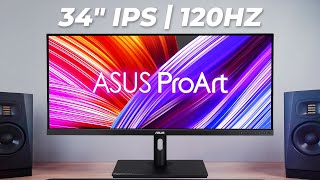
The PERFECT Monitor for Creators!? Asus ProArt 34" PA348CGV
11 February 202470 864 view

ASUS ProArt Display Review (PA348CGV) - Premium 1440p Display With a Premium Price Tag
9 August 202250 060 view

My New Favorite Monitor | Asus ProArt Display PA348CGV
20 July 202234 479 view

ASUS ProArt Display PA348CGV - Best Ultra Wide Monitor for Photographers!
18 July 202212 400 view

Every Screen Lover's Dream! - Asus ProArt PA348CGV Display Review ( 100% SRGB )
3 September 20238 251 view

The ASUS ProArt is STUNNING! (PA348CGV) #asus #proart #asusproart #pa348cgv #monitor
15 February 20246 977 view

ASUS Show #68 –ProArt monitors OLED PA32DC, PA348CGV, ROG Graphics Card holders, PC builds and more!
13 August 20223 123 view

Asus ProArt PA348CGV: The Best Ultrawide for Creatives? | Full Review
1 June 20231 646 view

Building A Temporary "DREAM" Editing Setup (ASUS ProArt PA348CGV)
14 September 20241 054 view

ASUS ProArt PA348CGV 34-Inch Ultrawide Monitor Review
1 April 2024629 view
SimilarCompare using chart →
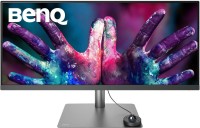
for graphics, 34 ", 3440x1440 (21:9), IPS, response 5 ms, 60 Hz, 10-bit (1.07B Colors), sRGB 100 %, DCI-P3 98 %, HDMI, DisplayPort, USB-C (DP Alt Mode), Power Delivery, HUB: USB-A 3x5Gbps, speakers, HDR, Pantone Validated, CalMAN Verified
for graphics, 32 ", 4K, 3840x2160 (16:9), IPS, response 5 ms, 60 Hz, 10-bit (1.07B Colors), sRGB 100 %, HDMI, DisplayPort, USB-C (DP Alt Mode), Power Delivery, HUB: USB-A 4x5Gbps, speakers, AMD FreeSync, HDR, CalMAN Verified, TÜV Rheinland

gaming, 31.5 ", 4K, 3840x2160 (16:9), OLED (WOLED), response 0.03 ms, 165 Hz, 330 Hz (Full HD), 10-bit (1.07B Colors), DCI-P3 99 %, HDMI, v 2.1, DisplayPort, USB-C (DP Alt Mode), Power Delivery, HUB: USB-A 3x5Gbps, KVM switch, AMD FreeSync Premium Pro, NVIDIA G-Sync Compatible, HDR, TÜV Rheinland
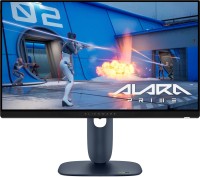
gaming, 24.5 ", 1920x1080 (16:9), IPS, response 0.5 ms, 320 Hz, 16.7M Colors, sRGB 99 %, HDMI, v 2.1, DisplayPort, HUB: USB-A 2x5Gbps, AMD FreeSync Premium, NVIDIA G-Sync Compatible, VESA Adaptive-Sync, HDR

gaming, 31.5 ", 4K, 3840x2160 (16:9), IPS, response 0.5 ms, 160 Hz, 320 Hz (Full HD), 8-bit + FRC (1.07B Colors), sRGB 131 %, DCI-P3 99 %, HDMI, v 2.1, DisplayPort, HUB: USB-A 2x2.0, VESA Adaptive-Sync, HDR, TÜV Rheinland

gaming, 31.5 ", 4K, 3840x2160 (16:9), QD-OLED, response 0.03 ms, 240 Hz, 10-bit (1.07B Colors), DCI-P3 99 %, HDMI, v 2.1, DisplayPort, USB-C (DP Alt Mode), Power Delivery, HUB: USB-A 2x5Gbps, KVM switch, speakers, AMD FreeSync Premium Pro, NVIDIA G-Sync Compatible, HDR
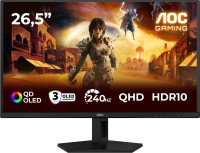
gaming, 26.5 ", 2560x1440 (16:9), QD-OLED, response 0.03 ms, 240 Hz, sRGB 147.6 %, DCI-P3 99.1 %, HDMI, DisplayPort, NVIDIA G-Sync Compatible, VESA Adaptive-Sync, HDR, TÜV Rheinland

gaming, 27 ", 2560x1440 (16:9), IPS, response 1 ms, 220 Hz, 10-bit (1.07B Colors), sRGB 133 %, DCI-P3 97 %, HDMI, v 2.1, DisplayPort, USB-C (DP Alt Mode), Power Delivery, AMD FreeSync Premium, NVIDIA G-Sync Compatible, VESA Adaptive-Sync, HDR, TÜV Rheinland

gaming, 27 ", 2560x1440 (16:9), QD-IPS, response 1 ms, 200 Hz, 1.07B Colors, sRGB 150 %, DCI-P3 99 %, HDMI, DisplayPort, USB-C (DP Alt Mode), Power Delivery, HUB: USB-A 2x5Gbps, KVM switch, NVIDIA G-Sync Compatible, VESA Adaptive-Sync, HDR, TÜV Rheinland
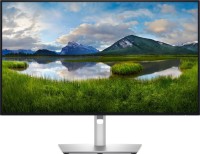
for graphics, 27 ", 4K, 3840x2160 (16:9), IPS, response 5 ms, 120 Hz, 1.07B Colors, sRGB 100 %, DCI-P3 99 %, HDMI, v 2.1, DisplayPort, USB-C (Thunderbolt v4), Power Delivery, LAN, HUB: USB-A 5x10Gbps, USB-C 2x10Gbps, KVM switch, VESA Adaptive-Sync, HDR, CalMAN Verified, TÜV Rheinland

gaming, 27 ", 4K, 3840x2160 (16:9), IPS, response 1 ms, 160 Hz, 320 Hz (Full HD), 1.07B Colors, sRGB 125 %, DCI-P3 95 %, HDMI, v 2.1, DisplayPort, USB-C (DP Alt Mode), Power Delivery, HUB: USB-A 3x5Gbps, KVM switch, speakers, AMD FreeSync Premium, NVIDIA G-Sync Compatible, VESA Adaptive-Sync, HDR, TÜV Rheinland

gaming, 27 ", 2560x1440 (16:9), OLED (WOLED), response 0.03 ms, 240 Hz, 10-bit (1.07B Colors), DCI-P3 99 %, HDMI, v 2.1, DisplayPort, USB-C (DP Alt Mode), AMD FreeSync Premium, NVIDIA G-Sync Compatible, HDR, TÜV Rheinland