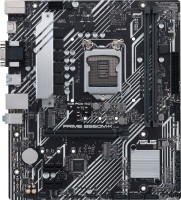
Asus PRIME B360M-A
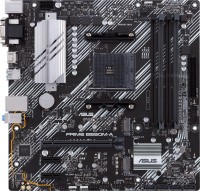
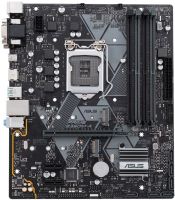 | Expecting restock Perfectly balanced microATX motherboard for 8th generation Intel Core/Pentium/Celeron processors with Coffee Lake microarchitecture and LGA 1151 v2. It is a typical 2018 mid-range product designed for mid-to-high-end home and office PC configurations. Can serve as a quality base for entry-level workstations. There are digital (HDMI, DVI-D) and analogue (D-sub) interfaces for displaying images from the video core built into the processor. There is a PCIe x16 Gen3 slot for installing high-performance discrete graphics cards. Unlike most models of a similar format, the Asus PRIME B360M-A motherboard is equipped with 4 DIMM slots supporting DDR4-2666/2400/2133 memory. You can install up to 64 GB of memory, which is enough for any home, office and professional tasks. Thanks to the presence of t...wo M.2 ports (throughput up to 32 Gbps) and six SATA3 ports (6 Gbps, RAID 0/1/10), it is possible to build a modern, high-speed and reliable data storage subsystem, including using NVMe SSDs. The built-in controller Realtek RTL8111H is responsible for working in the local network, it processes and outputs the sound of the 8-channel HDA codec Realtek ALC887. The board is equipped with 11 USB ports, including 5xUSB 3.1 (2xGen 2, 3xGen1). |


Perfectly balanced microATX motherboard for 8th generation Intel Core/Pentium/Celeron processors with Coffee Lake microarchitecture and LGA 1151 v2. It is a typical 2018 mid-range product designed for mid-to-high-end home and office PC configurations. Can serve as a quality base for entry-level workstations. There are digital (HDMI, DVI-D) and analogue (D-sub) interfaces for displaying images from the video core built into the processor.
There is a PCIe x16 Gen3 slot for installing high-performance discrete graphics cards. Unlike most models of a similar format, the Asus PRIME B360M-A motherboard is equipped with 4 DIMM slots supporting DDR4-2666/2400/2133 memory. You can install up to 64 GB of memory, which is enough for any home, office and professional tasks. Thanks to the presence of two M.2 ports (throughput up to 32 Gbps) and six SATA3 ports (6 Gbps, RAID 0/1/10), it is possible to build a modern, high-speed and reliable data storage subsystem, including using NVMe SSDs. The built-in controller Realtek RTL8111H is responsible for working in the local network, it processes and outputs the sound of the 8-channel HDA codec Realtek ALC887. The board is equipped with 11 USB ports, including 5xUSB 3.1 (2xGen 2, 3xGen1).
|
| |||||||||||||||||||||||||||||||||||||||||||||||||||||||||||||||||||||||||||||||||||||||||||||||||||||||||||||||||||||||||||||||


Always clarify the specifications and configuration of the product with the online store manager before purchasing.
Catalog Asus 2026 - new arrivals, bestsellers, and the most relevant models Asus.

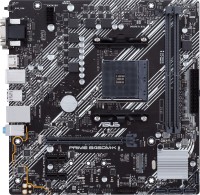
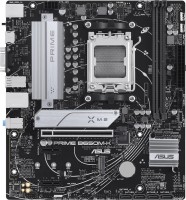
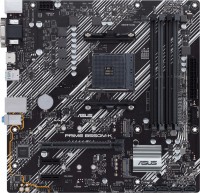
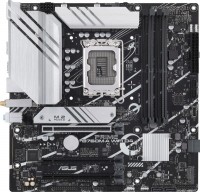
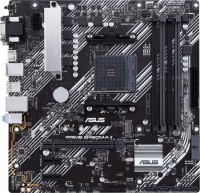
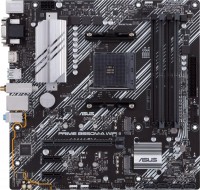
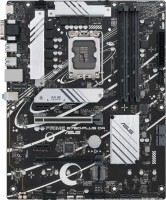

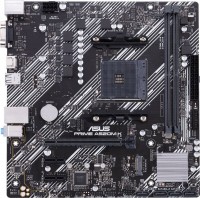
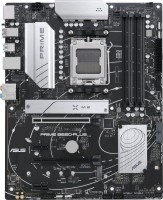
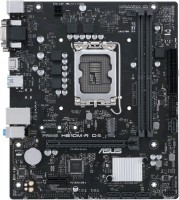
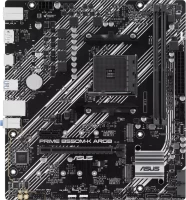

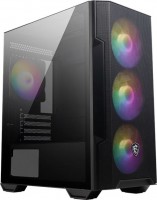
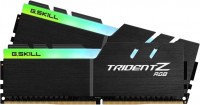
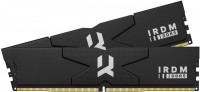
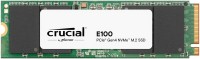
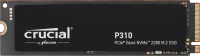
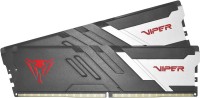
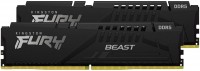
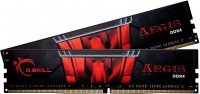


Good motherboard, bought it for 5500 rubles. Nothing gets hot during games. Paired with i3 8100 + Palit GTX 1060. Works right out of the box, first time assembling. BIOS is clear in Russian, didn't have to jump through hoops. It smells like some burnt wire right from the box and it continued to smell in the room for a week when the computer was running. use Asus PRIME B360M-A month or more i recommend it should buy |




Brothers on B360M
The situation on the market has developed in such a way that motherboards based on the Intel B360 chipset are the most attractive for economical users who want to build a system without overclocking, but with support for modern interfaces and without overpaying for unnecessary functionality. Understanding this trend perfectly, manufacturers continue to fill their lines with appropriate motherboards. Asus was no exception, in the assortment of which you can already find about fifteen models in various formats, including the hero of this review, PRIME B360M-A.
Smart Savings
Among the variety of "Primes" on the B360, this particular motherboard looks the most preferable, since nothing had to be sacrificed here for the sake of the price. For your $80, you get up to 64GB of RAM, an optional M.2 Socket 3 interface, HDMI video output, and a USB-C port rare in this segment. Plus, there's ASUS AURA Sync support, an LED strip header, and an LPT port. Although, the board is never positioned as a gaming one.
4 RAM slots
And this is not to mention that, unlike the popular B360M-K, here we have 4 full-fledged DDR4 slots that allow you to install up to 64 GB of memory, which is enough for any home, office and professional tasks. Thanks to the presence of two M.2 ports and six SATA3 ports, it is possible to build a modern, high-speed and reliable storage subsystem, including using NVMe SSD drives. Against the background of all this, one can only find fault with the fact that due to the lack of free chipset lines, one of the M.2 slots shares the bandwidth with the SATA 6 port when installing a SATA drive.