
MSI B550-A PRO
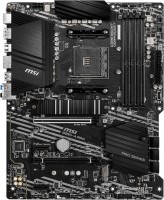 |

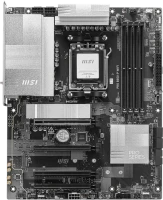
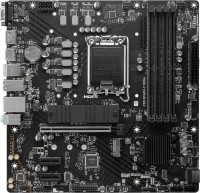
A well-balanced multipurpose ATX motherboard of the 2020 model year with an AMD AM4 processor socket and a mid-range B550 chipset. Designed for assembling gaming systems, high-performance universal home PCs, and entry-level workstations. Thanks to a reinforced PCIe slot, it can work with massive and large-sized top-tier discrete gaming graphics cards. Positioned as a mid-priced product.
Guaranteed compatibility with AMD Ryzen 3000 (Matisse/Matisse Refresh, 7 nm) and APU Ryzen 4000G (Renoir, 7 nm) processors. Unlike previous generation models based on the B450 chipset, the MSI B550-A PRO motherboard features full support for the high-speed PCIe Gen 4.0 system interface, which allows for a 100% increase in texture loading speed in advanced discrete graphics card models and accelerates data exchange with high-performance NVMe SSDs. With four slots for DDR4 DIMM modules, it is possible to install an impressive maximum total amount of RAM (up to 128 GB), which is more than enough for gaming, streaming, and handling any home/professional tasks. Also noteworthy is the presence of a high-speed Realtek 8111H GbE LAN adapter and two digital video outputs (HDMI, DisplayPort).
|
| |||||||||||||||||||||||||||||||||||||||||||||||||||||||||||||||||||||||||||||||||||||||||||||||||||||||||||||||||||||||||||||||||||||||||||||||||||||||||||||||||||


Always clarify the specifications and configuration of the product with the online store manager before purchasing.
Catalog MSI 2026 - new arrivals, bestsellers, and the most relevant models MSI.

Buy MSI B550-A PRO
All prices 13 →| £94.99 |  | ||||
MSI AMD B550-A PRO DDR4 ATX Socket AM4 Motherboard | £94.97 |  | |||
MSI B550-A PRO ATX Motherboard for AMD AM4 CPUs | £96.99 |  | |||
MSI B550-A PRO AMD Ryzen B550 ATX DDR4 Motherboard - Socket AM4 | £99.99 |  | |||
Msi B550-A Pro Socket AM4 ATX Motherboard | £101.78 |  | |||



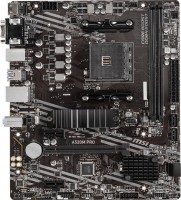
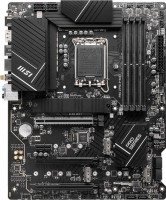
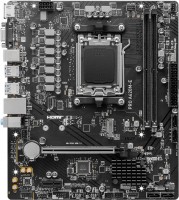
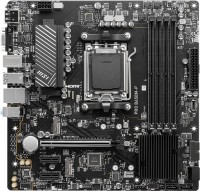

Power phase. Suitable for Ryzen 5800 series processors and above. VRM and M2 drive cooling. Many connectors for fans. The motherboard is capable of overclocking both the CPU and the motherboard, but this requires knowledge)) The back panel cover did not fit well, but that's an issue with the case. There is no BIOS flashback instruction from the official website, but at least it's very easy to do.  Vlad: use MSI B550-A PRO less than month Vlad: use MSI B550-A PRO less than month |
The motherboard is good, but the description is like a Chinese product. I couldn't find information on which of the two M2 slots to use for NVMe drives and which one for M2 SATA. Because of this, I thought my SATA M2 wasn't working until I tried the upper port with the heatsink. Although by all indications the upper port should only work with NVMe drives since it's on the processor bus and has a cooling heatsink. Before I updated the BIOS, there were mouse pointer lags. Due to an HDMI port on my graphics card being connected to a turned-off TV, I couldn't update the BIOS through the corresponding menu option. Each time, I encountered a dark screen and didn't realize that the video signal had switched to HDMI. Eventually, I updated the BIOS through the emergency update button and a flash drive. The update took about 20-30 minutes. The description does not provide information about the duration of updating via this method, which can be misleading. The price of this motherboard, 2 m2 ports, 6 sata, supports ddr4 memory up to 4400MHz. The memory defaults to 2666, to set the factory frequency you need to enable the xmp profile in the BIOS. The description does not come with the motherboard. In the box, there is a quick start guide that describes how to build a PC, but it does not describe the features of the motherboard. Even if you download the manual from the official website, the information will be extremely limited. For example, which M.2 port should be used for M.2 SATA drives, and which for NVMe. After a thorough review of Asus, this can leave you perplexed. I did not expect such a trick from MSI. Aleksey Obuhov: use MSI B550-A PRO less than month |
I had to take the Asus TUF B550-Plus Gaming instead, there were no problems with the assembly, booting the system takes about 30-35 seconds from the moment you press the power button, and this is with the Samsung 970 EVO M.2 250 GB installed, the old system on the Asus P8Z68-V LX and Kingston ssdNOW 300V 120 GB even loaded in 25-30 seconds; I didn’t expect this from 2020 technologies. MSI technical support said that this is normal system boot time. The bios was flashed with the latest one at the current time. Supports PCI-Ex 4.0 and 4400 MHz RAM frequency Long system loading A bit complicated BIOS, can be confusing use MSI B550-A PRO month or more |


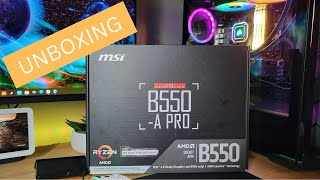


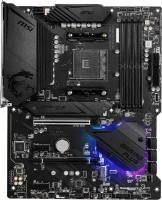
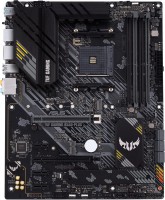
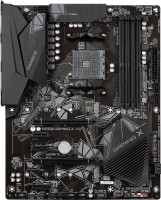
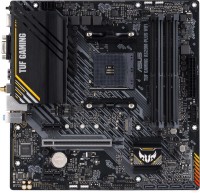
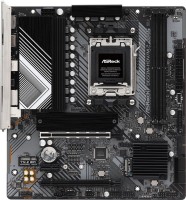
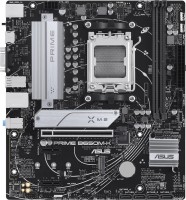
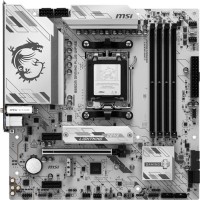
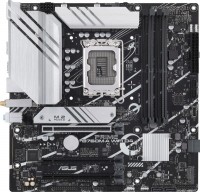

First thing, I updated the BIOS via BIOS flashback. MIRACULOUSLY, it fit in the office case with the graphics card.
For those who are buying - update the BIOS, as 4000 series processors and newer won't run out of the box. The motherboard will indicate this with a light.
Simply connect the power cable to the motherboard and processor, download the BIOS from the official website, and insert the flash drive into the left USB 2.0 port near the PS2 connector.
I didn't notice a difference in sound quality compared to a cheaper solution, so don't worry.
As for ethernet - I can't feel a difference because the cable and router are at 100Mbps.
Even though it's currently relevant to build on AM5, the processor prices still don't satisfy me. If you have the money for an AM5 build - definitely go for it. After all, AM5 will last as many years as the AM4 socket.