Best Wireless Gamepads for PC

We independently test the products and technologies that we recommend.


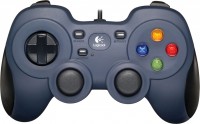
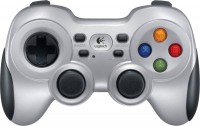
In terms of design, the F710 fully replicates PlayStation gamepads — a pair of symmetrical sticks, D-pad with arrows, 4 side shifts, and a main block with four buttons. The main difference is that the main buttons are labeled not with geometric shapes like the DualShock but with colorful letters "ABXY" like the Xbox. Since most PC games are oriented toward Xbox, you won't have to rush to find the right button when a prompt like "press X, then A" appears on the screen.
The main feature of Logitech controllers is the simultaneous support for XInput and DirectInput modes. In the first case, the system recognizes the F710 as an Xbox Controller for Windows with a standard layout, and in the second as a Rumblepad with the ability to reprogram buttons to your preference. In the latter case, the gamepad can be set up to control third-party applications, such as using it as a MIDI controller in music software. You can switch modes using a special mechanical lever on the body.
The main weakness of the F710 lies in its ergonomics. The stick responsiveness is unimpressive, despite now being able to move in a perfectly circular trajectory. Precision at small deviations is low, and the finger on top does not sit very comfortably and tires faster. Especially in games like FIFA, where you constantly have to turn both sticks. And the analog triggers/shifts are somewhat stiff. That's a plus for durability but a minus for convenience. For example, in racing games where you need to hold the throttle down most of the time, fingers tire faster than when using Xbox and PS controllers. So be sure to try out the gamepad before purchasing.
Another big difference from Sony and Microsoft creations is power. Instead of a battery, the Logitech F710 uses regular AA batteries. It is their quality that determines how long the charge of the gamepad will last.

| Box.co.uk | £42.99 | To Store |
| Quzo.co.uk | £52.26 | To Store |
| OnBuy.com | £76.00 | To Store |
| Tradeinn.com | £36.99 | To Store |
| Box.co.uk | £42.99 | To Store |
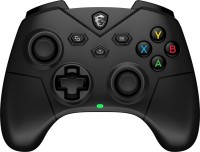
The MSI brand gamepad represents the mid-price segment and is recommended for PC or Android device owners. It stands out for its support of combined connection, meaning both wired and wireless — via Bluetooth and radio communication. The model is available in two versions — white or black.
The MSI Force GC300 Wireless features an asymmetrical Xbox-style design, has an ergonomic construction for a comfortable grip even during long sessions, and boasts a relatively light weight (230 grams). In wireless scenarios, a 600mAh battery can provide up to 20 hours of autonomous operation, but only if the vibration feedback is turned off.
The 4-position D-pad, ABXY buttons, and two sticks are complemented by the familiar pair of bumpers and triggers. The latter supports two press options — full and short travel (with separate switches) — accordingly for racing simulators and dynamic shooters. The triggers are based on Hall effect sensors to extend service life and ensure exemplary accuracy. Additionally, there are two more programmable back buttons. Using MSI Center software, you can set desired commands for them and flexibly configure other controller operating parameters.
Highlights include a 3.5mm jack for headphone connection, but note that it does not work when the model is Bluetooth-paired with a PC or smartphone. The downside of the gamepad is its limited overall compatibility, as it cannot be “paired” with popular gaming consoles and Apple devices.
The MSI Force GC300 Wireless is a balanced controller without overpayments and unnecessary options for casual gaming.

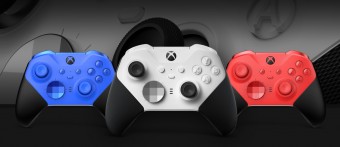
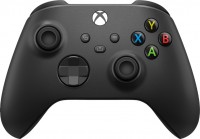
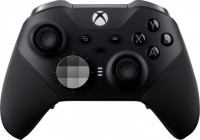
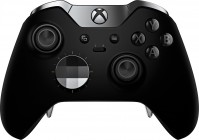
Throughout the past decade, Microsoft/Xbox management was doing anything but their main job — making unsuccessful Kinects, trying to turn the console into a DVD player, and ultimately losing the exclusive war. Amidst this mess, the fact that the Xbox has an incredibly comfortable controller went unnoticed by many players. And not including it in the selection of the best wireless manipulators for PC would be sacrilege.
The main complaint about the Xbox controller usually lies in the fact that it's not a DualShock. The shape is different, and asymmetrical sticks — who even came up with that? In reality, these complaints disappear within minutes of playing. It turns out that in some ways, asymmetrical sticks are even more comfortable than symmetrical ones. Unlike Sony gamepads, which often require manually adding the game to Steam or installing third-party drivers, the Xbox Controller is effortlessly picked up on any device, be it a gaming laptop on Win 10, a smartphone on Android OS, or the new iPad Pro.
Otherwise, the new Xbox Controller has remained almost the same as in the Xbox 360 days. Microsoft slightly upgraded the sticks and improved the shape by removing a small slope at the top front and replacing the less durable glossy finish with practical matte plastic. As a result, the gamepad became a bit more ergonomic and comfortable. It also fits comfortably in both large and small hands. Well, they added a headphone jack, and the charging port was updated to the modern USB C. However, out of the box, the gamepad works on a pair of AA batteries, and a battery is usually sold separately. And the D-pad was updated, borrowing the idea from the tournament model Xbox Elite.
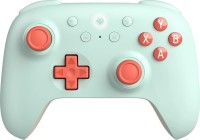
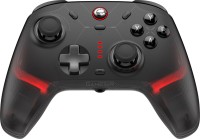
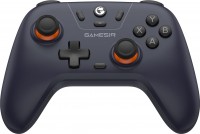


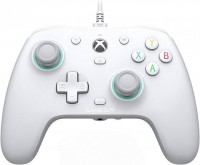


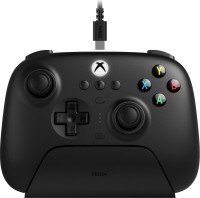


The GameSir brand gamepad supports different pairing methods. It can be “paired” with PCs and other devices via Bluetooth or radio channel (a dongle is included), as well as using a 3-meter wire. The model is intended for use with computers, smartphones, and tablets (on Android and iOS), Switch consoles, modern smart TVs, and TV boxes. For maximum multiplatform support, only official Xbox and PlayStation support is missing.
GameSir Cyclone 2's equipment bonuses include customizable RGB backlighting, a headphone jack (in addition to USB C for charging and wired connection), and a 6-axis gyroscope that enables gesture control (controller tilts).
By default, the layout of the model's controls replicates Xbox solutions. However, users have more buttons at their disposal than with the classic Microsoft gamepad — 15, including two programmable back ones. Additional advantages include TMR sticks and Hall effect triggers. Both their construction increases control precision, reduces wear, and minimizes the possibility of drift (spontaneous activation without presses). Plus, TMR also offers low power consumption.
The downside of the model is autonomy from an 860mAh battery of about 2 to 2.5 hours with backlighting on, which is less than main competitors. However, a version with an included dock station is available, allowing charging even during short breaks between gaming sessions. Also, note that easy backlighting setup, button programming, and profiles are only available in the PC software — GameSir Connect. In mobile apps for Android and iOS, this functionality is missing — you can only change commands through physical combinations on the controller, which is not very convenient.
In any case, for its price category, the GameSir Cyclone 2 is a cool gamepad that will surely please PC owners and has significant bonuses for game fans on smartphones, tablets, and other devices.

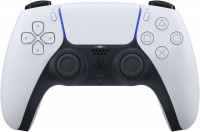
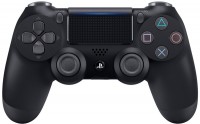
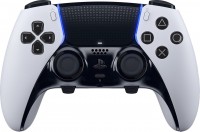
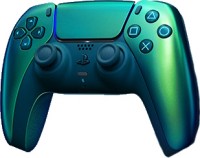
Surprised to see a PS5 gamepad in a selection of controllers for PC? Don't rush, as Sony became friends with the PC platform after the PS5 announcement, making many fans happy. PC gamers have already experienced exclusives like Death Stranding, Days Gone, and Horizon, and upcoming additions include God Of War 2018 and possibly an Uncharted remaster. Considering all this, it's no surprise that the PS5 gamepad can easily be paired with a PC using native support in Win 10, forced support in Steam, or the DS4Windows workaround app.
The only downside to this connection is that most games do not support the DualSense's adaptive triggers. It's almost the main feature of the new gamepad that significantly enhances the gaming experience. For example, the trigger can become tighter when Aloy from Horizon draws the bowstring. Or it can create a tactile recoil effect when shooting in Deathloop. On PC, these features are just starting to appear — the first titles with support for tactile triggers were Metro Exodus: Enhanced Edition and Assassin’s Creed Valhalla. Otherwise, almost all key functions are supported when connected, including the touchpad (can be used as a mouse), gyroscope, microphone, and motion sensor. Haptic feedback is implemented on a basic level in most games.
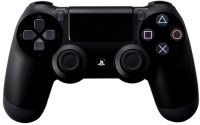
Regarding the gamepad itself, opinions are mixed. On one hand, it has taken a step forward in terms of quality. It feels premium, the buttons press softer and more confidently, the D-pad seems a bit stiffer, and the finish is much nicer than the DualShock 4 (especially the grip finish was appreciated). Fast charging appeared, and the battery holds the charge a little longer. The bumpers remained practically unchanged, and we already mentioned the adaptive triggers above. On the other hand, not everyone likes the updated design of the gamepad. The old DualShock was a thing in itself, which spawned a million imitators, while the new DualSense tries too hard to stand out, becoming similar to an imitator itself. Well, you've probably already heard the story about drifting sticks. Some PS5 owners had sticks malfunctioning or spontaneously triggering without player touch within just a few weeks. Sony has apologized several times and seems to have fixed everything in the spring firmware update.

Articles, reviews, useful tips
All materials