Logitech Wireless Mouse M185
 |

Logitech Wireless Mouse M185 | |||||||||||||||||||||||||||||||||||||||||||||||||||||||||||
|
| ||||||||||||||||||||||||||||||||||||||||||||||||||||||||||


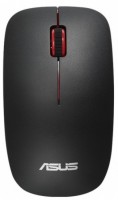
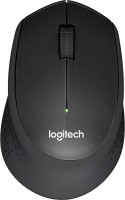
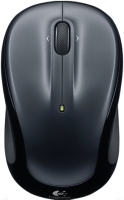
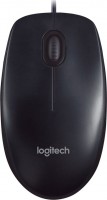
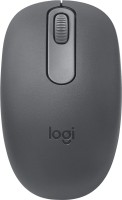
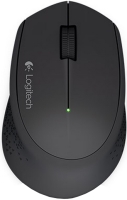
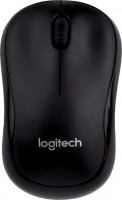
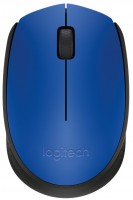
. Entry-level wireless mouse with a traditional set of features. It has 2 buttons and a scroll wheel, and connects via radio channel through a USB adapter. The sensor resolution is 1000 dpi. Powered by an AA battery. It is available in black with a red, blue, or gray trim.
Always clarify the specifications and configuration of the product with the online store manager before purchasing.
Catalog Logitech 2026 - new arrivals, bestsellers, and the most relevant models Logitech.


Buy Logitech Wireless Mouse M185
All prices 90 →Wireless Mouse M185 Swift Grey, EER Orient Packaging 910-002238 | £7.38 |  | |||
Logitech 910-002236 M185 Wireless Mouse Blue 910-002236 | £8.12 | | |||
Logitech 910-002237 M185 Wireless Mouse Red 910-002237 | £8.21 | | |||
Logitech 910-002235 M185 Wireless Mouse Swift Grey 910-002235 | £7.67 | | |||
| £9.99 |  | ||||
























User reviews 109 | 7 15 23 53 |
Koristuvala 3 roki, a couple of times lethal and razvalyulas, also, logically, began to glitch. I broke into the fact that I let the text in on my own vision, or else. Wheel and buttons to the right. It is light, small, placed on the lower part of the laptop with a touchpad)) But on not even smooth surfaces, I felt bad for myself. More independent!!! Changed the battery less than 1 hour 2 times. All in all, there was no skarg for the fates.  Nataliya Tuoppi: use Logitech Wireless Mouse M185 more than year Nataliya Tuoppi: use Logitech Wireless Mouse M185 more than year |
Decent, convenient mouse. Over 8 years of use, I've replaced 3 of them. After about 3 years, the left button wears out and it's not as pleasant to click as it was when new. However, all mice still work. Though, one of them has started to have the click signal disappear from time to time. Cheap Not durable  While Ocean Sleep: use Logitech Wireless Mouse M185 more than year While Ocean Sleep: use Logitech Wireless Mouse M185 more than year |
Good and reliable mouse. It worked for about 3-4 years without major defects until I broke the spring on the PCM. Good for gaming. I’m not very versed in sensors and their attributes, but my mouse was mainly used in games and it allowed me to aim with fairly high accuracy. There were strange moments when the button on the mouse wheel turned off for a while, but then it was fixed, and most likely this was due to the fact that the mouse fell several times. If your computer emits a definitely high-frequency sound in some places, then this may interrupt the connection between the mouse and receiver. OwBoiYeah: use Logitech Wireless Mouse M185 more than year |











Folk love
Logitech's wireless controllers have a lot of devoted fans. And there are good reasons for this: the gadgets of this company can boast not only comfortable ergonomics, but also impressive battery life. This fully applies to the compact nice Logitech Wireless Mouse M185.
Serious battery life
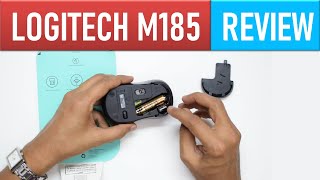
For $20, a potential buyer gets a wireless mouse that operates on a 2.4 GHz radio channel and is equipped with a miniature receiver that protrudes from the USB port by a few millimetres. Logitech reports that by purchasing the M185, it will be possible to save on batteries, because AA batteries last for 1 year. This is helped by the fact that in case of inactivity, the mouse automatically goes into sleep mode.
Will not let you down in the middle of the working day
In general, the company is positioning this mouse as a mass product without any hidden tricks up its sleeve. It simply works reliably, does not lose connection in the middle of the working day and quickly connects to computers, laptops and smart TVs. Thanks to four rubberized feet and a 1000 DPI sensor, it glides perfectly on almost any surface.