
TP-LINK TL-WN881ND
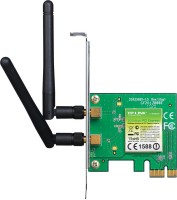 |

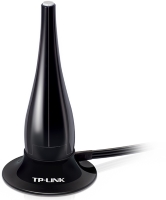
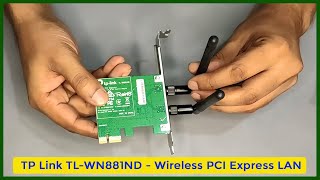
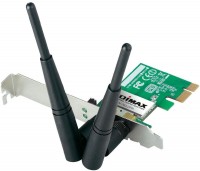
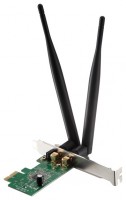
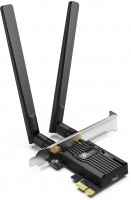
Wireless network adapter for stationary systems with PCIe connection interface. The manufacturer is positioned as a simple, inexpensive and reliable basic level device for connecting to a wireless router or access point located at a considerable distance. This allows you to create a performant wireless LAN without the need for cabling. Favorably differs from much cheaper small-sized Wi-Fi USB adapters with support for MIMO 2x2 multi-stream data transfer technology and a complete package, which includes two detachable external antennas with a gain of 5 dBi.
The presence of two rotary antennas is especially important in situations where there are significant obstacles between the PC and the router (reinforced concrete / brick walls, numerous partitions) or at significant distances. Under such conditions, the TP-LINK TL-WN881ND Wireless Network Adapter provides better connection stability and increased channel throughput. Fully compatible with any motherboard equipped with PCIe slots. Able to work properly in PCIe x1, x2, x8, or x16 slots. Provides support for Wi-Fi 3 and 4 (802.11g/n) standards and connection speeds up to 300 Mbps, which is enough for typical home and office tasks. It has modest overall dimensions (half height), can be used in mini-ITX cases.
|
| ||||||||||||||||||||||||||||||||||||||||||||||||||||||


Always clarify the specifications and configuration of the product with the online store manager before purchasing.
Catalog TP-LINK 2026 - new arrivals, bestsellers, and the most relevant models TP-LINK.
Buy TP-LINK TL-WN881ND
All prices 6 →TP-Link TL-WN881ND 300Mbps Wi-Fi PCI Express Adapter TL-WN881ND | £12.25 |  | |||
Tp-link TL-WN881ND | £12.99 |  | |||
TP-Link TL-WN881ND 300Mbps Wireless N PCI Express Green TL-WN881ND | £19.97 |  | |||
TP-Link TL-WN881ND network card Internal WLAN 300 Mbit/s | £25.98 |  | |||
TP-LINK TL-WN881ND adaptor 300Mbps 2T2R Atheros PCIe | £27.20 |  | |||
TP-LINK TL-WN881ND 300 Mbps Wireless N PCI Express Adapter, PCIe Network Interface Card for Desktop, Low-Profile Bracket Inc | £32.48 |  | |||
At work, I assembled a computer and needed internet. I bought and connected it; in Win XP, I couldn’t connect, but in Win 7 everything connected automatically, and in Win 10 there were absolutely no problems and it was fast. I installed the driver from the disk that came with it. Internet sharing via Wi-Fi from the smartphone "YANDEX," and if the network is 4G, then the internet is really fast. Only one band 2.4 5 ki no I still don’t understand why I couldn’t set up the network in XP use TP-LINK TL-WN881ND month or more i recommend it should buy |
Price; Essentially it is a piece of PCB, a little metal and a Realtek chip. Constant interference on the antennas, most likely from the wires connected to the PC's rear panel Crooked drivers  Felix Corvus: use TP-LINK TL-WN881ND few months Felix Corvus: use TP-LINK TL-WN881ND few months |



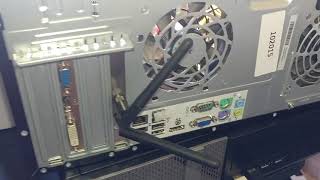





The native driver may install normally or may not (in which case the above problems will be less frequent), which is surprising. Occasionally (rarely) the card/driver will freeze, and the OS will show a yellow triangle indicating that there is no network connection, even though the incoming connection works, albeit intermittently, and the outgoing connection is completely cut off - again, adjusting the antennas does not solve the problem, because after a couple of minutes the card will freeze anyway. This is resolved by simply waiting.
What all of this is related to is completely unclear; there are no actively emitting electromagnetic devices in the apartment, the system is completely new, and all other components work normally. Other devices with the same Wi-Fi router do not have such problems, and it has been working long before this system was assembled.
I generally do not recommend using wireless internet on a PC if you have the option to run a cable (I did not have this option), otherwise, immediately look at more expensive models.